

Kirjailija
Andy Williams
Kirjat ja teokset yhdessä paikassa: 88 kirjaa, julkaisuja vuosilta 2008–2027, suosituimpiin kuuluu Hyperlocal Journalism. Vertaile teosten hintoja ja tarkista saatavuus suomalaisista kirjakaupoista.
88 kirjaa
Kirjojen julkaisuvuodet: 2008–2027.

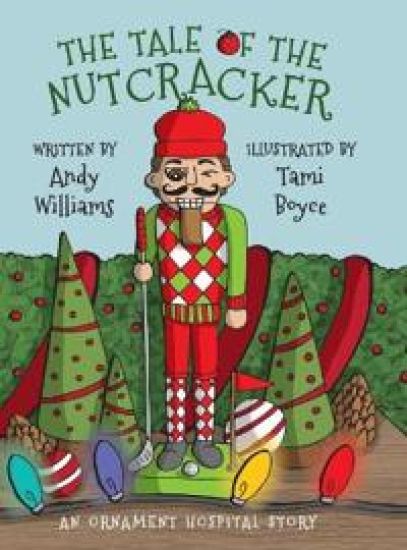
The Tale of the Nutcracker is based on a true story and sheds light on what hope looks like as told through the eyes of a family's Christmas nutcracker. Readers of all ages who struggle with their own questions about themselves, and how they fit into society, will be warmed by transformation that occurs to a very special Christmas decoration. What happens when you can't find your way, and you become down in the dumps... is all hope ever really lost? No; not for you, and not for one special nutcracker As you turn the pages, prepare to be delighted by our golfing nutcracker's adventure and his very special journey. You will delight in this heartwarming story of the ups and downs in the life of a Christmas nutcracker decoration and look forward to reading The Tale of the Nutcracker with the children in your life each and every Christmas. Along the way, enjoy being reminded that hope is one of the most wonderful gifts of all.
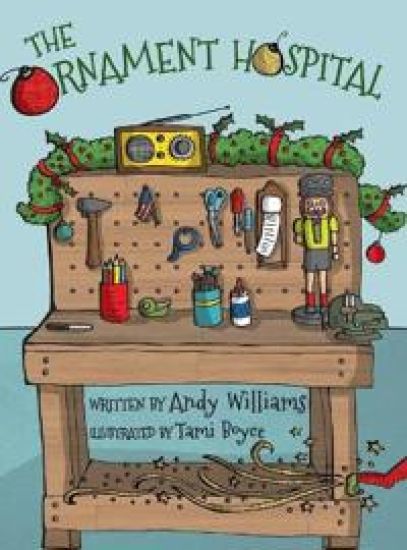
THE ORNAMENT HOSPITAL is a children's lesson about caring for others, set around the scenes that many will recognize from their own recollections of the Christmas holidays. It's a gentle reminder that tending to the little things brings joy and happiness; and shares the secrets of faith, hope, and love through its tale of broken and redeemed ornaments brought back to life. You'll enjoy reading this children's Christmas classic with family and friends, and will want to revisit it year after year.

WordPress for Beginners 2020: A Visual Step-by-Step Guide to Mastering WordPress
Andy Williams
Independently Published
2019
nidottu
Halvin toimitettuna 19,40 €
Master WordPress using our proven step-by-step visual approach (over 340 screenshots). This book is a major new release for 2020, covering the latest version of WordPress. If major changes do occur to WordPress during 2020, you can visit our updates web page for details, so your copy of the book is always up to date. Building a beautiful, professional looking WordPress website (or a blog), is no longer the domain of computer geeks. WordPress makes it possible for anyone to create and run a website that looks great on any device - PC, Mac, tablet and phone. Whether you want to build a business site, an affiliate site, a hobby site or a blog, WordPress is a great choice. The primary goal of this book is to take anyone, even an absolute beginner, from zero to WordPress "guru" in a few short hours. Inside this book, veteran WordPress expert Andy Williams will start at the very beginning. You'll learn important topics like: - The two different versions of WordPress. - Website hosting and domain registrars. How to set this up the correct way. - How to install WordPress. - An overview of the Dashboard. - Cleaning out the stuff that is installed by default. - Finding and installing WordPress themes to instantly change the look and feel of your website. - Plugins. What they are and how you can use them to create magnificent websites. - How to update WordPress, themes and plugins. - Understand every single Dashboard setting and use our defaults if you want. - How to find and use the RSS feeds on your site to help search engines find your content. - The importance of user profiles, and how to assign a "Gravatar" image to your email address. - How to create great navigation systems on your site, with custom menus, internal linking and related post sections. - Enabling and dealing with visitor comments. - Using the media library for images, video and more. - The difference between pages and posts, and when to use each one. - Effective use of categories and tags. Using these incorrectly can get your site penalised or even banned from search engines. - How to create content using both the Classic editor and the new Gutenberg editor. - How to publish posts, and even schedule them so they will be published at some future date. - Using post revisions. - Two different types of homepage. A blog style page v a more traditional "static" homepage. - Using widgets on your site to add neat features. - Types of sites you can build with WordPress (blog, business, typical site), with videos on setting these up. We'll also cover those vital plugins every site need, including: - Automatically take backups and get them sent to the cloud. - Automatically create important legal pages on your site, like terms and privacy policy. - Creating a contact page so visitors can contact you. - Add a related posts section to the end of every post to keep visitors on site longer. - Setup good SEO practices. - Setup social sharing buttons on your site, so visitors can easily tell their friends about your great web pages. Most people learn better when they can actually see what they are reading about, so one thing this book isn't, is shy with screenshots. There are over 340 of them, showing you exactly what you will see on your screen, and prompting you to take specific actions as you learn and master WordPress. You may have heard that WordPress has a steep learning curve. With this book, you won't even notice it. Each chapter ends with a "Tasks to Complete" section. By completing these tasks, you'll not only become proficient with WordPress, you'll become confident at using WordPress. By the end of the book, you'll be building great looking, professional WordPress websites that look fantastic on any device... And you'll enjoy doing it
Seo 2019: Actionable, Hands-on SEO, Including a Full Site Audit
Andy Williams
Independently Published
2019
nidottu
Do you want to learn a safe & effective SEO strategy that works in 2019? Real search engine optimization where you build 100% white-hat backlinks to catapult your site to the top of the SERPs? An SEO plan without risk of a Google slap or penalty? In 2019, how many SEO books & courses can offer that type of search engine optimization? This book can Google is on the SEO warpath. Anyone caught breaking the rules or trying to manipulate rankings through aggressive SEO techniques, will find their website dropping out of the top 10, top 100, or out of the search results altogether. Commonly taught SEO techniques can now kill your rankings Google released a whole menagerie of animals (Panda, Penguin, Pigeon, etc), but also employs humans to rate your content. You cannot fly under the radar any more. Gone are the days of fast rankings with SEO loopholes. Today, SEO can be dangerous if you follow the wrong advice. Most free online SEO advice is very wrong because it's either out of date, or written by someone that doesn't do it for a living. I've been studying, testing, and teaching SEO for over a decade. SEO 2019 is a book that will teach you the safe, white-hat search engine optimization strategies I personally use to get my web pages (and those of my clients) to rank high in Google. This is battle-tested, white hat SEO that I've learned, developed and tested over the last decade. On-site optimization techniques that I was teaching my newsletter readers back in 2008, are only now becoming mainstream in SEO. I play by Google's rules, meaning I never have to wake up after a major update and wonder if my sites have been hit. With so many algorithm changes taking place at Google, you might be wondering how it is possible to stay up to date with all the changes. The good news is that it is easy once you acquire the right mindset. Understand what Google is trying to do, and give it to them. You won't find me discussing loopholes or strategies to beat the system. What you will find is solid strategies & advice to create great content, build authority links, and increase your domain authority. This book covers everything you need to know, including: What is SEO and what are the main rnaking factors? Major Google changes and how they have affected the way we do SEO. Creating the quality content your visitors want, and search engines love. Finding essential theme words and phrases for any piece of content you write. All on-page factors discussed. Scema & Structured data. Site organization & structure. What is authority, and how you can you incrase yours? How to get authority, white-hat, high quality backlinks. Giving your visitors what they want, while keeping search engines happy. A complete SEO audit to check for common problems. SEO 2019 was written by search engine veteran Andy Williams of ezSEONews.com. He has been teaching this stuff since 2003, in his free weekly newsletter. If you want to understand what the search engines want, and learn modern search engine optimization that gets higher rankings through great content and smart backlinking, explode your traffic, AND have Google's blessing, then you should read this book.
I would never have attempted to publish my own books at any other time in our history. That's a bold statement... The thing is, the Kindle revolution has made it so easy that if you aspire to be a published author, now IS the time. Today, you don't have to send out hundreds of letters to publishers or agents. You don't have to receive hundreds of rejection letters back. Even if you do get a literary agent interested in your work, there are so many people involved in the decision to publish your book that there's no guarantee you'll get it in print. That's not even mentioning how your profits will be eaten away by the various people involved in the process. Each will take their cut. Today, you can write a book and self-publish it on Amazon for FREE and ANYONE can do it. Not only that, but you can earn up to 70% royalties on your book sales We are at a special time in history where opportunity really is knocking. My entire strategy for formatting, self-publishing and promoting your Kindle & paperback books on Amazon is covered in this book. You don't need to be a tech wizard, as each step is described in great detail with plenty of screenshots. If you can use a word processor, you can publish your work on Amazon By following the step-by-step instructions in this book, you'll know how to: - Check if there is a hungry market for your book.- Find the best keywords and know how to use them to help your book rank higher in Amazon.- Estimate sales of other Kindle books.- Format your book as you write it, without having to buy any tools or hire someone to do it for you. A single document can be used to create both your Kindle and paperback versions.- Create a table of contents properly so that it works with the Kindle reader and is properly formatted for your paperback version.- Create book covers, or where you can get them from if you are not a designer.- Submit your books so they have the best possible chance of ranking in Amazon's search engine.- Create formatted book descriptions on Amazon.- How to update your book.- How to promote your book for free.- How to set up your Author Central profile.- How to make use of the look inside feature in your books.- Why serialisation of books works, and how to do it.- Basic Text Formatting.- Which Font?- Links and formatting checks- Page Numbering in Word- Adding a new paperback- Price calculator and deciding on Trim size- Common formatting problems- Book Cover Templates- Submitting the paperback and choosing distribution channels- Tracking sales, plus lots of other stuff ... You can use Amazon's "Look Inside" feature to check out this book before you buy it. Just click the cover image above to read the first section of the book for free. About the AuthorI published my first Kindle book in August 2012. By December 2012 (just 5 months later), I was making what many people consider to be a full time income from my books. I've been writing and publishing books ever since.
Secure Your WordPress Website with HTTPS for free
Andy Williams
Createspace Independent Publishing Platform
2018
pokkari
Fix "Not Secure" warnings in Google Chrome and other browsers, for free How many times have you heard about major companies being hacked and private data being accessed? It's scary isn't it? Everyone is becoming more aware of the need for increased security when online. We now live in an internet world where trust is everything. If you run a website, then act now. Visitors to your site need to know they can trust you and your website. Visitors now know that they can easily check whether your site is secure by looking up at the address bar of their browser. If a web page is secure, they will see the comforting Padlock icon. Google Chrome (used by around 60% of all surfers) goes one step further and adds the word "Secure", just to reinforce the fact. Insecure pages don't have that padlock, and Google Chrome may even state "Not Secure". How would that kill the trust of your visitors? The industry standard for establishing a secure and encrypted link to a website is called SSL (Secure Sockets Layer). This encryption ensures that all data moving between a web browser and a website server is private. You can tell if a website uses a secure connection because the URL begins with HTTPS. That "s" stands for secure, so HTTPS is the secure version of HTTP. To create this type of security, you need at least one certificate, issued by a certificate authority and installed on your server. This used to cost a significant amount of money. However, in this book, I will show you how to get a free certificate and install it so that your site is secure. In the process, you'll also add your site to Cloudflare, a content delivery network that speeds up and helps protect your website from hackers and spammers. In this book you will learn: - What SSL is and why it is important for a website to have that HTTPS prefix.- That Google actually count SSL on a site as a ranking factor.- How HTTPS works and how to set it up on your website.- That some web hosts may have already set up an HTTPS version of your site using something called AutoSSL.- How to check if your site already has a secure version.- Why sites can have both HTTP AND HTTPS versions, and why this is a bad idea.- What to look for in a web host to make the transition to HTTPS simple and pain-free.- What CloudFlare is and why you should be using it.- How to setup a free account on Cloudflare and then add your site to Cloudflare.- How to change the DNS at your registrar.- About the various types of SSL offered by Cloudflare.- About origin certificates.- How to exclude your site from AutoSSL and stop your cPanel from auto-generating certificates for you. You'll see an example of why this can be a good idea.- How to create a free origin certificate at Cloudflare and how to install it on your server.- How to secure your WordPress dashboard.- How to get back into your dashboard if you accidentally get locked out in the process.- How to set up redirects so that all of the old HTTP web pages automatically redirect to the secure HTTPS version. This type of redirect also alerts Google that the page has permanently moved to HTTPS.- How to avoid a problem caused by a specific WordPress caching plugin, and how to fix the problem if you still need to.- How to check your SSL is working on all pages of your website.- What mixed content is, how to find it, and how to fix it.- That there are other places you may need to update links, including the robots.txt and hard-coded links you may have inserted in the past.- How to update Google Analytics if you use it.- How to update things in Google Search Console (Webmaster Tools) if you use this service. The book was created to be hands on, so I show you every step of the process using one of my own sites as an example. You can follow along as we go if you like. By the end of this book, you will be able to move your site over to HTTPS using free SSL certificates.
Wordpress for Beginners 2018: Subtitle What's This? a Visual Step-By-Step Guide to Mastering Wordpress
Andy Williams
Createspace Independent Publishing Platform
2018
nidottu
Master WordPress using our step-by-step visual approach (over 250 screenshots). Building a beautiful, professional looking WordPress website, is no longer the domain of computer geeks. WordPress makes it possible for anyone to create and run a website that looks great on any device - PC, Mac, tablet and phone, for hobby or business. The primary goal of this book is to take anyone, even an absolute beginner, from zero to WordPress "guru" in a few short hours. I'll hold your hand, step-by-step, all the way. You get to watch over my shoulder as we explore the WordPress Dashboard. Inside this book, veteran WordPress expert Andy Williams will start at the very beginning. You'll learn: The two different versions of WordPress. Website hosting and domain registrars. How to set this up with separate registrar and host, for more security. How to install WordPress. An overview of the Dashboard including how to find hidden items. Cleaning out the stuff that is installed by default. Finding and installing WordPress themes to instantly change the look and feel of your website. Plugins. What they are and how you can use them to create magnificent websites. How to update WordPress, themes and plugins. Every single Dashboard setting, what they do, and what you should use in the settings of your website. How to find and use the RSS feeds on your site to help search engines find your content. The importance of user profiles, and how to assign a "Gravatar" image to your email address. How to create great navigation systems on your site, with custom menus, internal linking and related post sections. Enabling and dealing with visitor comments. Using the media library for images, video and more. The difference between pages and posts, and a simple way to know which one you should be using for each bit of content you publish on your website. Effective use of categories and tags. Using these incorrectly can get your site penalized or even banned from search engines. How to write posts, and even schedule them so they will be published at some future date. Using post revisions. Two different types of homepage. A blog style page v a more traditional "static" homepage. Using widgets on your site to add neat features. I'll take you through several essential plugins, including plugins that can: Automatically backup your site and send backups to the cloud, or your email address. Automatically create important legal pages like terms and privacy policy. Create a Contact Page so your visitors can contact you. Setup good SEO practices. Setup social sharing buttons on your site, so visitors can easily tell their friends about your great web pages.
1-Hour Wordpress 2018: A Visual Step-By-Step Guide to Building Wordpress Websites in One Hour or Less!
Andy Williams
Createspace Independent Publishing Platform
2017
nidottu
1-Hour WordPress is a book that has a simple goal. Take anyone, even a complete beginner, and teach them how to build a fully functional WordPress website in an hour or less. This book teaches on a strictly need-to-know basis, so you won't get bogged down in the technical aspects of WordPress. With around 200 screenshots, you also won't be wondering what the heck I am talking about. It's like watching over-my-shoulder. Just watch what I do, and follow along as you build your own website. This book covers all of the important basics like: 1. Setting up with a domain registrar and host, and installing WordPress. 2. Logging into your WordPress dashboard and finding your way around. 3. Exploring the demo content that WordPress installs, including the post, page and comment. 4. Planning your website before you start working in WordPress. 5. Working your way through the important settings, and getting the site set up for success. 6. Posts v Pages are one of the most confusing aspects of WordPress for many beginners, but we cover those in depth, and you'll learn when to use a post and when to use a page. 7. Using the WYSIWYG editor to add content, and how to use categories and tags to classify and group your content. This is important as it will make your site intuitive for visitors, and the search engines. 8. Adding navigation to help your visitors. 9. Creating custom menus and adding them to your site. 10. Using widgets to add new features to your web pages. 11. WordPress defaults to a blog style homepage, but I'll show you how to set up a more traditional static homepage where you control 100% of the content. 12. Using plugins to extend the functionality of WordPress. We'll look at a number of essential plugins that I use on most of my own websites. 13. Keeping Wordpress and plugins up to date. 14. Customizing the look and feel of the site with WordPress themes. 15. How you can make money with your website by adding affiliate programs and/or Google Adsense. In short, this book is a complete beginners guide to WordPress. Follow as you go through the book, and you can have your very own, professional looking website, in an hour or less.
Wordpress Security for Webmasters 2017
Andy Williams
Createspace Independent Publishing Platform
2017
pokkari
In 2016, it was estimated that only 44% of web traffic was genuine human visitors to a site. The other 56% was made up of bots, hacking tools, scrapers, and spammers. With an estimated 30,000+ websites being hacked every day, website security has to be be a main concern for anyone running a website, no matter how small. Securi (a top internet security service) releases a quarterly report on hacking attempts. Their data from the third quarter of 2016 suggested that Wordpress made up 74% of all infected websites. Hacked sites can be used for a variety of purposes, such as redirecting your traffic, stealing customer details, deleting files, changing your login details to lock you out, sending spam emails to millions of people, SEO for the hackers site, and so on. And don't think that your small, insignificant site is safe from hackers. To a hacker, a site is a site. They'll use computer software to scan millions of websites for vulnerabilities and then attack the soft targets. There is no softer target than a newly setup Wordpress website that's run from someone's bedroom. There is obviously good reason to be concerned about your website security. However, I don't want you to think that Wordpress is an insecure platform that should be avoided, it isn't. Wordpress is actually very secure and if a security hole is found, it is usually plugged very quickly by the Wordpress security team and pushed out to all Wordpress installs - automatically. The real security issues come from the people running the websites. They often don't have enough knowledge to make educated decisions about the content they put on their site, the plugins they use, or the themes they install. This book has two aims: 1. I want to give you the knowledge you need so that you can understand where the main threats come from. With that knowledge, you will understand how your administrative actions can affect the security of your website. This knowledge gives you the power to stop hackers. 2. I want to give you a step-by-step solution to make your website as hackproof as possible. We'll install a single Wordpress plugin and go through the entire setup process. Simply follow along on your own site as I secure one of my own. If you are not very technically minded, don't worry. This book assumes no technical ability and no programming skills.
Self-Publishing on Amazon 2017: No Publisher? No Agent? No Problem!
Andy Williams
Createspace Independent Publishing Platform
2017
nidottu
I would never have attempted to publish my own books at any other time in our history. That
How to Write Great Website Content in 2017
Andy Williams
Createspace Independent Publishing Platform
2017
nidottu
Wordpress SEO 2017: Optimize Your Wordpress Site for Better Rankings!
Andy Williams
Createspace Independent Publishing Platform
2017
nidottu
Wordpress SEO 2017 is an up-to-date book that will teach you how to optimize your Wordpress website for Google and other search engines. Wordpress is a fantastic platform for building websites, but can produce a lot of SEO challenges. Most notable is the duplicate content issues that can get your site penalized by the search engines. Create one post, add a few tags, and post it into a couple of relevant categories. All of a sudden you may have over a dozen pages on your site with the exact same article But there is an easy solution to the duplicate content issues. Wordpress SEO 2017 will teach you how to set up your Wordpress website in an efficient and search engine friendly manner, to minimize duplicate content and to maximize your exposure in the search engines. In the book you will learn: - Why a good web host is a must and how to test a host for reliability and page load times. - What is a CDN and why should you use one. Some web hosts provide this for free - What to look for in a Wordpress theme, and how to set it up for minimal content duplication. - The importance of using Google's Search Console, Analytics and Webmaster Guidelines. - The Wordpress settings that affect your SEO efforts, and how to set these up properly. - How to use some essential plugins to help you with your Wordpress SEO as well as several non-essential, though highly recommended Wordpress plugins. - How to use of category and tag pages as powerful ranking pages without the duplication problems that force most webmasters to noindex these power pages. - How to create a navigation system on your site that will keep visitors and Google happy, including the importance of dynamic navigation system (and how to implement them). - Whether you actually need a robots.txt file. - The difference between posts and pages, and how to use each to their strengths. - Whether you need www. at the start of your domain name. - How to set up the homepage, as you want it. - About site-wide considerations, and how to use the nofollow tag on certain pages. - The importance of good post excerpts. - How to schedule posts. - My checklist for creating high quality, SEO content for my own sites. - How to install, setup and use the best SEO plugin out there. - How to install and configure a plugin that will speed up page load times. - And much, much more... This book will teach you up-to-date, Wordpress SEO that will give your site a competitive advantage. About the Author Andy Williams has been teaching search engine optimization and Wordpress for over a decade. As an ex-Science teacher, Andy has the knack of simplifying complex topics to make them more easily accessible to everyone.
Wordpress for Beginners 2017: A Visual Step-by-Step Guide to Mastering Wordpress
Andy Williams
Createspace Independent Publishing Platform
2016
nidottu
Seo 2017 & Beyond: A Complete Seo Strategy - Dominate the Search Engines!
Andy Williams
Createspace Independent Publishing Platform
2016
nidottu
Do you want to learn an SEO strategy that works? SEO where you can build authoritative links that will catapult you to the top of the SERPs without risk of a Google slap or penalty? Pure White-Hat SEO strategy where you can sleep at night AND build traffic-busting websites. In 2017, how many SEOs can offer that type of search engine optimization? This book can Google is on the SEO warpath. Anyone caught breaking the rules or trying to manipulate rankings through aggressive SEO techniques, will find their website dropping out of the top 10, top 100, or out of the search results altogether. Common SEO techniques can now kill your rankings Google released a whole menagerie of animals (Panda, Penguin, Pigeon, etc), but also employs humans to rate your content. You cannot fly under the radar any more. Gone are the days of fast rankings with SEO loopholes. Today, SEO can be dangerous if you follow the wrong advice. Most free online SEO advice is very wrong because it's either out of date, or written by someone that doesn't do it for a living. I've been testing for over a decade and making a living with SEO. SEO 2017 & Beyond is a book that will teach you the safe, white-hat search engine optimization strategies I personally use to get my web pages (and those of my clients) to rank high in Google. This is battle-tested, white hat SEO that I've learned, developed and tested over the last decade. On-site optimization techniques that I was teaching my newsletter readers back in 2008, is only now becoming mainstream in SEO. I play by Google's rules, meaning I never have to wake up after a major update and wonder if my sites have been hit. I am always looking forward and asking myself what Google wants, and how I can deliver. With so many algorithm changes taking place at Google, you might be wondering how it is possible to stay up to date with all the changes. The good news is that it is easy once you acquire the right mindset. Understand what Google is trying to do, and give it to them. This book teaches you that type of search engine optimization. You will not find any strategies to beat the system. You will not find any loopholes to beat Google. You WILL find solid strategies, solutions & advice to create great content and build high authority links and domain authority. You won't be learning any black hat SEO backlinking techniques. These would only serve to get your site penalized. I only want to teach you a "future-proofed" strategy. You'll learn the truth about anchor text links and why everything changed when Penguin was released. You'll also learn what makes a backlink valuable in Google's eye, and what makes a backlink spammy. I'll tell you about the Holy Grail of backlinks, and how to get them for your site. They take more work, but a few of these links are priceless when it comes to ranking. You'll also learn why it is important to focus on building your site authority. I'll go through some of the older backlinking techniques and mention any that still have value. Most don't. The good news is you don't need to use those techniques. I'll show you how the high domain authority sites build natural, high impact links. This book is now in it's 6th major edition - SEO 2017. In it, you also get the comprehensive SEO Checklist (the same checklist that is available as a standalone book on Amazon). Use it to find and fix SEO problems on your site, and reverse Google penalties. SEO 2017 & Beyond was written by search engine veteran Andy Williams of ezSEONews.com. He has been teaching this stuff since 2003, in his free weekly newsletter. If you want to understand what the search engines want, and learn modern search engine optimization that gets higher rankings through great content and smart backlinking, explode your traffic AND have Google's blessing, then you should read this book.
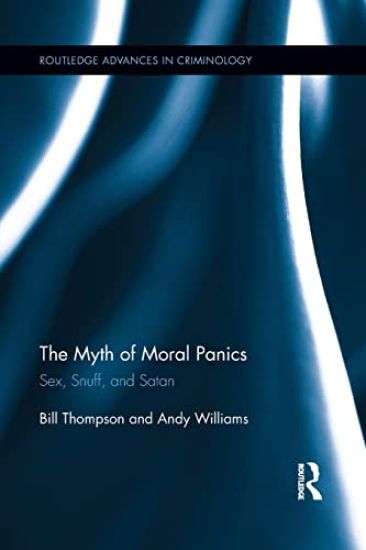
This study provides a comprehensive critique - forensic, historical, and theoretical - of the moral panic paradigm, using empirically grounded ethnographic research to argue that the panic paradigm suffers from fundamental flaws that make it a myth rather than a viable academic perspective.