Kirjojen hintavertailu – 12 903 735 kirjaa ja 27 kauppaa

Kirjailija

Angela Rose

Kirjat ja teokset yhdessä paikassa: 8 kirjaa, julkaisuja vuosilta 2013–2024, suosituimpiin kuuluu 122 Days. Vertaile teosten hintoja ja tarkista saatavuus suomalaisista kirjakaupoista.

8 kirjaa

Kirjojen julkaisuvuodet: 2013–2024.

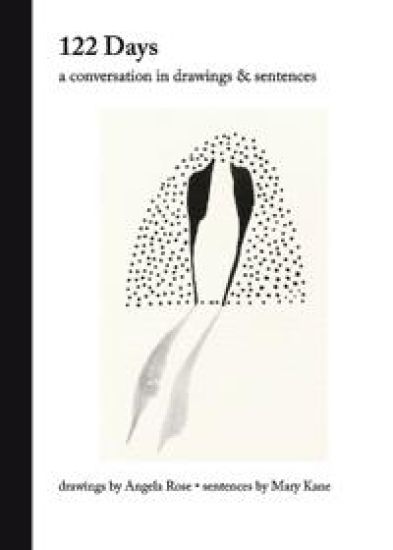
122 Days

122 Days

Angela Rose; Mary Kane

One Bird Books
2024
Nidottu
Etsitkö jännitystä, uusia näkökulmia tai rentouttavaa lukuelämystä? Tutustu kirjakategorioihimme ja löydä seuraava suosikkikirjasi.
PowerPoint Basics In 30 Minutes

PowerPoint Basics In 30 Minutes

Angela Rose

I30 Media Corporation
2020
pokkari
Revised second edition When you're giving a slide presentation, a positive impression can make a sale or win over an audience. The revised and updated second edition of PowerPoint Basics In 30 Minutes can help you connect with audiences and make great presentations that get real results. This unofficial PowerPoint user guide covers the basic features of PowerPoint 2019 (part of the Office 365 suite), PowerPoint Online, and the PowerPoint mobile apps, including PowerPoint for Android and PowerPoint for iOS. The PowerPoint manual also demonstrates how to use some of PowerPoint's most powerful features and tools, such as: Premade PowerPoint templates with gorgeous backgrounds and fonts. Custom PowerPoint layouts that fit your personality or corporate identity. Special PowerPoint formatting and design options. PowerPoint Designer, a feature that can help make boring slides look more interesting. Tools to place photos, video, and audio onto slides. Shapes, graphs, tables, and SmartArt. Graceful transitions between PowerPoint slides. PowerPoint animations that can make text and other elements come to life. Proofing tools for spelling and review. PowerPoint collaboration features that make it easy to work with colleagues or classmates. Exporting PowerPoint PDFs, online versions for the Web, and package presentations to share with others. Creating paper copies and printed PowerPoint handouts. Showing your presentation with a mouse or mobile device, or using a PowerPoint remote or PowerPoint clicker Author Angela Rose also gives tips on how to communicate more effectively using PowerPoint decks. Whether you are giving a business presentation, preparing a lecture for a class or seminar, or using Microsoft PowerPoint for personal use, PowerPoint Basics In 30 Minutes (2nd Edition) can help you create a better-looking presentation that makes a big impact.

PowerPoint Basics In 30 Minutes

PowerPoint Basics In 30 Minutes

Angela Rose

In 30 Minutes Guides
2020
sidottu
Revised second edition When you're giving a slide presentation, a positive impression can make a sale or win over an audience. The revised and updated second edition of PowerPoint Basics In 30 Minutes can help you connect with audiences and make great presentations that get real results. This unofficial PowerPoint user guide covers the basic features of PowerPoint 2019 (part of the Office 365 suite), PowerPoint Online, and the PowerPoint mobile apps, including PowerPoint for Android and PowerPoint for iOS. The PowerPoint manual also demonstrates how to use some of PowerPoint's most powerful features and tools, such as: Premade PowerPoint templates with gorgeous backgrounds and fonts. Custom PowerPoint layouts that fit your personality or corporate identity. Special PowerPoint formatting and design options. PowerPoint Designer, a feature that can help make boring slides look more interesting. Tools to place photos, video, and audio onto slides. Shapes, graphs, tables, and SmartArt. Graceful transitions between PowerPoint slides. PowerPoint animations that can make text and other elements come to life. Proofing tools for spelling and review. PowerPoint collaboration features that make it easy to work with colleagues or classmates. Exporting PowerPoint PDFs, online versions for the Web, and package presentations to share with others. Creating paper copies and printed PowerPoint handouts. Showing your presentation with a mouse or mobile device, or using a PowerPoint remote or PowerPoint clicker Author Angela Rose also gives tips on how to communicate more effectively using PowerPoint decks. Whether you are giving a business presentation, preparing a lecture for a class or seminar, or using Microsoft PowerPoint for personal use, PowerPoint Basics In 30 Minutes (2nd Edition) can help you create a better-looking presentation that makes a big impact.
LinkedIn In 30 Minutes (2nd Edition)

LinkedIn In 30 Minutes (2nd Edition)

Angela Rose

I30 Media Corporation
2018
sidottu
If you're serious about taking your career to the next level, you need to be on LinkedIn(R). In LinkedIn In 30 Minutes (2nd Edition), author Angela Rose will show you how to make a rock-solid LinkedIn profile and expand your network. Whether you want to find a new job on LinkedIn or advance your career, this guide can be the blueprint for a supercharged LinkedIn strategy. What's inside: LinkedIn registration and basic profile setup Nine critical LinkedIn profile elements Six additional LinkedIn profile elements you should include Why keywords are so important for your LinkedIn profile How to improve a basic LinkedIn profile Real-world examples of successful LinkedIn profiles How to address unemployment on LinkedIn How to connect with other people on LinkedIn Crafting personalized LinkedIn invitations Connecting with strangers on LinkedIn Other ways to get noticed on LinkedIn Best practices for using LinkedIn's search engine Participation strategies for LinkedIn Groups Five ways to find a job on LinkedIn InMail and other paid LinkedIn services How to turn off LinkedIn notifications Who this book is for The revised edition of LinkedIn In 30 Minutes is for people who are new to LinkedIn, as well as those who have created basic LinkedIn profiles and now want to take their LinkedIn efforts to the next level. While LinkedIn In 30 Minutes is not intended to be a comprehensive guide, it provides a solid foundation of LinkedIn registration basics, critical profile elements, and networking best practices that can help you land a new job or advance your career. The LinkedIn tutorial is filled with step-by-step instructions written in plain English and a touch of humor. There are lots of screenshots and LinkedIn best practices that you can use to turn an uninspiring resume or CV into a winner LinkedIn In 30 Minutes is a Foreword INDIES "Honorable Mention" in the Careers category.