Kirjojen hintavertailu – 12 903 725 kirjaa ja 27 kauppaa
Kirjailija
Anthony Sequeira
Kirjat ja teokset yhdessä paikassa: 8 kirjaa, julkaisuja vuosilta 2017–2025, suosituimpiin kuuluu MCSA 70-740 Cert Guide. Vertaile teosten hintoja ja tarkista saatavuus suomalaisista kirjakaupoista.
Learn, prepare, and practice for CompTIA Network+ N10-009 exam success with this Cert Guide from Pearson IT Certification, a leader in IT Certification learning. CompTIA Network+ N10-009 Cert Guide from Pearson IT Certification helps you prepare to succeed on the CompTIA Network+ N10-009 exam by directly addressing the exam’s objectives as stated by CompTIA. Leading instructor Anthony Sequeira shares preparation hints and test-taking tips, helping you identify areas of weakness and improve both your conceptual knowledge and hands-on skills. This complete study package includes Complete coverage of the exam objectives and a test-preparation routine designed to help you pass the examsDo I Know This Already? quizzes, which enable you to decide how much time you need to spend on each sectionChapter-ending Key Topic tables, which help you drill on key concepts you must know thoroughlyThe powerful Pearson Test Prep Practice Test software, complete with hundreds of well-reviewed, exam-realistic questions, customization options, and detailed performance reportsAn online, interactive Flash Cards application to help you drill on key terms by chapterA final preparation chapter, which guides you through tools and resources to help you craft your review and test-taking strategiesStudy plan suggestions and templates to help you organize and optimize your study time Well regarded for its level of detail, study plans, assessment features, and challenging review questions and exercises, this study guide helps you master the concepts and techniques that ensure your exam success. This study guide helps you master all the topics on the CompTIA Network+ N10-009 exam, deepening your knowledge of Networking Concepts: Open systems interconnection reference model; networking appliances, applications and functions; cloud concepts and connectivity options; networking ports, protocols, services, traffic types; transmission media and transceivers; network topologies, architectures, and types; IPv4 network addressing; modern network environmentsNetworking Implementation: Routing technologies, switching technologies and features, wireless devices, physical installationsNetwork Operations: Organizational processes, network monitoring technologies, disaster recovery (DR) concepts, IPv4 and IPv6 network services, network access and management methodsNetwork Security: Basic network security concepts, types of attacks and their impact on the network, network security features, defense techniques and solutionsNetwork Troubleshooting: Troubleshooting methodology, common cabling and physical interface issues, troubleshooting common issues with network services, troubleshooting common performance issues, solving networking issues
The CCNA 200-301 exam will challenge you to focus not only on the theory of a technology but the ability to demonstrate mastery of configuration, verification, and troubleshooting. In CCNA 200-301 Hands-on Mastery with Packet Tracer, you will be guided through the required configuration, verification, and troubleshooting steps for every technology needed for the latest CCNA exam topics. Each section and chapter concludes with a practical lab that will challenge you to perform the hands-on tasks you must know in a manner very similar to the actual exam. The many Packet Tracer labs included with this text are all graded simulations, allowing you to receive instant feedback regarding your mastery of the configurations. This text will allow you to learn the best practices used by seasoned engineers when configuring, verifying, and troubleshooting the many technologies called out in the latest exam topic list. Upon completing this text and the accompanying labs, you can approach the CCNA exam with great confidence and a strong desire to attack the hands-on simulations you will face in the actual exam. Each chapter also provides practice questions and concise overviews of the theory behind the technologies, helping you review key exam topics and setting the context for the labs. This combination of succinct topic overviews, practice questions, and hands-on labs presents a complete test preparation package that ensures you are fully prepared for exam success. Exam preparation features include: Access guidance for acquiring the very latest Cisco Packet Tracer network simulatorLearn to build realistic Packet Tracer labsLearn valuable customizations to the Packet Tracer lab environmentPractice critical configuration and verification tasks in topic-based, expert-guided, and graded practice labsTest your configuration and verification skills in challenging graded Chapter Review labsGain confidence in all configuration and verification tasks possible for the latest CCNA exam topicsReinforce key conceptual content also required for success in the latest CCNA exam
Learn, prepare, and practice for AWS Certified Cloud Practitioner CLF-C02 exam success with this Cert Guide from Pearson IT Certification, a leader in IT Certification learning. AWS Certified Cloud Practitioner CLF-C02 Cert Guide from Pearson IT Certification helps you prepare to succeed on the AWS Certified Cloud Practitioner CLF-C02 exam by directly addressing the exam’s objectives as stated by AWS. Leading cloud instructor Anthony Sequeira shares preparation hints and test-taking tips, helping you identify areas of weakness and improve both your conceptual knowledge and hands-on skills. This complete study package includes Complete coverage of the exam objectives and a test-preparation routine designed to help you pass the examsDo I Know This Already? quizzes, which allow you to decide how much time you need to spend on each sectionChapter-ending Key Topic tables, which help you drill on key concepts you must know thoroughlyThe powerful Pearson Test Prep Practice Test software, complete with hundreds of well-reviewed, exam-realistic questions, customization options, and detailed performance reportsAn online, interactive Flash Cards application to help you drill on Key Terms by chapterA final preparation chapter, which guides you through tools and resources to help you craft your review and test-taking strategiesStudy plan suggestions and templates to help you organize and optimize your study time Well regarded for its level of detail, study plans, assessment features, and challenging review questions and exercises, this study guide helps you master the concepts and techniques that ensure your exam success. This study guide helps you master all the topics on the AWS Certified Cloud Practitioner CLF-C02 exam, deepening your knowledge of: Cloud Concepts: benefits; design principles; migration strategies; cloud economicsSecurity and Compliance: AWS shared responsibility model; security, governance, and compliance concepts; access management; security features and servicesCloud Technology and Services: deploying and operating in the AWS Cloud; AWS global infrastructure; compute, database, network, and storage services; AWS AI/ML services and analytics servicesBilling, Pricing, and Support: pricing models; billing, budget, and cost management; technical resources and support options
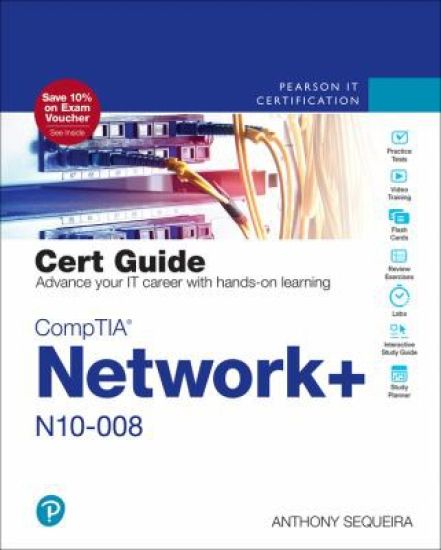
Trust the best selling Cert Guide series from Pearson IT Certification to help you learn, prepare, and practice for exam success. They are built with the objective of providing assessment, review, and practice to help ensure you are fully prepared for your certification exam. CompTIA Network+ N10-008 Cert Guide presents you with an organized test preparation routine using proven series elements and techniques. Key Topics call out critical concepts. Exam topic lists make referencing easy. Chapter-ending Exam Preparation Tasks and Review Questions help you drill on key concepts you must know thoroughly. Master CompTIA Network+ N10-008 exam topicsAssess your knowledge with chapter-ending quizzesReview key concepts with exam preparation tasksPractice with realistic exam questions in the practice test software CompTIA Network+ N10-008 Cert Guide contains proven study features that allow you to succeed on the exam the first time. Expert instructor Anthony Sequeira shares preparation hints and test-taking tips, helping you identify areas of weakness and improve both your conceptual knowledge and hands-on skills, essential for successful completion of the performance-based testing items on the exam. This complete, CompTIA-approved study package includes the following: A test-preparation routine proven to help you pass the examsClearly defined chapter learning objectives covering all N10-008 exam topicsChapter-ending review questions and exam preparation exercises, which help you drill on key concepts you must know thoroughlyThe powerful Pearson Test Prep practice test software, complete with hundreds of well-reviewed, exam-realistic questions, customization options, and detailed performance reports40 performance-based practice question exercises to help you prepare for the hands-on exam questionsAn 80% discount off the Premium Edition eBook and Practice Test (a $40 value!)A free copy of the CompTIA Network+ Simulator Lite software, complete with meaningful lab exercises that enhance your hands-on skillsMore than 60 minutes of video mentoringA final preparation chapter that guides you through tools and resources to help you craft your review and test taking strategiesAn Exam Essentials appendix that quickly recaps all major chapter topics for easy reference, both in print and interactive digital formatA key terms Glossary in both print and on the companion website, which acts as an interactive flash-card applicationStudy plan suggestions and templates to help you organize and optimize your study timeA 10% exam discount voucher (a $33+ value!) Well regarded for its level of detail, study plans, assessment features, challenging review questions and exercises, video instruction, and hands-on labs, this approved study guide helps you master the concepts and techniques that ensure your exam success. Master the topics on the CompTIA Network+ N10-008 exam, including: Network topologies and media typesIP addressingNetwork servicesData center architectures and cloud conceptsRouting, Ethernet switching, and wireless networkingNetwork availability and disaster recoveryNetwork securityRemote accessNetwork troubleshooting In addition to the wealth of content and exam preparation exercises, this edition includes a series of free hands-on exercises to help you master several real-world configuration and troubleshooting activities. These exercises can be performed on the CompTIA Network+ N10-008 Hands-on Lab Simulator Lite software, included free on the companion website that accompanies this book. This software, which simulates the experience of configuring real operating systems and network devices, contains the following 14 free lab exercises: 1. Network Topologies 2. Matching Well-Known Port Numbers 3. TCP/IP Protocols and Their Functions 4. Network Application Protocols 5. OSI Model Layer Functions 6. Contrast Virtualization Technologies and Services 7. Using ARP to Discover a MAC Address 8. IPv4 Address Types and Classes 9. Configuring a Client Network Adapter with an IPv4 Address 10. Configuring a Small Office/Residential Router—Network User Security Settings 11. Matching Wireless Standards and Terminology 12. Using ipconfig, ping, arp, tracert Together to Troubleshoot Connectivity 13. Security Appliance Terminology and Methods 14. Troubleshooting Practice CompTIA Network+ N10-008 Hands-on Lab Simulator Minimum System Requirements: Windows: Microsoft Windows 10, Windows 8.1; Intel Pentium III or faster; 512 MB RAM (1GB recommended); 1.5 GB hard disk space; 32-bit color depth at 1024x768 resolution Mac: Apple macOS 12, 11, and 10.15; Intel Core Duo 1.83 Ghz or faster; 512 MB RAM (1 GB recommended); 1.5 GB hard disk space; 32-bit color depth at 1024x768 resolution Other applications installed during installation: Adobe AIR 3.8; Captive JRE 6 Companion Website: The companion website contains more than 300 unique practice exam questions, Network+ Hands-on Lab Simulator Lite software, online practice exercises, Key Term flash cards, exam essentials interactive study guide, and 60 minutes of video training. Pearson Test Prep online system requirements: Browsers: latest versions of Chrome, Safari, and Edge; Devices: Desktop and laptop computers, tablets running on Android and iOS, smartphones with a minimum screen size of 4.7". Internet access required. Pearson Test Prep offline system requirements: Windows 10, Windows 8.1; Microsoft . NET Framework 4.5 Client; Pentium-class 1 GHz processor (or equivalent); 512 MB RAM; 650 MB disk space plus 50 MB for each downloaded practice exam; access to the Internet to register and download exam databases Includes Exclusive Offers For Up to 80% Off Video Training, Practice Tests, and more
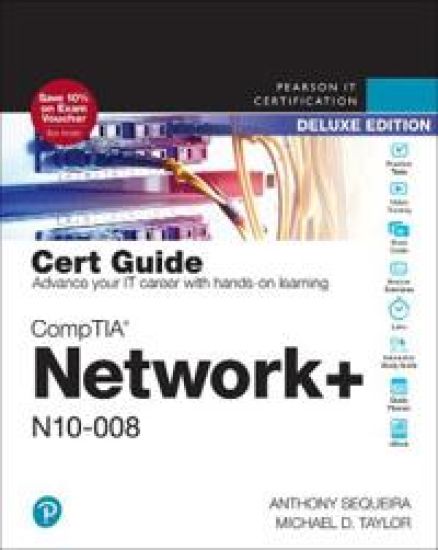
Trust the best-selling Cert Guide series from Pearson IT Certification to help you learn, prepare, and practice for exam success. They are built with the objective of providing assessment, review, and practice to help ensure you are fully prepared for your certification exam. CompTIA Network+ N10-008 Cert Guide, Deluxe Edition presents you with an organized test preparation routine using proven series elements and techniques. Key Topics call out critical concepts. Exam topic lists make referencing easy. Chapter-ending Exam Preparation Tasks and Review Questions help you drill on key concepts you must know thoroughly. Master CompTIA Network+ N10-008 exam topicsAssess your knowledge with chapter-ending quizzesReview key concepts with exam preparation tasksPractice with realistic exam questions in the practice test software CompTIA Network+ N10-008 Cert Guide, Deluxe Edition contains proven study features that allow you to succeed on the exam the first time. Expert instructor Anthony Sequeira shares preparation hints and test-taking tips, helping you identify areas of weakness and improve both your conceptual knowledge and hands-on skills, essential for successful completion of the performance-based testing items on the exam. This complete, CompTIA-approved study package includes the following: A test-preparation routine proven to help you pass the examsClearly defined chapter learning objectives covering all N10-008 exam topicsChapter-ending review questions and exam preparation exercises, which help you drill on key concepts you must know thoroughlyThe powerful Pearson Test Prep practice test software, complete with hundreds of well-reviewed, exam-realistic questions, customization options, and detailed performance reports40 performance-based exercises to help you prepare for the hands-on exam questionsMore than 60 minutes of video mentoringA final preparation chapter that guides you through tools and resources to help you craft your review and test taking strategiesAn Exam Essentials appendix that quickly recaps all major chapter topics for easy reference, both in print and interactive digital formatA key terms Glossary in both print and on the companion website, which acts as an interactive flash-card applicationStudy plan suggestions and templates to help you organize and optimize your study timeA 10% exam discount voucher (a $33+ value!) This Deluxe Edition also includes two special features: A free copy of the CompTIA Network+ N10-008 Cert Guide Premium Edition eBook and Practice Test. This package provides you access to three eBook files (PDF, EPUB, and Mobi/Kindle format), more than 400 exam-realistic practice test questions, and links from all the questions to the specific sections in the PDF eBook file for detailed explanations and review. A free copy of the CompTIA Network+ N10-008 Hands-on Lab Simulator, including more than 75 hands-on practice labs covering real-world network configuration scenarios in Windows GUI and Cisco router and switch CLI environments, hardware activities, network design exercises, and technology mapping tasks. Master the topics on the CompTIA Network+ N10-008 exam, including: Network topologies and media typesIP addressingNetwork servicesData center architectures and cloud conceptsRouting, Ethernet switching, and wireless networkingNetwork availability and disaster recoveryNetwork securityRemote accessNetwork troubleshooting In addition to the wealth of content and exam preparation exercises, this edition includes a series of free hands-on exercises to help you master several real-world configuration and troubleshooting activities. These exercises can be performed on the CompTIA Network+ N10-008 Hands-on Lab Simulator software, included free on the companion website that accompanies this book. This software, which simulates the experience of configuring real operating systems and network devices, contains the following 75+ free lab exercises: 1. OSI Model Layer and Network Devices 2. OSI Model Layer Functions 3. Network Topologies 4. Network Cabling 5. Identify Common Cat5 Wiring Problems 6. Create a Straight Cable and Test It 7. Create a Crossover Cable 8. Create a Console Cable 9. IPv4 Address Types and Classes 10. IPv6 Addressing Terminology 11. Truncating IPv6 Addresses 12. Intermediate IPv4 Addressing Practice 13. IPv6 Address Placement 14. Configuring a Client Network Adapter with an IPv4 Address 15. Configuring a Network Adapter with an IPv6 Address 16. IPv6 Router Gateway Addressing 17. Matching Well known port numbers 18. TCP/IP Protocols and Their Functions 19. DHCP Technology 20. Network Application Protocols 21. Application Layer Network Server Descriptions 22. Internet of Things 23. Details of DHCP Client Address Configuration Process 24. Contrast Virtualization Technologies and Services 25. Using Cloud Storage 26. Workstation Virtualization 27. Connecting to the Router’s Console Port 28. Configuring an Ethernet Interface on a Router 29. Connecting Two Routers to Each Other 30. Verifying a Router-to-Router Connection with Cisco Discovery Protocol 31. Static and Default Routing 32. Configuring Dynamic Routing 33. Reading a Routing Table 34. Using ARP to Discover the MAC Address 35. Troubleshooting VLAN Client Connection Issues 36. Configuring Static Hostname Resolution on a Workstation 37. Connect to Switch Console Port Using PuTTY 38. Connect to a Switch and Reconfigure the Hostname and Password 39. Configure an IP Address and Default Gateway setting on a Switch 40. Switch Management via Telnet 41. Configuring Port Security 42. Wireless Security Terminology 43. Switching Terminology 44. Wireless Antenna Placement 45. Manually Configuring Wireless Signals on a Small Office/Home Office Router 46. Identifying Network Performance Terminology 47. Disaster Recovery/Business Continuity 48. Network Vulnerabilities 49. Secure Protocols vs Unsecure Protocols 50. Types of Network Threats and Attacks 51. Security Terminology and Descriptions 52. Cryptographic Authentication Terminology 53. Creating Network Users on a Domain Controller 54. Network Security Appliance Terminology and Methods 55. Configuring a Small Office/Home Office Router – Network User Security Settings 56. Configuring a Small Office/Residential Router – Network User Security Settings 57. Folder Sharing and Security 58. Using Encrypting File System (EFS) to Encrypt Data Files 59. WAN Terminology 60. Configuring a VPN Client 61. Troubleshooting Practice 62. Identifying Troubleshooting Commands to use for various tasks 63. Matching Command Output to Commands 64. Verify a Data Link Connection from a Computer to a Network 65. Using Ipconfig to Discover Network Settings 66. Using ping to Troubleshoot Connectivity 67. Using Extended Ping (Command Switches) to Troubleshoot Connectivity 68. Using ipconfig, ping, arp, and tracert, to Troubleshoot Connectivity 69. Using basic Linux troubleshooting commands 70. IPv6 Troubleshooting 71. Matching Wireless Standards and Terminology 72. Reordering Troubleshooting Steps 73. Using NSLookup for DNS Troubleshooting 74. DNS Troubleshooting Simulation 75. Exploring Troubleshooting using PowerShell 76. Using tracert to Troubleshoot Connectivity 77. Using the route print Command 78. Using netstat to Troubleshoot Connectivity CompTIA Network+ N10-008 Hands-on Lab Simulator Minimum System Requirements: Windows: Microsoft Windows 10, Windows 8.1; Intel Pentium III or faster; 512 MB RAM (1GB recommended); 1.5 GB hard disk space; 32-bit color depth at 1024x768 resolution Mac: Apple macOS 12, 11, and 10.15; Intel Core Duo 1.83 Ghz or faster; 512 MB RAM (1 GB recommended); 1.5 GB hard disk space; 32-bit color depth at 1024x768 resolution Other applications installed during installation: Adobe AIR 3.8; Captive JRE 6 Companion Website: The companion website contains more than 500 unique practice exam questions, Network+ Hands-on Lab Simulator software, online practice exercises, Key Term flash cards, exam essentials interactive study guide, and 60 minutes of video training. Pearson Test Prep online system requirements: Browsers: latest versions of Chrome, Safari, and Edge; Devices: Desktop and laptop computers, tablets running on Android and iOS, smartphones with a minimum screen size of 4.7". Internet access required. Pearson Test Prep offline system requirements: Windows 10, Windows 8.1; Microsoft . NET Framework 4.5 Client; Pentium-class 1 GHz processor (or equivalent); 512 MB RAM; 650 MB disk space plus 50 MB for each downloaded practice exam; access to the Internet to register and download exam databases Includes Exclusive Offer For Up to 70% Off Video Training
Learn, prepare, and practice for MCSA 70-740 exam success with this Cert Guide from Pearson IT Certification, a leader in IT certification. Master MCSA 70-740 exam topics Assess your knowledge with chapter-ending quizzes Review key concepts with exam preparation tasks Practice with realistic exam questions Learn from more than one hour of video lessons MCSA 70-740 Cert Guide is a best-of-breed exam study guide. Leading technology trainer and consultant Anthony Sequeira shares preparation hints and test-taking tips, helping you identify areas of weakness and improve both your conceptual knowledge and hands-on skills. Material is presented in a concise manner, focusing on increasing your understanding and retention of exam topics. The book presents you with an organized test preparation routine through the use of proven series elements and techniques. Exam topic lists make referencing easy. Chapter-ending Exam Preparation Tasks help you drill on key concepts you must know thoroughly. Review questions help you assess your knowledge, and a final preparation chapter guides you through tools and resources to help you craft your final study plan. The companion website contains the powerful Pearson Test Prep practice test software, complete with hundreds of exam-realistic questions. The assessment engine offers you a wealth of customization options and reporting features, laying out a complete assessment of your knowledge to help you focus your study where it is needed most. Well regarded for its level of detail, assessment features, and challenging review questions and exercises, this study guide helps you master the concepts and techniques that will allow you to succeed on the exam the first time. The study guide helps you master all the topics on the MCSA 70-740 exam, including: Windows Server installation in host and compute environments, including Nano Server Storage: configuring disks and volumes, implementing server storage, and data duplication Hyper-V implementation, including VM settings, storage, and networking Windows container deployment and management High availability: HA/DR options, failover clustering, Storage Spaces Direct, VM movement, and network load balancing Server environment maintenance and monitoring Companion WebsiteThe website contains two free, complete practice exams and more than one hour of video lessons. Includes Exclusive Offer for 70% Off Premium Edition eBook and Practice Test Pearson Test Prep online system requirements:Browsers: Chrome version 40 and above, Firefox version 35 and above, Safari version 7, Internet Explorer 10, 11, Microsoft Edge, Opera. Devices: Desktop and laptop computers, tablets running on Android and iOS, smartphones with a minimum screen size of 4.7". Internet access required. Pearson Test Prep offline system requirements:Windows 10, Windows 8.1, Windows 7, or Vista (SP2), Microsoft . NET Framework 4.5 Client; Pentium-class 1 GHz processor (or equivalent); 512 MB RAM; 650 MB disk space plus 50 MB for each downloaded practice exam; access to the Internet to register and download exam databases
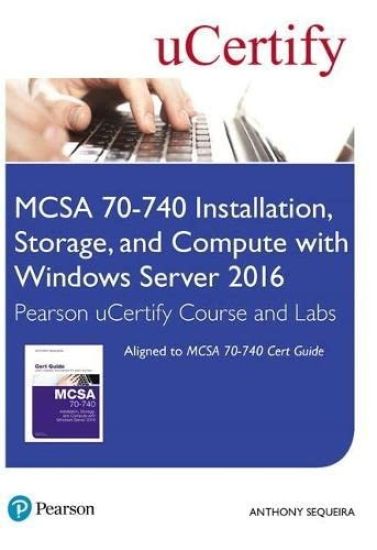
Welcome to MCSA 70-740 Installation, Storage, and Compute with Windows Server 2016 Pearson uCertify Course and Labs MCSA 70-740 Installation, Storage, and Compute with Windows Server 2016 uCertify Course and Labs is an easy-to-use online course that allows you to assess your readiness and teaches you what you need to know to pass the MCSA 70-740 Installation, Storage, and Compute with Windows Server 2016exam. Master all of the MCSA 70-740 Installation, Storage, and Compute with Windows Server 2016 exam objectives in the framework of MCSA 70-740 Cert Guideinteractive eBook. The interactive eBook includes informative text, tables, step-by-step lists, images, 1 hour of video instruction, interactive exercises, glossary flash cards, and review activities. The course comes complete with extensive pre- and post-assessment tests. In total there are over 200 practice questions. The award-winning uCertify Labs help bridge the gap between conceptual knowledge and real-world application by providing competency-based, interactive, online, 24x7 training. uCertify Labs simulate real-world networking hardware, software applications and operating systems, and command-line interfaces. The 60+ labs are supplemented with videos demonstrating lab solutions. Students can feel safe working in this virtual environment resolving real-world operating system and hardware problems. All of the content—the complete Cert Guide, the 1 hour of video instruction, the practice questions, the exercises, and the labs—is focused around the official MCSA 70-740 Installation, Storage, and Compute with Windows Server 2016exam objectives.
Welcome to MCSA 70-740 Pearson uCertify Course MCSA 70-740 Pearson uCertify Course is an easy-to-use online course that allows you to assess your readiness and teaches you what you need to know to pass the exam objectives across the entire project lifecycle: initiation, planning, execution, delivery, control, closure, and reviews exams. Master all of the MCSA 70-740: Installation, Storage, and Compute with Windows Server 2016 exam objectives in the framework of MCSA 70-740 Cert Guide interactive eBook. The interactive eBook includes informative text, tables, step-by-step lists, images, video, interactive exercises, glossary flash cards, and review activities. Gauge your readiness with a pre-assessment exam with questions specifically designed to identify your deficiencies. Then after you have worked through the course material practice with two complete exam simulations to see if you are ready or where you need to study more. In total there are over 1,000 practice questions. All of the content–the complete Cert Guide, the practice questions, and the exercises–is focused around the official MCSA 70-740 exam objectives.