Kirjojen hintavertailu – 12 859 829 kirjaa ja 27 kauppaa

Kirjailija

Gaurav Verma

Kirjat ja teokset yhdessä paikassa: 279 kirjaa, julkaisuja vuosilta 2015–2026, suosituimpiin kuuluu Mastercam 2027 Black Book. Vertaile teosten hintoja ja tarkista saatavuus suomalaisista kirjakaupoista.

279 kirjaa

Kirjojen julkaisuvuodet: 2015–2026.

SolidWorks Simulation 2026 Black Book

SolidWorks Simulation 2026 Black Book

Gaurav Verma; Matt Weber

CADCAMCAE Works
2025
nidottu
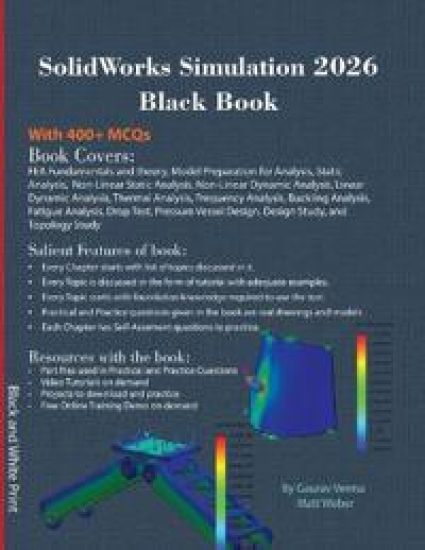
The SolidWorks Simulation 2026 Black Book, is 13th edition of the book written to help professionals as well as students in performing various tedious jobs of Finite Element Analysis. The book follows a step-by-step methodology. This book explains the background work running behind your simulation analysis screen. The book covers almost all the information required by a learner to master the SolidWorks Simulation. The book starts with basics of FEA, goes through all the simulation tools, and ends up with practical examples of analysis. Chapters on manual FEA ensure the firm understanding of FEA concepts through SolidWorks Simulation. The book contains our special sections named "Why?" and notes. We have given reasons for selecting most of the options in analysis under the "Why?" sections. The book explains the Solver selection, iteration methods like Newton-Raphson method and integration techniques used by SolidWorks Simulation for functioning. A chapter on Topology Study helps you understand the procedures of modifying component based on analysis results. New tips and notes have been added in this book for various analyses. Some of the salient features of this book are: In-Depth explanation of concepts Every new topic of this book starts with the explanation of the basic concepts. In this way, the user becomes capable of relating the things with real world. Topics Covered Every chapter starts with a list of topics being covered in that chapter. In this way, the user can easily find the topic of his/her interest easily. Instruction through illustration The instructions to perform any action are provided by maximum number of illustrations so that the user can perform the actions discussed in the book easily and effectively. There are about 760 illustrations that make the learning process effective. Tutorial point of view The book explains the concepts through the tutorial to make the understanding of users firm and long lasting. Each chapter of the book has tutorials that are real world projects. "Why?" The book explains the reasons for selecting options or setting a parameter in tutorials explained in the book. Project Projects and exercises are provided to students for practicing. For Faculty If you are a faculty member, then you can ask for video tutorials on any of the topic, exercise, tutorial, or concept. As faculty, you can register on our website to get electronic desk copies of our latest books, self-assessment, and solution of practical. Faculty resources are available in the Faculty Member page of our website (www.cadcamcaeworks.com) once you login. Note that faculty registration approval is manual and it may take two days for approval before you can access the faculty website.
SolidWorks CAM 2026 Black Book: (Colored)

SolidWorks CAM 2026 Black Book: (Colored)

Gaurav Verma; Matt Weber

CADCAMCAE Works
2025
sidottu
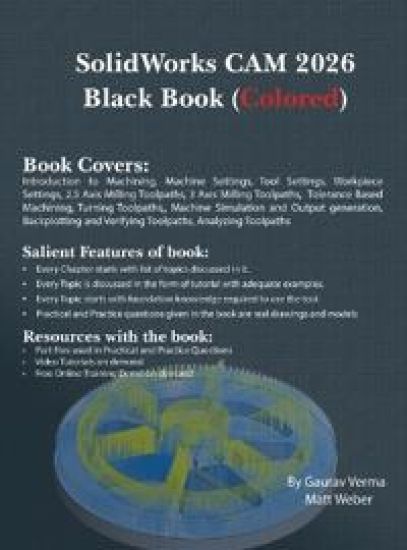
The SolidWorks CAM 2026 Black Book is the 7th edition of our series on SolidWorks CAM. The book is written to help professionals as well as learners get familiar with functionality of the software. The book follows a step-by-step methodology. In this book, we have tried to give real-world examples with real challenges in manufacturing design. We have tried to reduce the gap between university use and industrial use of SolidWorks CAM. The book covers almost all the information required by a learner to master SolidWorks CAM. Some of the salient features of this book are: In-Depth explanation of concepts Every new topic of this book starts with the explanation of the basic concepts. In this way, the user becomes capable of relating the things with real world. Topics Covered Every chapter starts with a list of topics being covered in that chapter. In this way, the user can easy find the topic of his/her interest easily. Instruction through illustration The instructions to perform any action are provided by maximum number of illustrations so that the user can perform the actions discussed in the book easily and effectively. There are about 410 small and large illustrations that make the learning process effective. Tutorial point of view At the end of concept's explanation, the tutorial makes the understanding of users firm and long lasting. Most of the tools in this book are discussed in the form of tutorials. Project Projects and exercises are provided to students for practicing. For Faculty If you are a faculty member, then you can ask for video tutorials on any of the topic, exercise, tutorial, or concept. As faculty, you can register on our website to get electronic desk copies of our latest books, self-assessment, and solution of practical. Faculty resources are available in the Faculty Member page of our website (www.cadcamcaeworks.com) once you login. Note that faculty registration approval is manual and it may take two days for approval before you can access the faculty website.
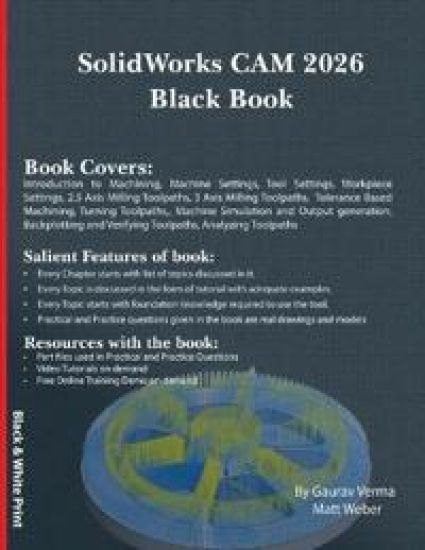
SolidWorks CAM 2026 Black Book

SolidWorks CAM 2026 Black Book

Gaurav Verma; Matt Weber

CADCAMCAE Works
2025
nidottu
The SolidWorks CAM 2026 Black Book is the 7th edition of our series on SolidWorks CAM. The book is written to help professionals as well as learners get familiar with functionality of the software. The book follows a step-by-step methodology. In this book, we have tried to give real-world examples with real challenges in manufacturing design. We have tried to reduce the gap between university use and industrial use of SolidWorks CAM. The book covers almost all the information required by a learner to master SolidWorks CAM. Some of the salient features of this book are: In-Depth explanation of concepts Every new topic of this book starts with the explanation of the basic concepts. In this way, the user becomes capable of relating the things with real world. Topics Covered Every chapter starts with a list of topics being covered in that chapter. In this way, the user can easy find the topic of his/her interest easily. Instruction through illustration The instructions to perform any action are provided by maximum number of illustrations so that the user can perform the actions discussed in the book easily and effectively. There are about 410 small and large illustrations that make the learning process effective. Tutorial point of view At the end of concept's explanation, the tutorial makes the understanding of users firm and long lasting. Most of the tools in this book are discussed in the form of tutorials. Project Projects and exercises are provided to students for practicing. For Faculty If you are a faculty member, then you can ask for video tutorials on any of the topic, exercise, tutorial, or concept. As faculty, you can register on our website to get electronic desk copies of our latest books, self-assessment, and solution of practical. Faculty resources are available in the Faculty Member page of our website (www.cadcamcaeworks.com) once you login. Note that faculty registration approval is manual and it may take two days for approval before you can access the faculty website.

Autodesk Revit 2026 Black Book: (Colored)

Autodesk Revit 2026 Black Book: (Colored)

Gaurav Verma; Matt Weber

CADCAMCAE Works
2025
sidottu

Halvin toimitettuna 87,50 €

Autodesk Revit 2026 Black Book - The Ultimate Guide for BIM, Architecture, Structure & MEPMaster Autodesk Revit 2026 like a pro with this comprehensive, project-driven Black Book Whether you are a beginner or an advanced user, this book provides step-by-step tutorials, real-world projects, and expert techniques to help you dominate BIM, architectural design, structural engineering, and MEP systems in Revit. Why This Book? ✔ Hands-On Learning - Practical exercises, real-world projects (residential building, precast modeling, steel structures, HVAC, plumbing, electrical systems). ✔ Complete Coverage - From basic interface setup to advanced Dynamo scripting, rendering, and cloud collaboration. ✔ BIM Workflows - Master collaboration tools, worksharing, interference checks, and model coordination. ✔ Structural & Steel Design - Learn rebar detailing, steel connections, fabrication parts, and load analysis. ✔ MEP Systems - Design HVAC ducting, piping layouts, electrical conduits, and plumbing networks. ✔ Visualization & Rendering - Create stunning 3D views, walkthroughs, and cloud-based renders. ✔ Self-Assessment & Certification Prep - Test knowledge with quizzes, practice problems, and expert tips. Who Should Read This Book? Students & Beginners - Learn Revit from scratchArchitects & Engineers - Enhance BIM workflowsMEP Designers - Master HVAC, plumbing, and electrical systemsConstruction Professionals - Optimize modeling for real-world projectsRevit Certification Aspirants - Prep for Autodesk examsFor FacultyIf you are a faculty member, then you can ask for video tutorials on any of the topic, exercise, tutorial, or concept. As faculty, you can register on our website to get electronic desk copies of our latest books, self-assessment, and solution of practical. Faculty resources are available in the Faculty Member page of our website (www.cadcamcaeworks.com) once you login. Note that faculty registration approval is manual and it may take two days for approval before you can access the faculty website.

Autodesk Revit 2026 Black Book

Autodesk Revit 2026 Black Book

Gaurav Verma; Matt Weber

CADCAMCAE Works
2025
pokkari
Autodesk Revit 2026 Black Book - The Ultimate Guide for BIM, Architecture, Structure & MEPMaster Autodesk Revit 2026 like a pro with this comprehensive, project-driven Black Book Whether you are a beginner or an advanced user, this book provides step-by-step tutorials, real-world projects, and expert techniques to help you dominate BIM, architectural design, structural engineering, and MEP systems in Revit. Why This Book? ✔ Hands-On Learning - Practical exercises, real-world projects (residential building, precast modeling, steel structures, HVAC, plumbing, electrical systems). ✔ Complete Coverage - From basic interface setup to advanced Dynamo scripting, rendering, and cloud collaboration. ✔ BIM Workflows - Master collaboration tools, worksharing, interference checks, and model coordination. ✔ Structural & Steel Design - Learn rebar detailing, steel connections, fabrication parts, and load analysis. ✔ MEP Systems - Design HVAC ducting, piping layouts, electrical conduits, and plumbing networks. ✔ Visualization & Rendering - Create stunning 3D views, walkthroughs, and cloud-based renders. ✔ Self-Assessment & Certification Prep - Test knowledge with quizzes, practice problems, and expert tips. Who Should Read This Book? Students & Beginners - Learn Revit from scratchArchitects & Engineers - Enhance BIM workflowsMEP Designers - Master HVAC, plumbing, and electrical systemsConstruction Professionals - Optimize modeling for real-world projectsRevit Certification Aspirants - Prep for Autodesk examsFor FacultyIf you are a faculty member, then you can ask for video tutorials on any of the topic, exercise, tutorial, or concept. As faculty, you can register on our website to get electronic desk copies of our latest books, self-assessment, and solution of practical. Faculty resources are available in the Faculty Member page of our website (www.cadcamcaeworks.com) once you login. Note that faculty registration approval is manual and it may take two days for approval before you can access the faculty website.
Basics of Autodesk Inventor Nastran 2026

Basics of Autodesk Inventor Nastran 2026

Gaurav Verma; Matt Weber

CADCAMCAE Works
2025
sidottu

Halvin toimitettuna 71,80 €

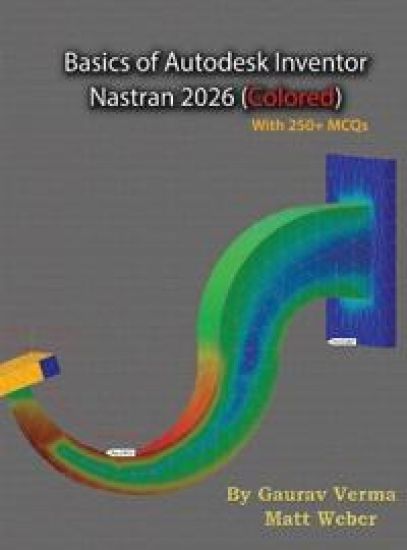
The Basics of Autodesk Inventor Nastran 2026 - 6th EditionLearn Finite Element Analysis (FEA) with Autodesk Inventor Nastran 2026The Basics of Autodesk Inventor Nastran 2026, now in its 6th edition, is a practical and beginner-friendly guide for students, engineers, and professionals looking to learn Finite Element Analysis (FEA) using Autodesk Inventor Nastran 2026. This book adopts a proven step-by-step approach to make simulation learning simple, logical, and hands-on. Whether you are new to simulation or looking to sharpen your FEA skills, this Inventor Nastran training book takes you from the fundamentals of stress analysis to performing real-world simulations in Inventor's integrated Nastran environment. Key Features���� Covers All Major FEA Tools in Inventor Nastran 2026Start with the basics of simulation and progress through linear static, modal, thermal, fatigue, and nonlinear analysis-all using real engineering scenarios.���� Understand the Theory Behind SimulationThis book not only shows how to use tools but explains the underlying FEA concepts, so you understand what's happening behind the simulation screen.���� Manual FEA Calculations ExplainedDedicated chapters on manual FEA help build a strong foundation in the theory and application of Finite Element Analysis.���� 250+ Multiple Choice Questions for Self-EvaluationAssess your learning and prepare for interviews or certification with 250+ FEA MCQs.���� 400+ Illustrations and Step-by-Step TutorialsEach topic includes detailed visual instructions with over 400 illustrations, making complex simulations easier to follow and execute.���� Real-World Simulation ProjectsEach chapter includes project-based tutorials to help reinforce concepts through hands-on application. Perfect for those aiming to solve real-world problems in product design and mechanical engineering.���� Topics Highlighted for Easy NavigationEvery chapter starts with a list of covered topics, allowing learners to quickly locate tools and analysis types relevant to their needs. Faculty & Instructor ResourcesFaculty members can register at www.cadcamcaeworks.com for: Course Outline and Part filesElectronic desk copies of the bookAssessment tools and practical solutionsNote: Faculty registration is manually approved within 2 working days. Why This Book? Best book for learning Autodesk Inventor Nastran 2026 for beginnersComprehensive FEA tutorial book with real-world simulationsIdeal for students, engineers, and CAD professionalsUpdated for Inventor Nastran 2026 tools and interfaceUseful for coursework, self-paced learning, and certification prep
Basics of Autodesk Inventor Nastran 2026

Basics of Autodesk Inventor Nastran 2026

Gaurav Verma; Matt Weber

CADCAMCAE Works
2025
pokkari
The Basics of Autodesk Inventor Nastran 2026 - 6th EditionLearn Finite Element Analysis (FEA) with Autodesk Inventor Nastran 2026The Basics of Autodesk Inventor Nastran 2026, now in its 6th edition, is a practical and beginner-friendly guide for students, engineers, and professionals looking to learn Finite Element Analysis (FEA) using Autodesk Inventor Nastran 2026. This book adopts a proven step-by-step approach to make simulation learning simple, logical, and hands-on. Whether you are new to simulation or looking to sharpen your FEA skills, this Inventor Nastran training book takes you from the fundamentals of stress analysis to performing real-world simulations in Inventor's integrated Nastran environment. Key Features���� Covers All Major FEA Tools in Inventor Nastran 2026Start with the basics of simulation and progress through linear static, modal, thermal, fatigue, and nonlinear analysis-all using real engineering scenarios.���� Understand the Theory Behind SimulationThis book not only shows how to use tools but explains the underlying FEA concepts, so you understand what's happening behind the simulation screen.���� Manual FEA Calculations ExplainedDedicated chapters on manual FEA help build a strong foundation in the theory and application of Finite Element Analysis.���� 250+ Multiple Choice Questions for Self-EvaluationAssess your learning and prepare for interviews or certification with 250+ FEA MCQs.���� 400+ Illustrations and Step-by-Step TutorialsEach topic includes detailed visual instructions with over 400 illustrations, making complex simulations easier to follow and execute.���� Real-World Simulation ProjectsEach chapter includes project-based tutorials to help reinforce concepts through hands-on application. Perfect for those aiming to solve real-world problems in product design and mechanical engineering.���� Topics Highlighted for Easy NavigationEvery chapter starts with a list of covered topics, allowing learners to quickly locate tools and analysis types relevant to their needs. Faculty & Instructor ResourcesFaculty members can register at www.cadcamcaeworks.com for: Course Outline and Part filesElectronic desk copies of the bookAssessment tools and practical solutionsNote: Faculty registration is manually approved within 2 working days. Why This Book? Best book for learning Autodesk Inventor Nastran 2026 for beginnersComprehensive FEA tutorial book with real-world simulationsIdeal for students, engineers, and CAD professionalsUpdated for Inventor Nastran 2026 tools and interfaceUseful for coursework, self-paced learning, and certification prep