Kirjojen hintavertailu – 12 903 725 kirjaa ja 27 kauppaa

Kirjailija

Joseph Labrecque

Kirjat ja teokset yhdessä paikassa: 12 kirjaa, julkaisuja vuosilta 2011–2024, suosituimpiin kuuluu A Guide to UX Design and Development. Vertaile teosten hintoja ja tarkista saatavuus suomalaisista kirjakaupoista.

12 kirjaa

Kirjojen julkaisuvuodet: 2011–2024.

Adobe Creative 3D Workflows

Adobe Creative 3D Workflows

Joseph Labrecque

PEARSON EDUCATION (US)
2024
nidottu
Adobe Creative 3D Workflows brings a practical approach to understanding not only how to begin working with 3D assets but how each of the relevant Adobe apps interact through the creation and application of 3D materials, models, and effects across different workflows. Each topic begins with an overview grounding the approach alongside useful tools and then transitions to a tutorial-like approach with hands-on examples created through a specific set of workflows. From generating custom materials in Substance 3D Sampler, to producing 3D models from vector shapes using Illustrator while adding motion to these models in After Effects, to designing a variety of 3D environments across various platforms, this book provides a foundation of how to successfully work in the Creative Cloud and Substance 3D apps to produce stunning results. Understand 3D-specific terminology and concepts that carry across different software. Create rich, realistic materials that can be applied to 3D models in various environments. Work with Substance 3D technologies within more traditional 2D apps like Photoshop and Illustrator. Design engaging motion content in 3D space while combining 2D planes with true 3D models. Explore additional 3D focused capabilities and workflows in immersive AR, intelligent product mockups, interactive VR, and more.
A Guide to UX Design and Development

A Guide to UX Design and Development

Tom Green; Joseph Labrecque

APRESS
2023
nidottu

Halvin toimitettuna 48,10 €

Gain a thorough understanding of the two pillars of any User Experience project: the mission and the process. The mission is to keep the user in mind at each step or milestone as the developer progresses through the project. The process is how that mission is accomplished through collaboration and the use of research, design and development technologies. This book walks you through a developer's journey through the UX process, from start to finish. A Guide to UX Design and Development concentrates on the intersection of what is called “DesignOps” and “DevOps.” That intersection is where collaboration between all members of the team, including stakeholders and clients, occurs and neither DesignOps nor DevOps can go beyond being considered just buzzwords if they instead silo design and development. To highlight the UX Mission and illustrate the responsibility developers also hold for the user experience, authors Tom Green and Joseph Labrecque take you througha hypothetical project involving the development of a parking app for a municipal parking authority. As the book progresses, they concentrate on the developer's journey through the whole project from discovery to product release. In this journey, you will see how developers can make an impact and contribute to the user experience. This will include such topics as why there is a need for both a user journey map and a technical journey map. The authors explain why prototyping is not as complicated as it is made out to be because it is simply an early low-cost and disposable minimal viable product that gives the developer a deep understanding of the project's intent in support of the UX Mission. You will also explore the creation and use of design systems and why the developer's role is just as important as the people who create the design system. The role and responsibility of the developer in user testing is discussed in the context of a variety of testing and assessment methodsconducted to achieve the UX mission. Finally, you’ll gain an understanding of how design and development deliverables are negotiated, prepared and sent out for research at each step of the process, and how the developer is involved. What You Will Learn Understand the evolving role of the developer in a team-based environmentLearn the five stages of the UX process Discover the importance of collaboration and communication with stakeholders, designers, and developers at every stage of the processLearn a variety of design and development documents created during the UX process Who This Book Is For Developers and designers involved in the UX Process, as well as developers trying to make sense of the confusing amount of information out there regarding their role in the UX process.
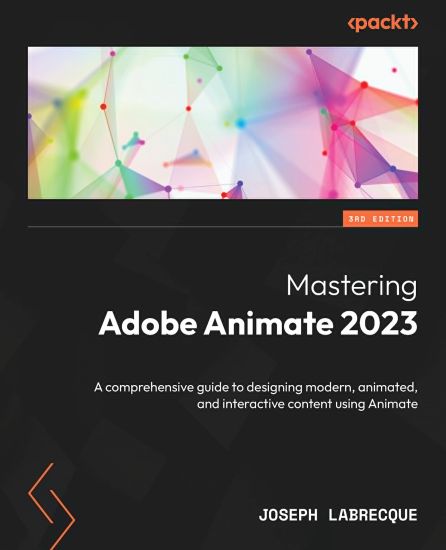
Mastering Adobe Animate 2023

Mastering Adobe Animate 2023

Joseph Labrecque

PACKT PUBLISHING LIMITED
2023
nidottu
Become an accomplished motion designer, animator, and interactive content producer with the help of expert-led material in this illustrated guide Key Features Produce rich motion graphics and interactive animations for multiple platforms by exploring the Adobe Animate ecosystem Get acquainted with the key features and enhancements in the latest Adobe Animate release such as depth, layering, and object warping Take your Adobe Animate projects to the next level with creative workflows using diverse animation techniques Book DescriptionAdobe Animate is a platform-agnostic asset creation application that enables you to create motion design and vector animations while facilitating interactivity across other Adobe software such as After Effects, Photoshop, and Illustrator. This book comes packed with explanations of essential concepts and step-by-step walk-throughs of practical examples, guiding you in using Animate to create immersive experiences and breaking the walls of creative limitations. In this third edition, you’ll begin by getting up to speed with the features of Adobe Animate. You'll learn how to set up Animate as a creative platform and explore the enhancements introduced in its most recent versions. The book will show you how to consume and produce media assets for different platforms through the publish and export workflows. You'll explore advanced rigging workflows and discover how to create more dynamic animations with complex depth and movement techniques. As the book demonstrates different ways of channeling your creativity through Animate, you'll be able to build projects such as games, virtual reality experiences, generative art, and apps for various platforms. Finally, this graphic design book covers the different methods used to extend the software to meet various user requirements. By the end of this book, you'll be able to produce a variety of media assets, motion graphic designs, animated artifacts, and interactive content pieces for platforms such as HTML5 Canvas, WebGL, and mobile devices. What you will learn Gain an understanding of Adobe Animate foundations and new features Understand how to publish and export rich media content to various platforms Find out how to use advanced layering and rigging techniques to create engaging motion content Explore how to create dynamic motions using variable layer depth techniques Develop web-based games, generative art, virtual reality experiences, and multiplatform mobile applications Make the most of Animate with extensions, application-level scripting, and the creation of custom-integrated tutorials Who this book is forThis book is for web, graphic, and motion design professionals with basic experience in animation who want to take their existing skills to the next level. A clear understanding of fundamental animation concepts will help you to get the most out of this book and produce impressive results.

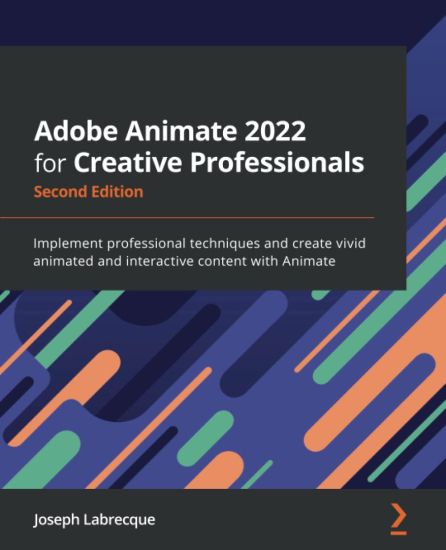
Adobe Animate 2022 for Creative Professionals

Adobe Animate 2022 for Creative Professionals

Joseph Labrecque

PACKT PUBLISHING LIMITED
2022
nidottu
Step into the world of animation and go beyond the fundamentals of Adobe Animate to bring experiences to life with the help of expert-led contentKey FeaturesProduce rich motion graphics and interactive animations for multiple platformsExplore the key features and enhancements in the latest Adobe Animate releaseTake your Adobe Animate projects to the next level with creative workflowsBook DescriptionAdobe Animate is platform-agnostic asset creation, motion design, animation, and interactivity software. Complete with explanations of essential concepts and step-by-step walkthroughs of practical examples, this book will guide you in using Adobe Animate to create immersive experiences by breaking through creative limitations across every medium. We begin by getting up to speed with all that you need to know about Adobe Animate. You'll learn how to get started with Animate as a creative platform and explore the features introduced in its most recent versions. The book will show you how to consume and produce media assets for multiple platforms through both the publish and export workflows. Following this, you'll explore advanced rigging techniques and discover how to create more dynamic animation with advanced depth and movement techniques. You'll also find out how to build projects such as games, virtual reality experiences, and apps for various platforms as the book demonstrates different ways to use Animate. Finally, it covers the different methods used to extend the software for various needs. By the end of this Adobe Animate book, you'll be able to produce a variety of media assets, motion graphic design materials, animated artifacts, and interactive content pieces for platforms such as HTML5 Canvas, WebGL, and mobile devices. What you will learnGain a solid understanding of Adobe Animate foundations and new featuresUnderstand the nuances associated with publishing and exporting rich media content to various platformsMake use of advanced layering and rigging techniques to create engaging motion contentCreate dynamic motion using the camera and variable layer depth techniquesDevelop web-based games, virtual reality experiences, and multiplatform mobile applicationsExtend Animate with extensions, application-level scripting, and the creation of custom integrated tutorialsWho this book is forThis book is for web, graphic, and motion design professionals with basic experience in animation who want to take their existing skills to the next level. A clear understanding of fundamental animation concepts will help you to get the most out of this book and produce impressive results.
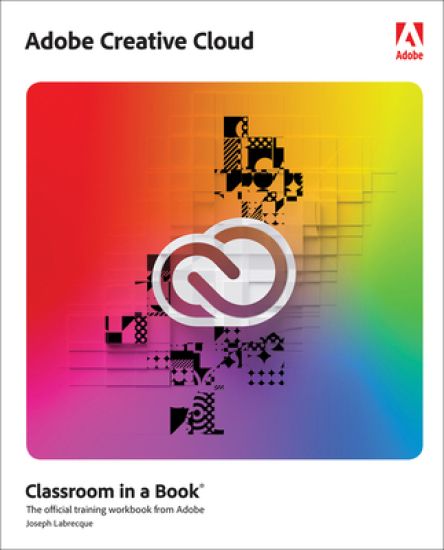
Adobe Creative Cloud Classroom in a Book

Adobe Creative Cloud Classroom in a Book

Joseph Labrecque

PEARSON EDUCATION (US)
2022
nidottu
Your Adobe Creative Cloud subscription delivers a breathtaking collection of state-of-the-art creativity tools—for web, print, video, interactive, digital marketing, UX/UI design, and more. With so much power, where do you start? If you're familiar with one or two of Adobe's tools, how do you extend your knowledge to make the most of the entire Creative Cloud, choose the right tool for each job, and do amazing work? Start right here, with the only classroom-proven guide to the entire Adobe Creative Cloud suite: Adobe Creative Cloud Classroom in a Book. Authored by leading designer and instructor Joseph Labrecque, this guide reflects his experience teaching hundreds of students at the University of Colorado Boulder College of Media, Communication & Information. Each chapter combines an overview of a Creative Cloud app with well-crafted hands-on practice. Labrecque introduces the software, explains essential concepts and design principles surrounding its use, guides you through basic tools and workflows, and then walks you through executing a project from beginning to end. You'll learn how each tool works in real life, and how to apply design concepts and theory in your own creative practice. Labrecque introduces the fundamentals of Creative Cloud for both desktop and mobile, Creative Cloud Express, and all these skills: Cloud-based photography with LightroomRaster image compositing with PhotoshopVector graphics design with IllustratorPage layout management with InDesignPrototyping for screens with Adobe XD3D rendering with DimensionAudio content production with AuditionVideo content sequencing with Premiere ProMotion graphics compositing with After EffectsLive performance capture with Character AnimatorInteractive content animation with Animate
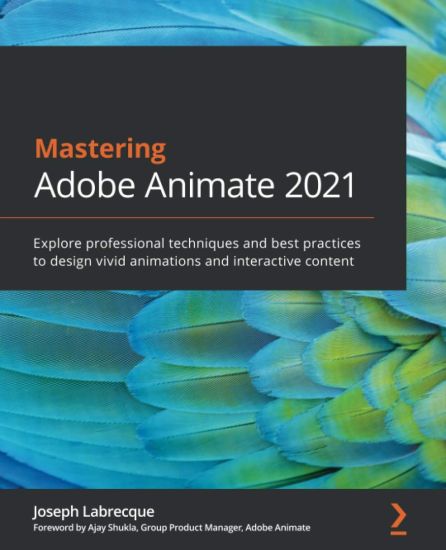
Mastering Adobe Animate 2021

Mastering Adobe Animate 2021

Joseph Labrecque; Ajay Shukla

Packt Publishing Limited
2021
nidottu
Step into the world of animation and go beyond the fundamentals of Adobe Animate to bring experiences to life through expert-led contentKey FeaturesProduce rich motion graphics and interactive animations for multiple platforms and discover different ways to use AnimateExplore the key features and enhancements in the latest Adobe Animate releaseTake your Adobe Animate projects to the next level by delving into creative workflowsBook DescriptionAdobe Animate is platform-agnostic asset creation, motion design, animation, and interactivity software. Complete with step-by-step explanations of essential concepts, practical examples, and hands-on walkthroughs, this book shows you how to use Adobe Animate to create immersive experiences by breaking through creative limitations across every medium. You will begin by getting up to speed with what you need to know about Adobe Animate quickly. Next, you will learn how to get started with Animate as a creative platform and explore the features introduced in the most recent version of the software. Moving on, you'll consume and produce media assets for multiple platforms through both the publish and export workflows. Following this, you’ll delve into advanced rigging techniques and discover how to create more dynamic animation with advanced depth and movement techniques. You’ll also find out how to build projects such as games, virtual reality experiences, and apps for various platforms. The book concludes with an examination of different methods used to extend the software for various needs. By the end of this book, you'll be able to produce a variety of media assets, motion design materials and animated artifacts, and interactive content pieces - all while targeting a variety of platforms including HTML5 Canvas, WebGL, and mobile devices. What you will learnGain a solid understanding of Adobe Animate foundations and new featuresUnderstand the nuances associated with publishing and exporting rich media content for various platformsMake use of advanced layering and rigging techniques to create engaging motion contentCreate dynamic motion by using the camera and variable layer depth techniquesDevelop web-based games, virtual reality experiences, and multiplatform mobile applicationsExtend Animate with extensions, application-level scripting, and the creation of custom integrated tutorialsWho this book is forThis book is for web, graphic, and motion design professionals with basic experience in animation who want to take their existing skills to the next level. A clear understanding of basic animation concepts will help you to get the most out of this book and produce impressive results.
The JavaScript Workshop

The JavaScript Workshop

Joseph Labrecque; Jahred Love; Daniel Rosenbaum; Nick Turner; Gaurav Mehla; Alonzo L. Hosford; Florian Sloot; Philip Kirkbride

Packt Publishing Limited
2019
nidottu
If you're looking for a programming language to develop flexible and efficient apps, JavaScript is a great choice. However, while offering real benefits, the complexity of the entire JavaScript ecosystem can be overwhelming. This Workshop is a smarter way to learn JavaScript. It is specifically designed to cut through the noise and help build your JavaScript skills from scratch, while sparking your interest with engaging activities and clear explanations. Starting with explanations of JavaScript's fundamental programming concepts, this book will introduce the key tools, libraries and frameworks that programmers use in everyday development. You will then move on and see how to handle data, control the flow of information in an application, and create custom events. You'll explore the differences between client-side and server-side JavaScript, and expand your knowledge further by studying the different JavaScript development paradigms, including object-oriented and functional programming. By the end of this JavaScript book, you'll have the confidence and skills to tackle real-world JavaScript development problems that reflect the emerging requirements of the modern web. Key Features Learn the basics of JavaScript programming to create dynamic web pages Explore the fundamentals of back-end development using Node.js Tackle challenging development problems and apply solutions to real-world situations What you will learnWrite clean, maintainable and eloquent JavaScript code Build websites using plain JS and various frameworks and libraries Simplify your workflow with package managers such as Gulp and Grunt Use Node.js to build server-side JavaScript applications Improve the functionality of your applications with browser APIs Implement asynchronous programming to build apps that can multitask Who this book is forThe JavaScript Workshop is the ideal guide to JavaScript for beginners. It is designed for anyone who wants to get started learning JavaScript. Whether you're an aspiring web developer, or are just curious about learning how to code with a versatile programming language, this book will help you get up and running. Previous development experience is not required, but basic prior knowledge of HTML and CSS will help you get the most from this book.
Beginning Adobe Animate CC

Beginning Adobe Animate CC

TOM GREEN; Joseph Labrecque

APress
2017
nidottu
Use solid and practical exercises to master the fundamentals of Adobe Animate CC. This is one of the first comprehensive books on Adobe Animate CC to thoroughly examine and demonstrate how to create and deploy interactive and motion design content to mobile, tablet, and desktop screens. Using a series of carefully developed tutorials, Beginning Adobe Animate CC will lead you from basic Animate CC document workflows to the point where you can create animations, interactive projects, and anything else using a variety of techniques. Each chapter focuses on a major aspect of Animate CC and then lets you take over with a series of "Your Turn" exercises that let you create amazing projects based on what you have learned. Beginning Adobe Animate CC focuses on the core skill set needed to master Animate CC and while you are at it, you will be guided to the mastery of the fundamentals, such as drawing tools, movie clips, video and audio content, text, graphics, external data, components, and a solid overview of the code you need to know to take your skills to the next level. What You Will Learn:Create and deploy animated and interactive content for the HTML 5 universe. Create images and vector graphics for use in Animate CC. Examine a variety of animation techniques that make full use of the Animate CC timeline. Add video and audio content to an Animate CC project. Use many of the graphic creation tools in Animate CC. Publish your projects to a variety of formats. Who This Book is For:Those who are proficient in creating and publishing animated and interactive web-based content. It will also help those who are proficient in using Adobe Flash Professional CC to understand the improvements and new workflows found in Adobe Animate CC.
Learn Adobe Animate CC for Interactive Media

Learn Adobe Animate CC for Interactive Media

Joseph Labrecque

Addison Wesley
2016
nidottu
Knowing the industry-standard animation and interactivity tool Adobe Animate CC (previously known as "Flash Professional") can help you get a foothold in the exciting web design and mobile app-development world. Learn Animate CC by building cool creative projects that will teach you how to: Design and animate vector artwork Compose an animated greeting card using HTML5 Build a promotional video with text and images animated in 3D Construct a working digital clock using ActionScript Design and code an interactive quiz for mobile devices This study guide uses more than 6 hours of video integrated with text to help you gain real-world skills that will get you started in your career designing and building interactive media using Adobe Animate CC. It lays the foundation for taking the Adobe Certified Associate (ACA) exam in Interactive Media Using Adobe Flash Professional CC (name correct at press time) and helps prepare you for an entry-level position in a competitive job market. Purchasing this book gives you access to valuable online extras. Follow the instructions in the book's "Getting Started" section to unlock access to: The Web Edition containing instructional video embedded in the complete text of the book with interactive review questions along with product updates Downloadable lesson file you need to work through the projects When creating the Adobe Certified Associate examination, Adobe conducted research to identify the foundational skills students need to effectively communicate using digital media tools. Based on feedback from educators, design professionals, businesses, and educational institutions around the world, the objectives cover entry-level skill expectations for each topic. The ACA exams have proved to be highly successful around the world. To create this new product, Peachpit and Adobe Press have joined forces with team of outstanding instructors who have a great track record getting students certified: Rob Schwartz and his colleagues at BrainBuffet.com Joseph Labrecque is a senior interactive software engineer at the University of Denver where he also teaches classes on Adobe Animate CC (formerly Flash Professional), web animation, graphics production, and mobile application design. Joseph is an Adobe Education Leader (AEL) and an Adobe Community Professional. He received the Adobe Education Impact Award in 2010 and currently serves on the AEL Advisory Board. Joseph produces written and video content for Adobe Press, Peachpit, O'Reilly, Lynda.com, and BrainBuffet.com. What you need to use this book: Adobe Animate CC (2015 release) software, for either Windows or Mac OS. (Software not included.)
Adobe Edge Quickstart Guide

Adobe Edge Quickstart Guide

Joseph Labrecque

Packt Publishing Limited
2012
nidottu
Adobe Edge Quickstart Guide is a practical guide on creating engaging content for the Web with Adobe's newest HTML5 tool. By taking a chapter-by-chapter look at each major aspect of Adobe Edge, the book lets you digest the available features in small, easily understandable chunks, allowing you to start using Adobe Edge for your web design needs immediately. If you are interested in creating engaging motion and interactive compositions using web standards with professional tooling, then this book is for you. Those with a background in Flash Professional wanting to get started quickly with Adobe Edge will also find this book useful.
Flash Development for Android Cookbook

Flash Development for Android Cookbook

Joseph Labrecque

Packt Publishing Limited
2011
nidottu
Written in cookbook style, this book offers solutions to all common Flash Android development problems through recipes. Each recipe contains step-by-step instructions followed by analysis of what was done in each task and other useful information. The book is designed so that you can read it chapter by chapter, or you can look at the list of recipes and refer to them in no particular order. This book contains recipes covering a variety of topics from the very simple to those that are more advanced. If you are a seasoned Flash developer, this book will get you quickly up to speed with what is possible with Android. For those who are new to Flash, welcome to the world of visually rich, rapid application development for mobile Android devices! If you have any interest in Flash development for Android, this book is for you.