Kirjailija
Michael Kofler
Kirjat ja teokset yhdessä paikassa: 37 kirjaa, julkaisuja vuosilta 2003–2026, suosituimpiin kuuluu Photovoltaik. Vertaile teosten hintoja ja tarkista saatavuus suomalaisista kirjakaupoista.
37 kirjaa
Kirjojen julkaisuvuodet: 2003–2026.
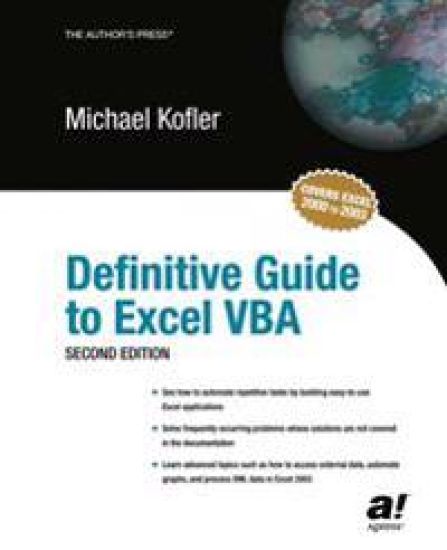
This book is definitive. Though assuming no knowledge of VBA or Visual Basic, it covers every aspect of Excel programming. The emphasis is always on solving problems that professionals will encounter in their daily work. Whether it is automatically displaying different views of data through pivot tables or accessing databases through ADO, the latest Microsoft database technology, it's all here. The final chapter provides a reference on Excel objects that is equally definitive. It is important to note that this book is not an advertising brochure for Excel. If there are problems with the Excel object library (and unfortunately there are many of them), they are explained. Whenever possible, Kofler explains a work-around. Still, this book gives the reader a comprehensive look at what you can do with Excel - and despite some problems, the range of possible applications is huge.




Hacking u. Security
Michael Kofler; Matthias Wübbeling; Paul Zenker
Rheinwerk Verlag GmbH
2025
sidottu



SAP S/4HANA Administration
Michael Kofler
Rheinwerk Publishing Inc.
2025
nidottu
Halvin toimitettuna 38,50 €
Generative AI is transforming software development. Stay on the cutting edge with this guide to AI pair programming Learn how to make the most of modern tools like ChatGPT and GitHub Copilot to improve your coding. Automate refactoring, debugging, and other tedious tasks, and use techniques such as prompt engineering and retrieval-augmented generation to get the code you need. Follow practical examples that show how you can program faster, more efficiently, and with fewer errors with the help of AI. In this book, you'll learn about: a. Hype versus Reality Learn from expert developers to understand the possibilities (and pitfalls) of AI tools. With the help of practical code examples, see how to use AI helpers correctly to their full potential. b. Assistants for All Tasks This guide gives you an up-to-date overview of all aspects of AI-assisted coding: GitHub Copilot autocompletions, project bootstrapping with OpenHands, debugging and refactoring, application development, and more. c. In the Cloud or Local? Use OpenAI's API to integrate AI models directly into your own scripts and automations--or use local large language models (LLMs) to work independently of cloud services. Highlights include: 1) Structured programming with AI2) Debugging 3) Unit testing4) Refactoring5) Automatic document creation6) Database development and design7) Scripting and administration8) Local large language models (LLMs)9) Retrieval-augmented generation (RAG)10) ChatGPT and GitHub Copilot11) OpenHands12) OpenAI API
Beginner or expert, professional or hobbyist, this is the Linux guide you need! Install Linux and walk through the basics: working in the terminal, handling files and directories, using Bash, and more. Then get into the nitty-gritty details of configuring your system and server, from compiling kernel modules to using tools like Apache, Postfix, and Samba. With information on backups, firewalls, virtualization, and more, you'll learn everything there is to know about Linux! Highlights include:1) Installation 2) GNOME and KDE3) Bash, Vim, Emacs4) Network configuration 5) Software and package management6) Administration7) Kernel modules8) Apache9) Postfix and Dovecot10) Samba11) Security12) Virtualization

Developers and admins, it's time to simplify your workday. With this practical guide, use scripting to solve tedious IT problems with less effort and less code! Learn about popular scripting languages: Bash, PowerShell, and Python. Master important techniques such as working with Linux, cmdlets, regular expressions, JSON, SSH, Git, and more. Use scripts to automate different scenarios, from backups and image processing to virtual machine management. Discover what's possible with only 10 lines of code! In this book, you'll learn about:a. Scripting Languages Beginners, get the crash course you need in Bash (and its alternative, Zsh), PowerShell, and Python syntax to perform scripting tasks. b. Scripting Techniques Learn to write successful scripts by following expert guidance and practical examples. Use commands for processing text files, functions for handling JSON and XML files, Cron for automating script execution, SSH for running code, and more. c. Scripting ExamplesSee scripting in action! Walk through concrete applications of scripting: data backup, image processing, web scraping, REST APIs, database maintenance, cloud scenarios, and virtual machine administration. Highlights include: 1) Bash and Zsh 2) Linux toolbox3) PowerShell and CmdLets 4) Python and pip5) JSON, XML, and INI6) SSH, VS Code, and Git7) Automation with Cron8) Backup automation9) Image processing10) Web scraping11) Cloud scripting 12) Virtual machines