Kirjojen hintavertailu – 12 859 828 kirjaa ja 27 kauppaa

Kirjailija

Michael Miller

Kirjat ja teokset yhdessä paikassa: 97 kirjaa, julkaisuja vuosilta 1979–2026, suosituimpiin kuuluu Space Weapons, Earth Wars. Vertaile teosten hintoja ja tarkista saatavuus suomalaisista kirjakaupoista.

97 kirjaa

Kirjojen julkaisuvuodet: 1979–2026.

My TV for Seniors

My TV for Seniors

Michael Miller

Addison Wesley
2020
nidottu
Easy, clear, readable, and focused on what you want to do. Step-by-step instructions that show you exactly how and where to watch what you want to watch. Help when you have specific questions. Tips and notes to help you get the most from local, cable, satellite, and streaming TV. Full-color, step-by-step tasks walk you through watching TV today on a variety of devices--and saving money doing so. Learn how to Cut the cable and satellite cordSave money on your cable or satellite TV billWatch local TV stations for freeChoose the best TV and streaming media player for youConnect and use an Amazon Fire TV, Apple TV, or Roku streaming media playerWatch Amazon Prime Video, CBS All Access, Disney+, HBO Max, Hulu, Netflix, Peacock, and other streaming video servicesWatch live streaming video services like AT&T TV, fuboTV, Hulu + Live TV, Sling TV, and YouTube TVFind where to best watch sporting eventsGet a better picture with HD, 4K, 8K, and HDRGet better sound with a sound bar or surround
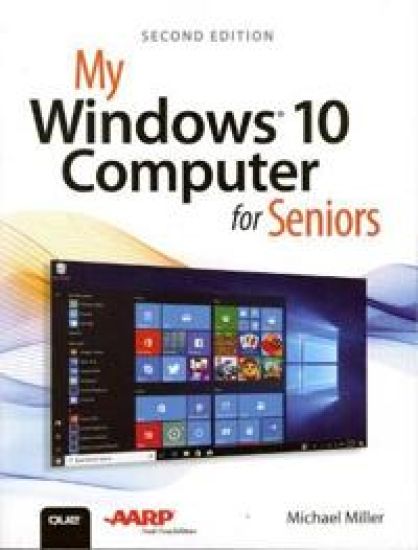
My Windows 10 Computer for Seniors

My Windows 10 Computer for Seniors

Michael Miller

Addison Wesley
2020
nidottu
My Microsoft Windows 10 Computer for Seniors is an easy, full-color tutorial on the latest operating system from Microsoft. Veteran author Michael Miller is known for his ability to explain complex topics to everyday readers. Michael wrote this book from the 50+ point of view, using step-by-step instructions and large, full-color photos to cover all the most popular tasks. Miller will help you learn to: • Get started with Windows 10, whether you’re experienced with computers or not • Configure Windows 10 to work better for those with vision and physical challenges • Explore the web with Microsoft’s Edge browser and Google Search • Find, install, and use the best Windows apps • Reliably connect to the Internet, both at home and away • Shop safely online and avoid online scams • Make and receive video and voice calls with Skype • Connect your phone to your PC to text and make calls • Stay connected with friends and family on Facebook, Pinterest, and Twitter • Store, touch up, and share your pictures • Send and receive email with Windows 10’s Email app • Keep track of all your files, and back them up safely • Watch streaming video on your PC with Disney+, Netflix, YouTube, and more • Discover great new music with Spotify and Pandora • Fix common PC problems, and manage Windows updates
The Lyme Disease Handbook

The Lyme Disease Handbook

Michael Miller

1551541
2020
pokkari
Critically ill for six years, I finally discovered that Lyme Disease was the problem. Using a special formulated herbs remedy mix I quickly cured myself. Knowing about natural treatment and symptoms help to determine a herbal cure. Know the symptoms; such as depression, ms, arthritis.
My iPad for Seniors

My iPad for Seniors

Michael Miller

Addison Wesley
2020
nidottu
Covers All iPads Running iPadOS 13 Easy, clear, readable, and focused on what you want to do. Full-color, step-by-step tasks walk you through getting and keeping your iPad working just the way you want. Learn how to Discover all the new features of iPadOS 13Wirelessly connect to and browse the Internet, at home or awayPersonalize the way your iPad looks and works–including the new Dark ModeMake your iPad easier to use if you have trouble seeing or tapping the screenUse Siri’s voice commands to control your iPad and find useful informationCommunicate with friends and family via email, text messaging, and FaceTime video chatsShoot, share, and view photos and videosListen to streaming music and watch streaming movies and TV shows onlineConnect and use the Apple Pencil and Smart KeyboardUse iCloud to store and share your photos and other important data onlineTroubleshoot common iPad problems
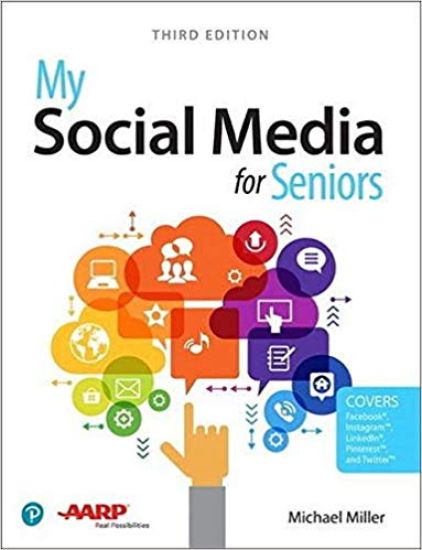
My Social Media for Seniors

My Social Media for Seniors

Michael Miller

Addison Wesley
2019
nidottu
My Social Media for Seniors Step-by-step instructions for the tasks you care about most Large, full-color, close-up photos show you exactly what to do Common-sense help whenever you run into problems Tips and notes to help you along the way Learn how to get the most out of social media! We’ve identified the essential skills you need to stay connected with the people you care about; reconnect with old friends and classmates; and share your life with loved ones near and far. Our crystal-clear instructions respect your smarts but never assume you’re an expert. Big, colorful photos on nearly every page make this book incredibly easy to read and use! · Learn the pros and cons of social media and how to use it safely · Find out what to share–and what not to share–on social media · Distinguish between fake news and real news online · Use social media to find friends, family, schoolmates, and co-workers · Keep in touch with friends and family on Facebook® · Save and share interesting images on PinterestTM · Connect with people and businesses on LinkedIn® · Tweet and retweet on TwitterTM · Share photos on InstagramTM · Use Skype to participate in video chats with friends and family members
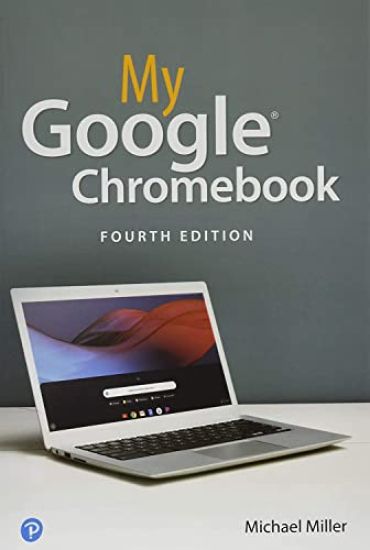
My Google Chromebook

My Google Chromebook

Michael Miller

Addison Wesley
2019
nidottu

Halvin toimitettuna 27,10 €

Step-by-step instructions with callouts to Google Chromebook photos that show you exactly what to do Help when you run into Chromebook problems or limitations Tips and Notes to help you get the most from your Chromebook Full-color, step-by-step tasks walk you through doing exactly what you want with your Chromebook. Learn how to Set up and configure your new Chromebook Personalize your Chromebook’s desktop and other settings Use your Chromebook with the touchpad, keyboard, or touchscreen Browse and search the Web with the Google Chrome browser Manage your files wherever they’re stored: on your Chromebook, on an external drive, or in the cloud Find great new Chrome and Android apps in the Google Play Store Strengthen privacy with Incognito Mode and Google’s privacy settings Watch streaming TV shows and movies with Netflix, Hulu, and Amazon Prime Video Listen to streaming music with Pandora, Spotify, and Google Play Music View and fix photos with Google Photos Print from anywhere with Google Cloud Print Send, receive, read, and manage email through Google Gmail Get productive with Google Docs, Sheets, and Slides Use your Google Chromebook for education Optimize Chromebook performance and battery life Troubleshoot and recover from problems
Peter Drucker's System of Management in a Business Environment

Peter Drucker's System of Management in a Business Environment

Luther C Guynes; Michael Miller

Pyramid Press
2019
nidottu
Peter Drucker was a force of nature when it comes to the development of the managerial mindset of the latter 20th century. Like Athena emerging fully grown and dressed for battle from the head of Zeus, Druckers ideas discovered and identified a framework for a practical philosophy of business that continues to be found useful as a tool to navigate the ever changing ebbs and flows of the uncertain seas of business from the local to the international. His work has been considered important and worthy of study. The Fellows of the Academy of Management voted Drucker s 1954 book The Practice of Management the third most influential book of the 20th century. Just to review the titles of his many books from 1939 to 2008 would bring you a structure for pursuing an understanding of the philosophy of business management. Among his many ideas, he early predicted the disappearance of the blue collar worker, the importance of nonprofits for improving the community of lives of those who help and those who have been helped, the necessity to adapt to changes with eyes firmly fixed in a forward direction, and the increasing importance of the knowledge worker and the need to keep learning to adapt to the changing world. The subject is broad but the dynamics beneath the hood are organic and distinct, and deepen with more study and attention. It is hoped that this introduction to Druckers thoughts and insights will serve as an inspiration to those preparing to cultivate their future in the business world for a better tomorrow. DrLuther Guynes, Ph. D. has dedicated over 45 years to higher education as a Professor, Department Chair and Administrator. DrGuynes received his bachelors degree in Business Administration and Industrial Engineering from California State Polytechnic University, Pomona. Under the mentorship of Dr Peter F Drucker, he earned his Masters Degree in Economics and Business Statistics and his Ph. D. in Government Finance and Public Administration from Claremont Graduate University, Claremont California. DrPeter Drucker considered DrGuynes an outstanding student, gifted cooperative colleague and an esteemed professional. DrPeter Drucker describes DrGuynes as follows: Luther C Guynes, is probably the ablest administrator I have taught. He has compassion combined with the necessary toughness. Altogether he is one of the few naturals in administration I have met.
My Facebook for Seniors

My Facebook for Seniors

Michael Miller

Que Corporation,U.S.
2018
nidottu
Easy, clear, readable, and focused on what you want to do. Step-by-step instructions for the tasks you care about most Large, full-color, close-up photos show you exactly what to do Common-sense help whenever you run into problems using the Facebook app and website Tips and notes to help you connect with family and friends The full-color, step-by-step tasks–in legible print–walk you through sharing posts, photos, and videos on Facebook. Whether you are new to Facebook or would like to explore more of its features, My Facebook for Seniors makes learning to use the world’s most popular social media site simple and fun. The full-color, step-by-step instructions make it easy to connect with family, friends, and colleagues; share digital photos and videos; interact with topic-oriented groups; and much more. Veteran author Michael Miller has written more than 200 nonfiction books and is known for his ability to explain complex topics to everyday readers. Michael wrote this book from the 50+ point of view, using relevant examples and covering all the most popular tasks. Here are just a few things you will learn how to do in this top-selling book: · Sign up for Facebook (it’s free!) and create a new account · Use Facebook on your smartphone, tablet, or computer · Configure Facebook’s privacy settings to keep your personal information private · Discover how to avoid fake news posted in your News Feed · Find out what you should–and shouldn’t–share on Facebook · Find old friends who are also on Facebook · Discover how best to use Facebook to keep in touch with your kids and grandkids · Use the News Feed to discover what your friends and family are up to · Update your friends and family on your current activities
Binge Eating Disorder: Step-By-Step Guide to Prevention and Recovery from Binge Eating Disorder

Binge Eating Disorder: Step-By-Step Guide to Prevention and Recovery from Binge Eating Disorder

Ashley Victoria; Michael Miller

Createspace Independent Publishing Platform
2018
nidottu
BINGE EATING DISORDERDo you consume abnormally large amounts of food in one sitting? Do you doubt that your untimely binging is a problem? Are you someone who is not comfortable revealing that you suffer from binge eating disorder? If your answer to any of the above questions is a "YES" then you have got hold of the right book. Binge eating is a serious disorder that masks itself as overeating and can go undetected for long periods of time. It may surprise you, but binge eating affects more people than bulimia and anorexia. Consuming abnormally large amounts of food in one sitting becomes a regular feature in the life of binge eaters. Most of these individuals don't even recognize that there's something wrong with them until they get overweight or obese. Part of the reason why this happens is because there is a lack of awareness among people with regards to this disorder. The symptoms are often passed off as overeating and most people think that it's normal for someone to eat until their guts hurt. The very reason we wanted to come up with a book for people suffering from binge eating disorder was to spread awareness about it so they don
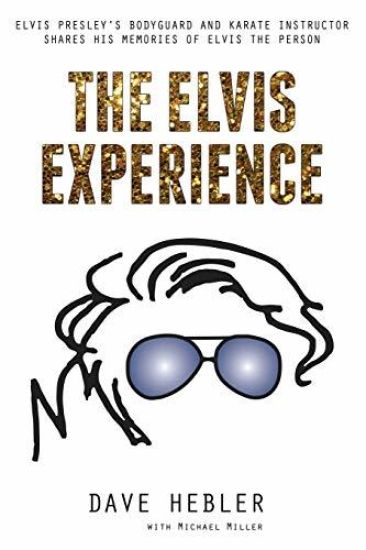
The Elvis Experience: Elvis Presley's Bodyguard and Karate Instructor Shares His Memories of Elvis the Person
Dave Hebler spent four years (1972-1976) protecting Elvis Presley as one of his personal bodyguards and during that time was also Elvis's Kenpo Karate instructor. Every Elvis fan knows all about Elvis the entertainer, Elvis the actor, and Elvis the singer. In this book Dave takes you through his personal journey with Elvis, sharing many humorous stories to give you a glimpse of Elvis the person. Dave's stories reveal that not only was Elvis the greatest entertainer ever, but also the greatest person ever. Dave takes you through how he met Elvis, how he became Elvis's bodyguard and karate instructor, what it was like during his first day on the job, the things crazy women did during concerts, and more. He goes into some fun stories with Elvis including the big drug bust, the San Diego Chicken, the lady ninja, the gaudy bauble, the gunslinger, the kid with the watches, and more. He talks about Elvis the giver, Elvis the martial artist, and Elvis the Christian to paint the picture of who Elvis the person truly was. Dave shares some stories in this book that have never been told and even goes through his firing, what it was like handling Elvis's prescription drug issues, and provides insights about the controversial book "Elvis What Happened?" This book is Dave's journey as he lived it with Elvis - a man Dave loved dearly and protected from everyone but Elvis himself.
Windows 10 Plain & Simple

Windows 10 Plain & Simple

Nancy Muir Boysen; Michael Miller

Microsoft Press
2018
nidottu
Learn the simplest ways to get things done with Windows 10 Here’s WHAT you’ll learn • Navigate Windows 10 Fall Creators Update quickly, easily, and efficiently • Get online with the sleek Microsoft Edge web browser • Make the most of the Cortana personal assistant • Efficiently manage your email, calendar, photos, and more • Access your files from anywhere with Microsoft OneDrive • Help secure your computer and protect your data Here’s HOW you’ll learn • Jump in wherever you need answers • Follow easy steps and screenshots to see exactly what to do • Get handy tips for new techniques and shortcuts • Use Try This! exercises to apply what you learn right away
My Windows 10 Computer for Seniors

My Windows 10 Computer for Seniors

Michael Miller

Que Corporation,U.S.
2018
nidottu
My Microsoft® Windows® 10 Computer for Seniors is an easy, full-color tutorial on the latest operating system from Microsoft. Veteran author Michael Miller is known for his ability to explain complex topics to everyday readers. Michael wrote this book from the 50+ point of view, using step-by-step instructions and large, full-color photos to cover all the most popular tasks. Miller will help you learn to: • Get started with Windows 10, whether you’re experienced with computers or not • Configure Windows 10 to work better for those with vision and physical challenges • Explore the web with Microsoft’s Edge browser and Google Search • Find, install, and use the best new Windows apps • Reliably connect to the Internet, both at home and away • Find online bargains, shop safely, and avoid online scams • Make and receive video and voice calls with Skype • Stay connected with friends and family on Facebook and Pinterest • Capture, touch up, organize, and share your pictures • Read eBooks on your PC—even enlarge text for greater comfort • Send and receive email with Windows 10’s Email app • Keep track of all your files, and back them up safely • Discover great new music with Spotify and Pandora • Fix common PC and Internet problems • Search your computer and the Internet—and send and receive text messages—with the Cortana virtual assistant
My iPad for Seniors

My iPad for Seniors

Michael Miller

Que Corporation,U.S.
2018
nidottu
Covers all iPads running iOS 11 My iPad for Seniors, 5th Edition, is a full-color, fully illustrated guide to using all of Apple's iPad models. It includes everything from basic setup information to finding and installing new apps to using the iPad for communication, entertainment, and productivity. The information presented in this book is targeted at users aged 50 and up; whenever possible, one best way for any given task is presented, and instructions are simplified with older users in mind. In addition, much content specific for people 50+ is included. Step-by-step instructions with callouts to iPad photos that show you exactly what to do. Common-sense help when you run into iPad problems or limitations. Tips and Notes to help you get the most from your iPad. Easy, clear, readable, and focused on what you want to do. Learn how to: * Wirelessly connect to the Internet at home or away * Personalize the way your iPad looks and works * Make your iPad easier to use if you have trouble seeing or tapping the screen * Use the Control Center to adjust frequently used settings * Browse and search the Internet with Safari * Use Siri's voice commands to control your iPad and find useful information * Find useful health and travel apps and fun games in Apple's App Store * Communicate with friends and family via email, text messaging, and FaceTime video chats * Shoot, share, and view photos and videos * Listen to music and watch movies and TV shows over the Internet * Use iCloud to store and share your photos and other important data online * Troubleshoot common iPad problems
My Social Media for Seniors

My Social Media for Seniors

Michael Miller

Que Corporation,U.S.
2017
nidottu
Learn Facebook, Twitter, Instagram, LinkedIn, Pinterest, Skype, and More! My Social Media for Seniors helps you learn what social media is all about, and how to use it to connect with friends, families, and more. The full-color book provides a general overview of what social media is and what it does, then offers step-by-step instruction on how to use the most popular social media-- Facebook, LinkedIn, Pinterest, and Twitter. It also covers other social media, including online message boards and group video chat services such as Skype and Google Hangouts. In addition, the book offers strategies for using social media to find old friends and colleagues, as well as how to use social media safely and securely. Here are a few things you will learn: What Social Media is and why we use it What to share and what not to share on Social Media Using Social Media safely and privately Comparing the most popular Social Media Keeping in touch with friends and family on Facebook Sharing pictures and videos on Facebook Discovering interesting groups on Facebook Configuring Facebook's privacy settings Pinning and repinning on Pinterest Finding other users and boards to follow on Pinterest Fine-tuning your professional profile on LinkedIn Connecting with people and businesses on LinkedIn Tweeting and retweeting on Twitter Sharing photos with instagram Getting social on special interest message boards Playing social games Getting social with video chats Using Social Media to find old friends Using Social Media on your smartphone or tablet Exploring other social media