Kirjojen hintavertailu – 12 903 733 kirjaa ja 27 kauppaa

Kirjailija

Steven Mann

Kirjat ja teokset yhdessä paikassa: 25 kirjaa, julkaisuja vuosilta 2003–2021, suosituimpiin kuuluu SharePoint 2013 Solution Series Volumes 1-10. Vertaile teosten hintoja ja tarkista saatavuus suomalaisista kirjakaupoista.

25 kirjaa

Kirjojen julkaisuvuodet: 2003–2021.

The Handbook of Fixed Income Securities, Ninth Edition

The Handbook of Fixed Income Securities, Ninth Edition

Frank Fabozzi; Steven Mann; Francesco Fabozzi

McGraw-Hill Education
2021
sidottu

Halvin toimitettuna 154,60 €

The definitive guide to fixed income securities-updated and revised with everything you need to succeed in today’s marketThe Handbook of Fixed Income Securities has been the most trusted resource for fixed income investing for decades, providing everything sophisticated investors need to analyze, value, and manage fixed income instruments and their derivatives. But this market has changed dramatically since the last edition was published, so the author has revised and updated his classic guide to put you ahead of the curve. With chapters written by the leading experts in their fields, The Handbook of Fixed Income Securities, Ninth Edition provides expert discussions about:Basics of Fixed Income Analytics Treasuries, Agency, Municipal, and Corporate BondsMortgage-Backed and Asset-Backed SecuritiesThe Yield Curve and the Term StructureValuation and Relative ValueCredit AnalysisPortfolio Management and StrategiesDerivative Instruments and their ApplicationsPerformance Attribution AnalysisThe Handbook of Fixed Income Securities is the most inclusive, up-to-date source available for fixed income facts and analyses. Its invaluable perspective and insights will help you enhance investment returns and avoid poor performance in the fixed income market.
SharePoint 2013 Survey Ramp-Up Guide

SharePoint 2013 Survey Ramp-Up Guide

Steven Mann

Createspace Independent Publishing Platform
2014
nidottu
This guide steps users through the creation and use of surveys in SharePoint. It is geared towards new users of both SharePoint 2013 and Surveys in SharePoint. Using this guide, users will understand various aspects of working with surveys in SharePoint 2013: -Planning a Survey -Adding a Survey to a Site -Creating Free Form Questions -Creating Choice Questions -Configuring Rating Scale Questions -Creating and Configuring Branching Questions -Adding Page Separators -Reordering Questions -Configuring Survey Options -Configuring Response Permissions -Managing Survey Responses
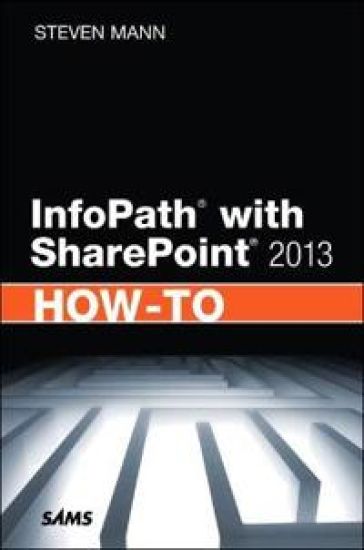
InfoPath with SharePoint 2013 How-To

InfoPath with SharePoint 2013 How-To

Steven Mann

Sams Publishing
2013
nidottu
Need fast, reliable, easy-to-use solutions for using InfoPath® with SharePoint® 2013? This book delivers exactly what you’re looking for: step-by-step help and guidance with the tasks you’ll perform most often. You’ll learn better ways to design and develop intuitive, effective form-based solutions, and then efficiently administer, secure, and troubleshoot them. The industry’s most focused resource for solving business problems with SharePoint and InfoPath forms, this book provides all the answers you need—now! Steven Mann is an Enterprise Applications Engineer for Morgan Lewis and has nearly 20 years of professional experience with collaboration and business intelligence, including a decade working with SharePoint. Formerly Principal Architect for RDA Corporation, his books include InfoPath with SharePoint 2010 How-To, Microsoft SharePoint 2010 Business Intelligence Unleashed, SharePoint 2010 Field Guide, and SharePoint 2010 Managed Metadata Unleashed. Fast, Accurate, and Easy-to-Use! ¿ Discover powerful tips for success with InfoPath Designer 2013 ¿ Efficiently create SharePoint form controls, rules, and functions ¿ Master form page design, views, and list forms ¿ Submit, publish, and use data in SharePoint forms ¿ Streamline business processes by integrating forms into SharePoint workflows ¿ Design more intuitive, easier-to-use forms with InfoPath controls, functionality, and settings ¿ Use template parts to create reusable form components, including controls, fields, and data connections ¿ Leverage Visual Studio 2012 with InfoPath to build solutions and application-level add-ins ¿ Dynamically populate repeating tables in forms ¿ Elegantly track changes in SharePoint forms ¿ Automatically generate new InfoPath form instances ¿ Use SharePoint 2013 Central Administration to manage forms and Forms Services ¿ Automate InfoPath Form Services administration with PowerShell ¿ Manage form permissions to control user access and rights ¿ Troubleshoot form development, deployment, publishing, and form submission
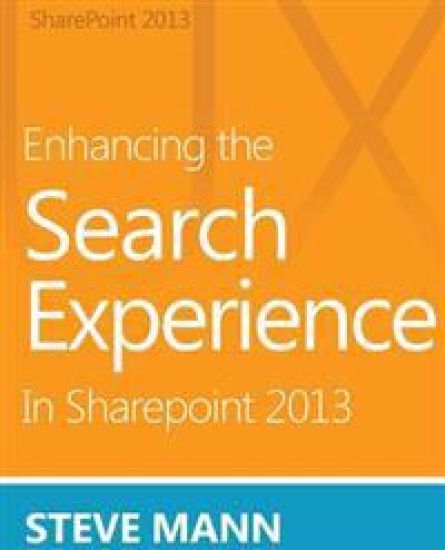
Enhancing the Search Experience in SharePoint 2013

Enhancing the Search Experience in SharePoint 2013

Steven Mann

Createspace Independent Publishing Platform
2013
nidottu
Search UX Overview This book provides many ideas and steps for enhancing the search experience across various aspects of SharePoint 2013 Enterprise Search. Enterprise Search in SharePoint 2013 Server provides an abundance of functionality and search capabilities for your SharePoint environment. There are many ways to enhance the overall search experience for your users by customizing features, templates, settings, configurations, etc. Therefore, Steve Mann has provided an easy step-by-step guide to assist you in enhancing the overall user search experience. He has created this book to visually step you through modifications and customizations to further improve the Enterprise Search Center user experience within your SharePoint enterprise. Topics Include: -Enhancing the Search Navigation -Improving Image and Video Results -Handling PDF Documents -Promoting Results -Suggestions and Spelling Words -Sorting and Refinement of Search Results -Providing Consistent Results and Experiences -Enhancing Search Keywords -Instant and Cascading Refinement of Multi-Value Properties -Customizing Search Result Item Templates and Hover Panels -and much more End-to-End Solutions There are two bonus chapters adapted from Steve's walkthrough guide that provide end-to-end scenarios and modifications: -Enhancing the Search Center UX with a Custom Vertical -Incorporating External Data using BCS into the Search Center UX "Just show me how to do it " If you find yourself screaming this while reading technical books, then this book is for you. There are plenty of screenshots and no individual steps that leave out critical information. Each section clearly shows you what to do, how to do it, and what the results look like.
Using PowerShell with SharePoint 2013

Using PowerShell with SharePoint 2013

Steven Mann

Createspace Independent Publishing Platform
2012
nidottu
Need a command reference for automating SharePoint 2013 administration with PowerShell? This book delivers exactly what you're looking for Step-by-step guidance throughout every SharePoint 2013 nook and cranny. You'll find tested PowerShell scripts and proven techniques for managing SharePoint 2013 farms and servers, users and accounts, sites and site collections, databases, service applications, solutions, enterprise services, and more. The industry's most focused resource for SharePoint 2013 PowerShell scripting, this book provides all the answers you need-now