

Kirjailija
Matt Weber
Kirjat ja teokset yhdessä paikassa: 258 kirjaa, julkaisuja vuosilta 2015–2026, suosituimpiin kuuluu Mastercam 2027 Black Book. Vertaile teosten hintoja ja tarkista saatavuus suomalaisista kirjakaupoista.
258 kirjaa
Kirjojen julkaisuvuodet: 2015–2026.





The AutoCAD Electrical 2025 Black Book, the 10th edition of AutoCAD Electrical Black book, has been updated as per the enhancements in the AutoCAD Electrical 2025. Following the same strategy as for the previous edition, the book follows a step-by-step methodology. It covers almost all the information required by a learner to master the AutoCAD Electrical. The book starts with basics of Electrical Designing, goes through all the Electrical controls related tools and discusses practical examples of electrical schematic and panel designing. Chapter on Reports makes you able to create and edit electrical component reports. We have also discussed the interoperability between Autodesk Inventor and AutoCAD Electrical which is need of industry these days. Two annexures have been added to explain basic concepts of control panel designing. Some of the salient features of this book are: In-Depth explanation of conceptsEvery new topic of this book starts with the explanation of the basic concepts. In this way, the user becomes capable of relating the things with real world. Topics CoveredEvery chapter starts with a list of topics being covered in that chapter. In this way, the user can easily find the topic of his/her interest easily. Instruction through illustrationThe instructions to perform any action are provided by maximum number of illustrations so that the user can perform the actions discussed in the book easily and effectively. There are about 900 small and large illustrations that make the learning process effective. Tutorial point of viewAt the end of concept's explanation, the tutorial makes the understanding of users' firm and long lasting. Almost each chapter of the book has tutorials that are real world projects. Moreover, most of the tools in this book are discussed in the form of tutorials. For FacultyIf you are a faculty member then you can ask for video tutorials on any of the topic, exercise, tutorial, or concept. As faculty, you can register on our website to get electronic desk copies of our latest books, self-assessment, and solution of practical. Faculty resources are available in the Faculty Member page of our website once you login. Note that faculty registration approval is manual and it may take two days for approval before you can access the faculty website.
The Autodesk Inventor 2025 Black Book is the 5th edition of our series on Autodesk Inventor. With lots of features and thorough review, we present a book to help professionals as well as beginners in creating some of the most complex solid models. The book follows a step-by-step methodology. In this book, we have tried to give real-world examples with real challenges in designing. We have tried to reduce the gap between university use of Autodesk Inventor and industrial use of Autodesk Inventor. In this edition of book, we have included topics on iPart, Style Editing, Customization, Deriving parts, Inspection, and Advanced Assembly. The book covers almost all the information required by a learner to master the Autodesk Inventor. The book starts with sketching and ends at advanced topics like Mold Design, Sheetmetal, Weldment, and MBD. Some of the salient features of this book are: In-Depth explanation of conceptsEvery new topic of this book starts with the explanation of the basic concepts. In this way, the user becomes capable of relating the things with real world. Topics CoveredEvery chapter starts with a list of topics being covered in that chapter. In this way, the user can easily find the topic of his/her interest easily. Instruction through illustrationThe instructions to perform any action are provided by maximum number of illustrations so that the user can perform the actions discussed in the book easily and effectively. There are about 2050 small and large illustrations that make the learning process effective. Tutorial point of viewAt the end of concept's explanation, the tutorial makes the understanding of user firm and long lasting. Almost each chapter of the book has tutorials that are real world projects. Moreover, most of the tools in this book are discussed in the form of tutorials. ProjectProjects and exercises are provided to students for practicing. For FacultyIf you are a faculty member, then you can ask for video tutorials on any of the topic, exercise, tutorial, or concept. As faculty, you can register on our website to get electronic desk copies of our latest books, self-assessment, and solution of practical. Faculty resources are available in the Faculty Member page of our website once you login. Note that faculty registration approval is manual and it may take two days for approval before you can access the faculty website.

The AutoCAD Electrical 2025 Black Book, the 10th edition of AutoCAD Electrical Black book, has been updated as per the enhancements in the AutoCAD Electrical 2025. Following the same strategy as for the previous edition, the book follows a step-by-step methodology. It covers almost all the information required by a learner to master the AutoCAD Electrical. The book starts with basics of Electrical Designing, goes through all the Electrical controls related tools and discusses practical examples of electrical schematic and panel designing. Chapter on Reports makes you able to create and edit electrical component reports. We have also discussed the interoperability between Autodesk Inventor and AutoCAD Electrical which is need of industry these days. Two annexures have been added to explain basic concepts of control panel designing. Some of the salient features of this book are: In-Depth explanation of conceptsEvery new topic of this book starts with the explanation of the basic concepts. In this way, the user becomes capable of relating the things with real world. Topics CoveredEvery chapter starts with a list of topics being covered in that chapter. In this way, the user can easily find the topic of his/her interest easily. Instruction through illustrationThe instructions to perform any action are provided by maximum number of illustrations so that the user can perform the actions discussed in the book easily and effectively. There are about 900 small and large illustrations that make the learning process effective. Tutorial point of viewAt the end of concept's explanation, the tutorial makes the understanding of users' firm and long lasting. Almost each chapter of the book has tutorials that are real world projects. Moreover, most of the tools in this book are discussed in the form of tutorials. For FacultyIf you are a faculty member then you can ask for video tutorials on any of the topic, exercise, tutorial, or concept. As faculty, you can register on our website to get electronic desk copies of our latest books, self-assessment, and solution of practical. Faculty resources are available in the Faculty Member page of our website once you login. Note that faculty registration approval is manual and it may take two days for approval before you can access the faculty website.
The Autodesk Inventor 2025 Black Book is the 5th edition of our series on Autodesk Inventor. With lots of features and thorough review, we present a book to help professionals as well as beginners in creating some of the most complex solid models. The book follows a step-by-step methodology. In this book, we have tried to give real-world examples with real challenges in designing. We have tried to reduce the gap between university use of Autodesk Inventor and industrial use of Autodesk Inventor. In this edition of book, we have included topics on iPart, Style Editing, Customization, Deriving parts, Inspection, and Advanced Assembly. The book covers almost all the information required by a learner to master the Autodesk Inventor. The book starts with sketching and ends at advanced topics like Mold Design, Sheetmetal, Weldment, and MBD. Some of the salient features of this book are: In-Depth explanation of conceptsEvery new topic of this book starts with the explanation of the basic concepts. In this way, the user becomes capable of relating the things with real world. Topics CoveredEvery chapter starts with a list of topics being covered in that chapter. In this way, the user can easily find the topic of his/her interest easily. Instruction through illustrationThe instructions to perform any action are provided by maximum number of illustrations so that the user can perform the actions discussed in the book easily and effectively. There are about 2050 small and large illustrations that make the learning process effective. Tutorial point of viewAt the end of concept's explanation, the tutorial makes the understanding of user firm and long lasting. Almost each chapter of the book has tutorials that are real world projects. Moreover, most of the tools in this book are discussed in the form of tutorials. ProjectProjects and exercises are provided to students for practicing. For FacultyIf you are a faculty member, then you can ask for video tutorials on any of the topic, exercise, tutorial, or concept. As faculty, you can register on our website to get electronic desk copies of our latest books, self-assessment, and solution of practical. Faculty resources are available in the Faculty Member page of our website once you login. Note that faculty registration approval is manual and it may take two days for approval before you can access the faculty website.
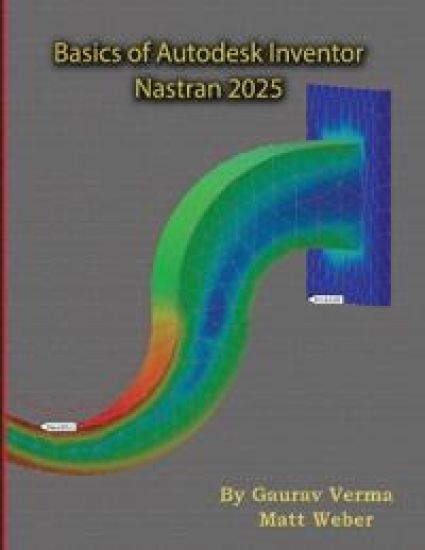
Basics of Autodesk Inventor Nastran 2025
Gaurav Verma; Matt Weber
CADCAMCAE Works
2024
pokkari
Halvin toimitettuna 60,30 €
The Basics of Autodesk Inventor Nastran 2025 is the new and updated 5th edition of our book on Autodesk Inventor Nastran. This book helps professionals as well as students in learning basics of Finite Element Analysis via Autodesk Inventor Nastran. The book follows a step-by-step methodology. This book explains the background work running behind your simulation analysis screen. The book starts with introduction to simulation and goes through all the analysis tools of Autodesk Inventor Nastran with practical examples of analysis. Chapter on manual FEA ensure the firm understanding of FEA concepts. Some of the salient features of this book are: In-Depth explanation of conceptsEvery new topic of this book starts with the explanation of basic concepts. In this way, the user becomes capable of relating the things with real world. Topics CoveredEvery chapter starts with a list of topics being covered in that chapter. In this way, the user can easy find the topic of his/her interest easily. Instruction through illustrationThe instructions to perform any action are provided by maximum number of illustrations so that the user can perform the actions discussed in the book easily and effectively. There are about 410 illustrations that make the learning process effective. Tutorial point of viewThe book explains the concepts through the tutorial to make the understanding of users firm and long lasting. Each chapter of the book has tutorials that are real world projects. ProjectProjects and exercises are provided to students for asking for more practice. For FacultyIf you are a faculty member, then you can ask for video tutorials on any of the topic, exercise, tutorial, or concept. As faculty, you can register on our website to get electronic desk copies of our latest books, self-assessment, and solution of practical. Faculty resources are available in the Faculty Member page of our website once you login. Note that faculty registration approval is manual and it may take two days for approval before you can access the faculty website.

The Basics of Autodesk Inventor Nastran 2025 is the new and updated 5th edition of our book on Autodesk Inventor Nastran. This book helps professionals as well as students in learning basics of Finite Element Analysis via Autodesk Inventor Nastran. The book follows a step-by-step methodology. This book explains the background work running behind your simulation analysis screen. The book starts with introduction to simulation and goes through all the analysis tools of Autodesk Inventor Nastran with practical examples of analysis. Chapter on manual FEA ensure the firm understanding of FEA concepts. Some of the salient features of this book are: In-Depth explanation of conceptsEvery new topic of this book starts with the explanation of basic concepts. In this way, the user becomes capable of relating the things with real world. Topics CoveredEvery chapter starts with a list of topics being covered in that chapter. In this way, the user can easy find the topic of his/her interest easily. Instruction through illustrationThe instructions to perform any action are provided by maximum number of illustrations so that the user can perform the actions discussed in the book easily and effectively. There are about 410 illustrations that make the learning process effective. Tutorial point of viewThe book explains the concepts through the tutorial to make the understanding of users firm and long lasting. Each chapter of the book has tutorials that are real world projects. ProjectProjects and exercises are provided to students for asking for more practice. For FacultyIf you are a faculty member, then you can ask for video tutorials on any of the topic, exercise, tutorial, or concept. As faculty, you can register on our website to get electronic desk copies of our latest books, self-assessment, and solution of practical. Faculty resources are available in the Faculty Member page of our website once you login. Note that faculty registration approval is manual and it may take two days for approval before you can access the faculty website.
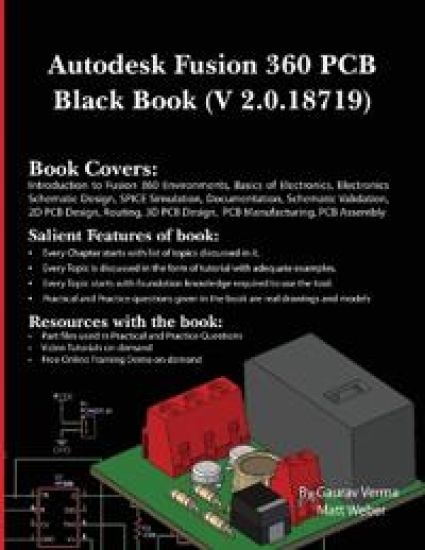
Autodesk Fusion 360 PCB Black Book (V 2.0.18719)
Gaurav Verma; Matt Weber
CADCAMCAE Works
2024
pokkari
The Autodesk Fusion 360 PCB Black Book (V 2.0.18719) is 2nd edition of our series on Autodesk Fusion 360 PCB. The book is updated on Autodesk Fusion 360 Ultimate, Student V 2.0.18719. With lots of features and thorough review, we present a book to help professionals as well as beginners in creating some of the most complex electronic design while following systematic workflow. The book follows a step-by-step methodology. In this book, we have tried to include related technical information for each PCB designing tool. We have tried to reduce the gap between educational use and industrial use of Autodesk Fusion 360 PCB. This edition of book, includes latest topics on Schematic design, 2D PCB design, 3D PCB design, PCB manufacturing, and electronic library management. The book covers almost all the information required by a learner to master Autodesk Fusion 360 PCB. Some of the salient features of this book are: In-Depth explanation of conceptsEvery new topic of this book starts with the explanation of the basic concepts. In this way, the user becomes capable of relating the things with real world. Topics CoveredEvery chapter starts with a list of topics being covered in that chapter. In this way, the user can easily find the topic of his/her interest easily. Instruction through illustrationThe instructions to perform any action are provided by maximum number of illustrations so that the user can perform the actions discussed in the book easily and effectively. There are about 400 small and large illustrations that make the learning process effective. Tutorial point of viewAt the end of concept's explanation, the tutorial makes the understanding of user firm and long lasting. Almost each chapter of the book has tutorials that are real world projects. Moreover, most of the tools in this book are discussed in the form of tutorials. For FacultyIf you are a faculty member, then you can ask for video tutorials on any of the topic, exercise, tutorial, or concept. As faculty, you can register on our website to get electronic desk copies of our latest books, self-assessment, and solution of practical. Faculty resources are available in the Faculty Member page of our website (www.cadcamcaeworks.com) once you login. Note that faculty registration approval is manual and it may take two days for approval before you can access the faculty website.
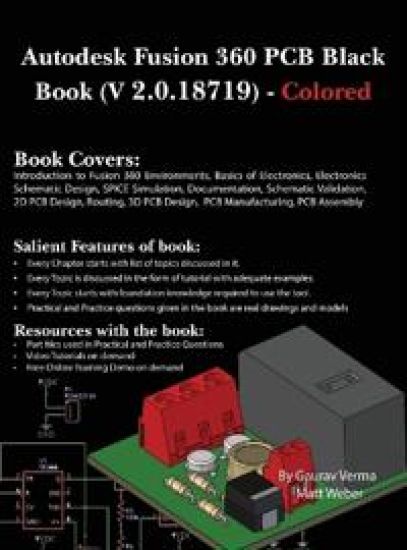
Autodesk Fusion 360 PCB Black Book (V 2.0.18719)
Gaurav Verma; Matt Weber
CADCAMCAE Works
2024
sidottu
The Autodesk Fusion 360 PCB Black Book (V 2.0.18719) is 2nd edition of our series on Autodesk Fusion 360 PCB. The book is updated on Autodesk Fusion 360 Ultimate, Student V 2.0.18719. With lots of features and thorough review, we present a book to help professionals as well as beginners in creating some of the most complex electronic design while following systematic workflow. The book follows a step-by-step methodology. In this book, we have tried to include related technical information for each PCB designing tool. We have tried to reduce the gap between educational use and industrial use of Autodesk Fusion 360 PCB. This edition of book, includes latest topics on Schematic design, 2D PCB design, 3D PCB design, PCB manufacturing, and electronic library management. The book covers almost all the information required by a learner to master Autodesk Fusion 360 PCB. Some of the salient features of this book are: In-Depth explanation of conceptsEvery new topic of this book starts with the explanation of the basic concepts. In this way, the user becomes capable of relating the things with real world. Topics CoveredEvery chapter starts with a list of topics being covered in that chapter. In this way, the user can easily find the topic of his/her interest easily. Instruction through illustrationThe instructions to perform any action are provided by maximum number of illustrations so that the user can perform the actions discussed in the book easily and effectively. There are about 400 small and large illustrations that make the learning process effective. Tutorial point of viewAt the end of concept's explanation, the tutorial makes the understanding of user firm and long lasting. Almost each chapter of the book has tutorials that are real world projects. Moreover, most of the tools in this book are discussed in the form of tutorials. For FacultyIf you are a faculty member, then you can ask for video tutorials on any of the topic, exercise, tutorial, or concept. As faculty, you can register on our website to get electronic desk copies of our latest books, self-assessment, and solution of practical. Faculty resources are available in the Faculty Member page of our website (www.cadcamcaeworks.com) once you login. Note that faculty registration approval is manual and it may take two days for approval before you can access the faculty website.
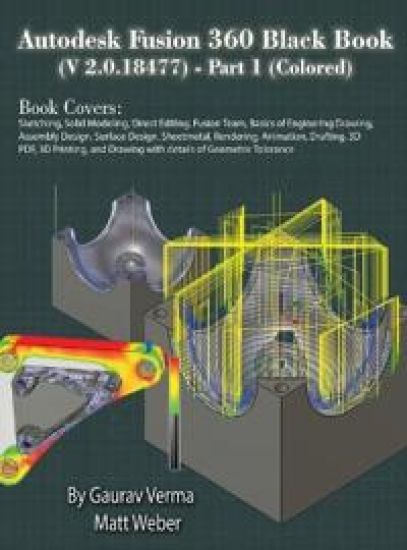
Autodesk Fusion 360 Black Book (V 2.0.18477) Part I
Gaurav Verma; Matt Weber
CADCAMCAE Works
2024
sidottu

Autodesk Fusion 360 Black Book (V 2.0.18477) Part II
Gaurav Verma; Matt Weber
CADCAMCAE Works
2024
pokkari
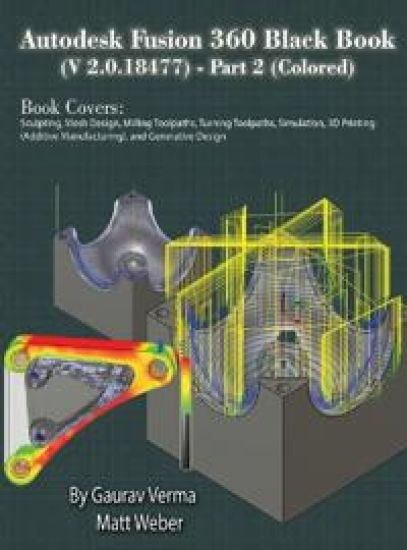
Autodesk Fusion 360 Black Book (V 2.0.18477) Part II
Gaurav Verma; Matt Weber
CADCAMCAE Works
2024
sidottu

Autodesk Fusion 360 Black Book (V 2.0.18477) Part I
Gaurav Verma; Matt Weber
CADCAMCAE Works
2024
pokkari
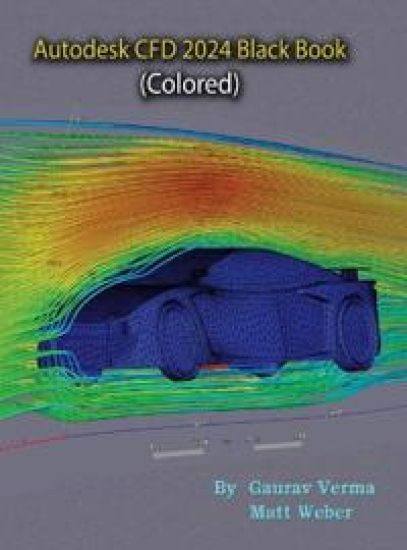
The Autodesk CFD 2024 Black Book, is New and updated 4th edition of our series on Autodesk CFD. The book is targeted for beginners of Autodesk CFD. This book covers the basic equations and terms of Fluid Dynamics theory. The book covers all the major tools of Flow Simulation modules like Fluid Flow, Thermal Fluid Flow, and Electronic Cooling modules. This book can be used as supplement to Fluid Dynamics course if your subject requires the application of Software for solving CFD problems. Some of the salient features of this book are: In-Depth explanation of conceptsEvery new topic of this book starts with the explanation of the basic concepts. In this way, the user becomes capable of relating the things with real world. Topics CoveredEvery chapter starts with a list of topics being covered in that chapter. In this way, the user can easy find the topic of his/her interest easily. Instruction through illustrationThe instructions to perform any action are provided by maximum number of illustrations so that the user can perform the actions discussed in the book easily and effectively. There are about 700 illustrations that make the learning process effective. Tutorial point of viewThe book explains the concepts through the tutorial to make the understanding of users firm and long lasting. Practical of the book are based on real world projects. For FacultyIf you are a faculty member, then you can ask for video tutorials on any of the topic, exercise, tutorial, or concept. As faculty, you can register on our website to get electronic desk copies of our latest books, self-assessment, and solution of practical. Faculty resources are available in the Faculty Member page of our website (www.cadcamcaeworks.com) once you login. Note that faculty registration approval is manual and it may take two days for approval before you can access the faculty website.