Kirjailija
Kevin Wilson
Kirjat ja teokset yhdessä paikassa: 112 kirjaa, julkaisuja vuosilta 2006–2026, suosituimpiin kuuluu Web Development with HTML, CSS, and JavaScript. Vertaile teosten hintoja ja tarkista saatavuus suomalaisista kirjakaupoista.
112 kirjaa
Kirjojen julkaisuvuodet: 2006–2026.
Letom 1996 goda v Koulfilde, shtat Tennessi, vstrechajutsja dvoe podrostkov - shestnadtsatiletnjaja Frenki, ravnodushnaja k uchebe odinochka, mechtajuschaja stat pisatelnitsej, i Zeki, talantlivyj khudozhnik, kotoryj tolko chto pereekhal sjuda k svoej babushke. Mezhdu Frenki i Zeki vspykhivaet iskra, no ne tolko romanticheskaja, a esche i tvorcheskaja. Oni risujut plakat, odnazhdy uvidev kotoryj, chelovek nikogda uzhe ne smozhet o nem zabyt. Polnyj teploty i dobrogo jumora, "Ne vremja panikovat" - glubokij i ostroumnyj roman o vzroslenii i pervoj vljublennosti, ob iskusstve i tvorchestve, o pamjati i nostalgii. Perevodchik: Shaulis Andrej
Unlock the full potential of Microsoft Publisher with this comprehensive guide written by best-selling technology author and trainer Kevin Wilson. Whether you're beginning with the basics or an experienced user aspiring to enhance your skills, Using Microsoft Publisher is your indispensable guide to navigating and mastering Microsoft Publisher. Using Microsoft Publisher is packed with easy-to-follow instructions, full color illustrative photos, screenshots, and helpful tips, including video demos for a hands-on learning experience. In this guide you'll learn: Getting Started with Publisher: Learn how to navigate around the main user interface, customize your workspace, and create shortcuts for quick access. The Ribbon Menu: Learn how to use the ribbon menu's functionalities and explore the Home, Insert, Page Design, and other crucial tabs. Building a New Design: Discover the fundamentals of good design, using contrast, repetition, alignment, and proportion. Understand how these principles can improve your publications. Creating Publications: Learn how to create new publications, page sizes, orientations, and understanding margins. Enhancing with Graphics: Master the art of adding and editing images, clip art, and shapes. Learn text wrapping techniques and image adjustments for a professional look. Managing Publications: Learn how to save documents in various formats such as PDF, as well as opening saved projects, and setting up page layouts effectively. Advanced Publisher Features: Explore advanced topics such as creating multipage spreads, using mail merges, and designing with tables and guides. Exercises and Real-World Applications: Practice with hands-on exercises and practical examples to apply your skills effectively. This guide is an indispensable resource for learning the intricacies of Microsoft Publisher, designed to enhance your abilities and provide you with the expertise necessary to craft professional-quality publications with ease. So scroll up and get your copy of Using Microsoft Publisher today
In this celebration of the comfort and community to be found in a warm, well-made cup of chai, Kevin Wilson offers readers his famous chai recipes alongside meditations on how to live a simple yet full life. Dubbed "the CEO of Chai" by Bon App tit magazine, Kevin Wilson is an expert on all things chai. When Wilson was a teenager, his family in Sri Lanka applied to come to America, but his was the only visa approved. A world away from his country and so many of his loved ones, he stayed connected to his culture and his family through chai. One day Wilson made a TikTok about how to make the perfect cup of chai--carefully crushing cardamom, cloves, peppercorns, and cinnamon bark, boiling them in milk, adding tea leaves, and stirring until he saw what he describes as "the color of a happy brown boy." The video went viral and earned Wilson many fans who come for the useful guidance on how to make chai but stay for his wise meditations on how the perfect "cuppa" can soothe and sustain us--even in the most trying of times. In this book, Wilson shares his most popular recipes and introduces readers to making chai as a spiritual practice that involves patience and attunement to meld just the right combination of spices. In The Way of Chai Wilson beautifully describes how something as simple as a well-made cup of tea can bring us solace amid our struggles. While a steaming cup of chai can't solve everything, it can help us tap into the power of patience, clarity, and intention.
Unlock the full potential of Microsoft Excel with this comprehensive guide written by best-selling technology author and trainer Kevin Wilson. Whether you're beginning with the basics or an experienced user aspiring to enhance your skills, Using Microsoft Excel is your indispensable guide to navigating and mastering one of the world's leading spreadsheet applications. Using Microsoft Excel is packed with easy-to-follow instructions, full color illustrative photos, screenshots, and helpful tips, including video demos for a hands-on learning experience. In this guide you'll learn: User-Friendly Navigation: Start with the basics of the Microsoft Excel's interface and learn how to use the ribbon menu and backstage view. Spreadsheet Mastery: Learn how to create spreadsheets, manage data entry, and master text formatting. Stylish Data Presentation: Learn how to style and present your work in Microsoft Excel with sophisticated formatting options, borders, color-coding, and conditional formatting. Formulas and Basic Functions: Construct custom formulas and use built in functions to calculate, analyze, and transform your data. Advanced Excel Functions: Go beyond the basics with Lookup, Index, IF/Date/Text/nested functions, cell referencing and other advanced tools to streamline your data processing. Compelling Charts and Analytics: Transform data from Microsoft Excel spreadsheets into informative charts and master layouts to visually communicate your data. Efficient Workbook Management: Manage your Microsoft Excel environment effectively. Learn about file management and workbook navigation as well as printing and exporting worksheets. In-Depth Data Analysis: Explore advanced tools such as goal seek and scenarios for professional-level data analysis. As well as a look at the ToolPak and Solver add-ins. PivotTable Proficiency: Become adept at creating pivot tables and pivot charts for dynamic data breakdowns and insights. Excel Extensions: Extend the functionality of Microsoft Excel with various add-ins to meet your specific analytical needs. Macros & VBA Introduction: Step into the world of Macros and VBA to automate tasks and boost your productivity. Seamless Collaboration: Discover strategies for effective teamwork in Microsoft Excel with workbook sharing, real-time co-authoring and commenting. Flawless Data Validation: Ensure data integrity with various validation techniques, essential for accurate data management. This guide is an indispensable resource for learning the intricacies of Microsoft Excel, designed to enhance your abilities and provide you with the expertise necessary to craft professional-quality spreadsheets with ease. So scroll up and get your copy of Using Microsoft Excel today
Unlock the full potential of Microsoft Word with this comprehensive guide written by best-selling technology author and trainer Kevin Wilson. Whether you're a beginner or experienced user, this guide is updated to cover the latest features and will help you navigate and master Microsoft Word quickly and easily. Using Microsoft Word is packed with easy-to-follow instructions, full color illustrative photos, screenshots, and helpful tips, including video demos for a hands-on learning experience. In this guide you'll learn: Easy Navigation: Start by opening Microsoft Word, mastering the ribbon menu and user interface for a streamlined workflow. Text Formatting: Learn to apply styles such as bold, italic, and underline for impactful text presentation, as well as applying font sizes, colors and paragraph styles. Document Editing Skills: Gain proficiency with cut, copy and paste, and effective clipboard use in Microsoft Word. Professional Document Design: Implement advanced design elements such as headers, footers, and watermarks in Microsoft Word. Structured Documents: Organize your work with page numbers, page breaks, tables of contents, and indexes. Visual Enhancements: Improve the readability of your Microsoft Word documents with page borders, line spacing, text alignment, and tab adjustments. List Management: Create bullet and numbered lists for clear content presentation. Team Collaboration: Utilize Microsoft Word's collaboration tools for effective teamwork on documents. Incorporate Graphics and Charts: Enrich your documents with Equations, WordArt, SmartArt, charts, shapes, and images. Templates: Use pre-designed templates and learn how to create your own. Mail Merge: Execute mail merges for letters, labels, and envelopes efficiently in Microsoft Word. Proofing and Language Tools: Ensure linguistic accuracy with Microsoft Word's spell check and grammar tools. Learn to save time with autocorrect and autotext. Content Enrichment: Enhance your work with thesaurus and researcher. Automation: Learn how to record and use macros to perform repetitive tasksThis guide is an indispensable resource for learning the intricacies of Microsoft Word, designed to enhance your abilities and provide you with the expertise necessary to craft professional-quality documents with ease. So scroll up and get your copy of Using Microsoft Word today
We've all been there before, glaring at a computer screen with no idea what to do - don't worry Exploring Apple Mac is here to help. Written by best-selling technology author, lecturer, and computer trainer Kevin Wilson, Exploring Apple Mac is packed with over 450 pages of full color screenshots, illustrations, helpful tips, and easy to follow instructions along with a growing library of video demos and tutorials. Updated to cover the Sonoma release of MacOS, Exploring Apple Mac will help you understand the fundamentals of your Mac. You'll learn how to: Upgrade your Mac to Sonoma and explore new features such as Desktop Widgets, Video Conferencing Enhancements, and Safari ProfilesFind your way around the desktop, dock, finder, and launchpad in MacOS SonomaMaster touch gestures, trackpads and the magic mouse to get around your MacUse Notification Centre, Handoff, Spaces, Control Center, Universal Control, and Universal Clipboard in MacOSOrganising files and folders in Finder in MacOSBrowse the web with the Safari Web Browser safely and efficiently in MacOSKeep in touch with friends and family using email, iMessage, and FaceTime video chat on your macSet important appointments with CalendarKeep the people you correspond with in the Contacts appSet yourself reminders and 'to-do' listsCheck the weather on your macRecord voice memos Download countless apps from the App Store on your macCatch up with your favourite podcasts and the latest newsRead ebooks on your macFind your way around with the Maps App, get directions, create guides, explore places in 3D, and use the interactive globeUse the clock app to set alarms, timers, and world clocksStream music with Apple Music, buy tracks & albums from iTunes StoreStream TV programs & movies with the Apple TV AppGetting started with Pages, Keynote and Numbers on your MacUsing iCloud storage on your MacUse time machine to back up your data stored on your MacGet to know Siri in MacOSUse the photos app to store and enhance your photosCreate slideshows, photo albums and use iMovie to edit your home movies and more... Finally, system updates and maintenance tips to help you keep your Mac running smoothly complete this invaluable guide. So order yourself a copy today, and keep it handy as you make your way around the new OS. We want to create the best possible resource to help you, so if we've missed anything out then please get in touch using [email protected] and let us know. Thanks.

Python Made Easy: A First Course in Computer Programming is a full color, step by step, hands-on introduction to the world of computer programming using Python. With a focus on practical application, this book is designed to equip anyone seeking an interactive introduction to Python with the essential skills and knowledge needed to start their programming journey. This book adopts a "learn by doing" approach, providing a rich set of lab exercises at the end of each section and larger programming projects for you to try. By actively engaging with coding exercises along with step-by-step guidance, illustrations, and video demos, you'll develop a solid understanding of Python and build your skills. Here's what you'll learnInstall Python on Windows, Mac, and LinuxPython syntax and basicsData types and Data structuresFile HandlingPython FunctionsException and Error Handling in PythonObject Oriented ProgrammingUsing Modules and Libraries in your Python ProgramsBuilding GUIs and using GraphicsTurtle GraphicsGame DevelopmentTesting and Debugging your ProgramsHow to deploy your Python ProgramsWeb Development using Python FrameworksPython Made Easy: A First Course in Computer Programming using Python is the ideal companion for anyone seeking an interactive introduction to Python programming. Whether you are a student, an aspiring programmer, or a professional from a non-technical background, this book will empower you to master the fundamentals of Python and the world of computer programming. Have Fun
NATIONAL BESTSELLERNamed a Best Book of the Year by: Time * Kirkus Reviews * USA Today * Entertainment Weekly * Garden & Gun * Vox * Atlanta Journal-ConstitutionA Most Anticipated Book of Fall from: Associated Press * Atlanta Journal-Constitution * BookPage * Book Riot * The Boston Globe * Entertainment Weekly * Esquire * Garden & Gun * LitHub * St. Louis Post-Dispatch * Sunset Magazine * Time * Town & Country * The Millions * USA Today * Vogue * Vulture * The WeekAn exuberant, bighearted novel about two teenage misfits who spectacularly collide one fateful summer, and the art they make that changes their lives foreverSixteen-year-old Frankie Budge--aspiring writer, indifferent student, offbeat loner--is determined to make it through yet another summer in Coalfield, Tennessee, when she meets Zeke, a talented artist who has just moved into his grandmother's house and who is as awkward as Frankie is. Romantic and creative sparks begin to fly, and when the two jointly make an unsigned poster, shot through with an enigmatic phrase, it becomes unforgettable to anyone who sees it. The edge is a shantytown filled with gold seekers. We are fugitives, and the law is skinny with hunger for us. When the posters begin appearing everywhere, people wonder who is behind them and start to panic. Satanists? Kidnappers? The rumors won't stop, and soon the mystery has dangerous repercussions that spread far beyond the town. Twenty years later, Frances Eleanor Budge gets a call that threatens to upend her carefully built life: a journalist named Mazzy Brower is writing a story about the Coalfield Panic of 1996. Might Frances know something about that? A bold coming-of-age story, written with Kevin Wilson's trademark wit and blazing prose, Now Is Not the Time to Panic is a nuanced exploration of young love, identity, and the power of art. It's also about the secrets that haunt us--and, ultimately, what the truth will set free.
Introducing the new full color, illustrated guide to Microsoft Office - the perfect companion to help you get the most out of Microsoft's Office Suite Whether you're a beginner or a seasoned user, this comprehensive guide has everything you need to know to maximize your productivity and streamline your workflow. Microsoft 365, formerly known as Office 365 offers many improved productivity features and services. Updated and revised for 2023, Exploring Microsoft Office is here to help. Packed with over 500 pages of easy to follow step-by-step instructions, tips, tricks, full color illustrations, photographs and video demos, this guide will help you: Learn about Microsoft 365 and cloud computingDownload and Install the Microsoft Office Suite onto your PCGet started with Office Online: The Cloud, OneDrive, Outlook Mail and Calendar, as well as the web based versions of Word, Excel and PowerPoint. Use the Office Apps on your iPad, tablet, phone or Android deviceConstruct professional looking documents with Microsoft WordAdd and use graphics, photographs, and clipartChange fonts and formatting textCreate tables, graphs, and sorting textUse cut, copy and paste with the clipboard Use mail merge to merge letters and labelsCreate presentations for your lessons, lectures, speeches, or business presentationsAdd animations and effects to PowerPoint slidesUse 3D and cinematic transitions to spice up your presentationsAdd audio and narrations to your presentationSet up and presenting to an audience or onlineUse Excel to create spreadsheets that analyse, present, and manipulate dataCreate Excel charts, graphs, pivot tables, functions, and formulasThe basics of Microsoft Access databases, tables, forms, queries, and SQLKeep in touch with friends, family and colleagues using OutlookMaintain calendars and keep appointments with OutlookTaking notes with OneNote, and more... Unlike other books and manuals that assume a computing background not possessed by beginners, Exploring Microsoft Office tackles the fundamentals of Microsoft Office, so that everyone from students, to senior citizens, to home users pressed for time, can understand. So, if you're looking for an Office manual, a visual book, simplified tutorial, dummies guide, or reference, Exploring Microsoft Office will help you maximize the potential of Microsoft Office to increase your productivity, and help you take advantage of the digital revolution. We want to create the best possible resource to help you, so if we've missed anything out then please get in touch using [email protected] and let us know. Thanks.

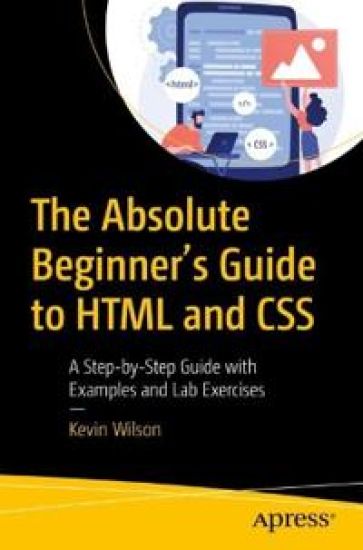
Written as an illustrated, step-by-step guide for beginners, this book will introduce you to HTML and CSS with lab exercises and examples of code. You'll begin by setting up the development environment such as local web server and html editor. The next few chapters cover web servers, the basics of HTML such as language syntax, tags, and how to write a program. Next, you'll learn how to put together simple web pages demonstrating how the code works and how to use various HTML tags and CSS to style the pages. Finally, the use of CMS to build websites such as Drupal and WordPress and how HTML and CSS fits in. At the end there are reference libraries for both HTML tags and CSS. The Absolute Beginners Guide to HTML and CSS provides you with the tools, confidence, and inspiration to start building web pages and websites. If you are a programmer, developer or a student, or just someone who wants to learn on their own, this book is for you. What You'll LearnUnderstand basic computer programming conceptsSee how to use HTML and CSS to build web pagesApply the syntax of HTML and CSSSee how HTML and CSS fits into CMS systems such as Drupal and WordPressWho This Book Is For Software programmers, developers, students, and anyone who wants a quick reference for HTML and CSS
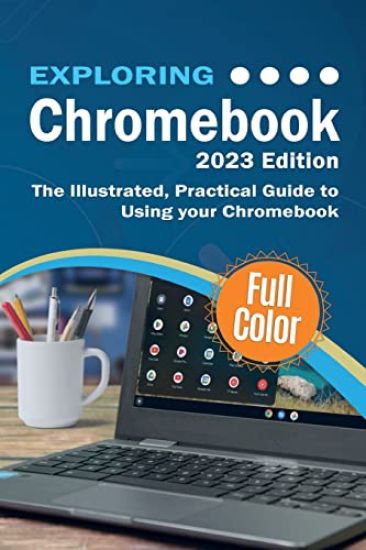
Updated for 2023, Exploring Chromebook will help you to understand the fundamentals of your Chromebook. Written in a clear and accessible way using full color illustrations, screenshots, video demos, and easy to follow instructions, Exploring Chromebook will help you: A look at the new featuresSet up and configure your ChromebookLearn features such as nearby share, screen capture, Google AssistantExplore desktop, app launcher, and the app shelf on ChromebookTransfer data from your old machine to your ChromebookBluetooth devices and printers on ChromebookConnect to Wifi and the internet on ChromebookNavigate your Chromebook with touch gesturesUse Gmail, Chrome browser, calendar, and contactsGet started with Google Drive, Docs, Sheets and SlidesVideo chat with Hangouts, Google Duo, and Google MeetOrganise chatrooms, share files, set tasks and chat with Google ChatOrganise, enhance, and adjust your photos with the Photos AppDownload music, films, and TV programs on your ChromebookUse Netflix, Prime Video, Spotify, YouTube and YouTube MusicUse Android, Linux and Chrome Apps, and more... In addition, you will learn how to make the most of the new features of Chrome OS on the Chromebook with clear explanations and video demos to help you along the way. Finally, maintenance tips to help you keep your device running smoothly complete this invaluable guide. You'll want to keep this edition handy as you make your way around your new Chromebook. We want to create the best possible resource to help you, so if we've missed anything out then please get in touch using [email protected] and let us know. Thanks.
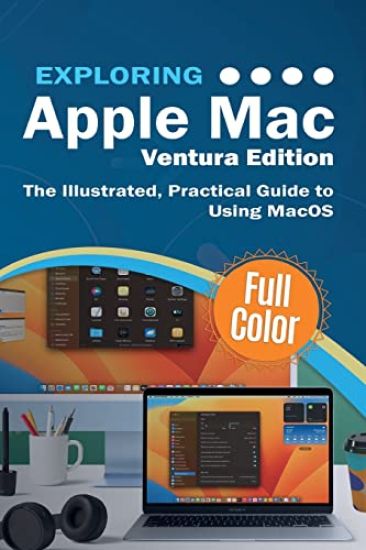
We've all been there before, glaring at a computer screen with no idea what to do - don't worry Exploring Apple Mac is here to help. Written by best-selling technology author, lecturer, and computer trainer Kevin Wilson, Exploring Apple Mac is packed with easy-to-follow instructions, photos, illustrations, helpful tips, and video demos. Updated to cover the Ventura release of MacOS, Exploring Apple Mac will help you understand the fundamentals of your Mac. You'll learn how to: Upgrade your Mac to Ventura and explore new features such as passkeys, FreeForm and stage managerFind your way around the desktop, dock, finder, and launchpad in MacOSMaster touch gestures, trackpads and the magic mouse to get around your MacUse Notification Centre, Handoff, Spaces, Control Center, Universal Control, and Universal Clipboard in MacOSOrganising files and folders in Finder in MacOSBrowse the web with the Safari Web Browser safely and efficiently in MacOSKeep in touch with friends and family using email, iMessage, and FaceTime video chat on your macSet important appointments with CalendarKeep the people you correspond with in the Contacts appSet yourself reminders and 'to-do' listsCheck the weather on your macRecord voice memos Download countless apps from the App Store on your macCatch up with your favourite podcasts and the latest newsRead ebooks on your macFind your way around with the Maps App, get directions, create guides, explore places in 3D, and use the interactive globeUse the clock app to set alarms, timers, and world clocksStream music with Apple Music, buy tracks & albums from iTunes StoreStream TV programs & movies with the Apple TV AppGetting started with Pages, Keynote and Numbers on your MacUsing iCloud storage on your MacUse time machine to back up your data stored on your MacGet to know Siri in MacOSUse the photos app to store and enhance your photosCreate slideshows, photo albums and use iMovie to edit your home movies and more... Finally, system updates and maintenance tips to help you keep your Mac running smoothly complete this invaluable guide. So order yourself a copy today, and keep it handy as you make your way around the new OS. We want to create the best possible resource to help you, so if we've missed anything out then please get in touch using [email protected] and let us know. Thanks.
This full-color book is an essential guide to getting started with Adobe Photoshop. It's packed with tutorials, illustrations, and practical exercises to help you make sense of this complex and powerful software. You'll start with the basics of Photoshop, including an overview of its myriad tools and other options. Next, you will learn about some of the common tasks that can be performed in Photoshop, such as how to touch up images and basic applications in photography. You'll also be walked through how to leverage Photoshop for special and 3D effects. Each and every technique author Kevin Wilson presents is illustrated step-by-step using screenshots with concise, easy to follow text. Downloadable sample photoshop files and images are also provided, to help you work your way through the book. Whether you are a graphic design student, a photographer, or just a keen computer user, this book will provide you with a firm grasp of the underpinningfoundations of Photoshop and equip you with the skills needed to unleash its full power. What You Will LearnUnderstand Photoshop's many toolsUse Photoshop to execute common image manipulation tasks Touch up photographs and other images in PhotoshopRemove lens distortion and make photos look more professionalWho This Book Is ForStudents, those interested in starting graphic design, and photographers looking to enhance, clean up and manipulate their photos. No experience with image-manipulation software is needed.
Absolute Beginner's Python Programming Full Color Guide with Lab Exercises
Kevin Wilson
Elluminet Press
2022
pokkari
Halvin toimitettuna 27,20 €
Written as an illustrated, step-by-step guide and workbook for complete beginners, this illustrated, full color book will introduce you to the python programming language using clear explanations, diagrams, coded examples, lab exercises and video demos. You'll begin by learning how to set up the python interpreter and development environment on your computer, then you'll dive straight into the basics of python such as python language syntax, python keywords, and how to write and execute python program. Next, you will learn how to work with python variables, basic data types, arithmetic, companion, and boolean operators. Furthermore, the book covers flow control constructs such as if/else statements and loops in python. You'll also learn how to define and use functions, recursion, and exception handling, as well as a look at the principles of object-oriented programming. You'll also learn how to use turtle graphics to draw various shapes and patterns, and how to build a graphical user interface using tkinter. The last section covers developing a game using the PyGame module and how to add graphics, create basic animations, and user interactivity. At the end of each chapter, you'll find various lab exercises to test what you've learned in the chapter. Also included is a growing repository of sample python source code, bonus material for each chapter, videos, and model solutions to lab exercises to further enhance your learning experience. Absolute Beginner's Python Programming Guide will give you the tools, confidence, and inspiration to start writing Python programs. If you are a beginner, a developer, a student, or someone who wants to learn on their own, this book is for you. What You Will LearnGain an understanding of computer programming with pythonUnderstand different data and data types in pythonWork with Classes and OOP in pythonBuild interfaces, simple games, and web development with Python This Book Is Forbeginnersdevelopersstudentsanyone who wants to learn Python programming on their own.
The Gospel Singer
Harry Crews; Kevin Wilson
PENGUIN BOOKS LTD
2022
nidottu
Halvin toimitettuna 21,80 €
The poor town of Enigma, Georgia awaits the return of its most famous son - the Gospel Singer. With the voice of an angel and, it is said, the touch of a healer, he is fresh from the cover of LIFE and the cheers of the Carnegie Hall crowd. And yet, for all his fame, something drives him back to his obscure past, to small-town idolization and half-forgotten deeds. There, before the crowds that have gathered at his feet, he will reveal the cruelty at the heart of his act ... The Gospel Singer, Harry Crews' extraordinary debut novel, is at once a surreal investigation into the nature of the American South, as well as an intricate mediation on faith and its place in the community.