Kirjojen hintavertailu – 12 859 818 kirjaa ja 27 kauppaa

Kirjailija

Kevin Wilson

Kirjat ja teokset yhdessä paikassa: 112 kirjaa, julkaisuja vuosilta 2006–2026, suosituimpiin kuuluu Web Development with HTML, CSS, and JavaScript. Vertaile teosten hintoja ja tarkista saatavuus suomalaisista kirjakaupoista.

112 kirjaa

Kirjojen julkaisuvuodet: 2006–2026.

Now Is Not the Time to Panic

Now Is Not the Time to Panic

Kevin Wilson

Harper Large Print
2022
nidottu
NATIONAL BESTSELLERNamed a Best Book of the Year by: Time * Kirkus Reviews * USA Today * Entertainment Weekly * Garden & Gun * Vox * Atlanta Journal-ConstitutionA Most Anticipated Book of Fall from: Associated Press * Atlanta Journal-Constitution * BookPage * Book Riot * The Boston Globe * Entertainment Weekly * Esquire * Garden & Gun * LitHub * St. Louis Post-Dispatch * Sunset Magazine * Time * Town & Country * The Millions * USA Today * Vogue * Vulture * The WeekAn exuberant, bighearted novel about two teenage misfits who spectacularly collide one fateful summer, and the art they make that changes their lives foreverSixteen-year-old Frankie Budge--aspiring writer, indifferent student, offbeat loner--is determined to make it through yet another summer in Coalfield, Tennessee, when she meets Zeke, a talented artist who has just moved into his grandmother's house and who is as awkward as Frankie is. Romantic and creative sparks begin to fly, and when the two jointly make an unsigned poster, shot through with an enigmatic phrase, it becomes unforgettable to anyone who sees it. The edge is a shantytown filled with gold seekers. We are fugitives, and the law is skinny with hunger for us. When the posters begin appearing everywhere, people wonder who is behind them and start to panic. Satanists? Kidnappers? The rumors won't stop, and soon the mystery has dangerous repercussions that spread far beyond the town. Twenty years later, Frances Eleanor Budge gets a call that threatens to upend her carefully built life: a journalist named Mazzy Brower is writing a story about the Coalfield Panic of 1996. Might Frances know something about that? A bold coming-of-age story, written with Kevin Wilson's trademark wit and blazing prose, Now Is Not the Time to Panic is a nuanced exploration of young love, identity, and the power of art. It's also about the secrets that haunt us--and, ultimately, what the truth will set free.

Now Is Not the Time to Panic

Now Is Not the Time to Panic

Kevin Wilson

Ecco Press
2022
sidottu
NATIONAL BESTSELLERNamed a Best Book of the Year by: Time * Kirkus Reviews * USA Today * Entertainment Weekly * Garden & Gun * Vox * Atlanta Journal-ConstitutionA Most Anticipated Book of Fall from: Associated Press * Atlanta Journal-Constitution * BookPage * Book Riot * The Boston Globe * Entertainment Weekly * Esquire * Garden & Gun * LitHub * St. Louis Post-Dispatch * Sunset Magazine * Time * Town & Country * The Millions * USA Today * Vogue * Vulture * The WeekAn exuberant, bighearted novel about two teenage misfits who spectacularly collide one fateful summer, and the art they make that changes their lives foreverSixteen-year-old Frankie Budge--aspiring writer, indifferent student, offbeat loner--is determined to make it through yet another summer in Coalfield, Tennessee, when she meets Zeke, a talented artist who has just moved into his grandmother's house and who is as awkward as Frankie is. Romantic and creative sparks begin to fly, and when the two jointly make an unsigned poster, shot through with an enigmatic phrase, it becomes unforgettable to anyone who sees it. The edge is a shantytown filled with gold seekers. We are fugitives, and the law is skinny with hunger for us. The posters begin appearing everywhere, and people wonder who is behind them and start to panic. Satanists, kidnappers--the rumors won't stop, and soon the mystery has dangerous repercussions that spread far beyond the town. Twenty years later, Frances Eleanor Budge gets a call that threatens to upend her carefully built life: a journalist named Mazzy Brower is writing a story about the Coalfield Panic of 1996. Might Frances know something about that? A bold coming-of-age story, written with Kevin Wilson's trademark wit and blazing prose, Now Is Not the Time to Panic is a nuanced exploration of young love, identity, and the power of art. It's also about the secrets that haunt us--and, ultimately, what the truth will set free.

The Absolute Beginner's Guide to Python Programming
Written as an illustrated, step-by-step guide, this book will introduce you to Python with examples using the latest version of the language. You'll begin by learning to set up your Python environment. The next few chapters cover the basics of Python such as language classifications, Python language syntax, and how to write a program. Next, you will learn how to work with variables, basic data types, arithmetic, companion, and Boolean operators, followed by lab exercises. Further, the book covers flow control, using functions, and exception handling, as well as the principles of object-oriented programming and building an interface design. The last section explains how to develop a game by installing PyGame and how to use basic animation, and concludes with coverage of Python web development with web servers and Python web frameworks. The Absolute Beginners Guide to Python Programming will give you the tools, confidence, and inspiration to start writing Python programs. If you are a programmer, developer, or a student, or someone who wants to learn on their own, this book is for you. What You Will LearnGain an understanding of computer programming Understand different data and data typesWork with Classes and OOPBuild interfaces, simple games, and web development with PythonWho This Book Is ForSoftware programmers, developers or students, or anyone who wants to learn Python programming on their own.
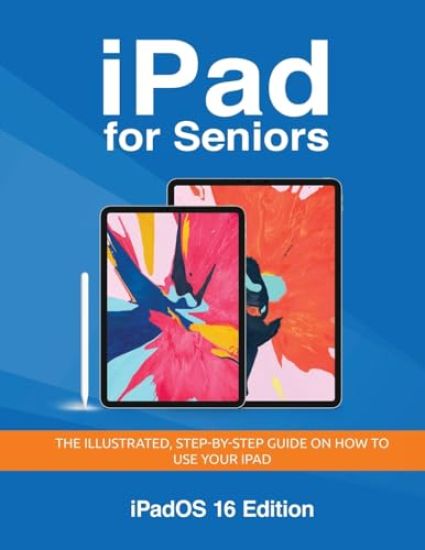
iPad for Seniors - iPadOS 16 Edition

iPad for Seniors - iPadOS 16 Edition

Kevin Wilson

Elluminet Press
2022
pokkari

Halvin toimitettuna 33,10 €

Unlock the full potential of your iPad with this fully illustrated, easy to follow guide specifically designed for seniors Whether you've got a new iPad or just trying to figure out how to use it, this comprehensive guide is your perfect companion. Key Features: Tailored Content: Each chapter addresses the unique needs of senior users, making technology approachable and enjoyable. Easy-to-Follow Tutorials: Learn how to use your iPad with step-by-step instructions, illustrated screenshots, and practical tips that simplify complex operations. Detailed Visuals: Clear, large-print instructions to enhance understanding and engagement. Accessibility Tips: Special focus on accessibility features that maximize the usability of your iPad, such as VoiceOver, Magnifier, and Touch Accommodations. Benefits: Boost Your Confidence: Gain the confidence to explore all aspects of your iPad at your own pace. Stay Connected: Master tools like FaceTime and Messages to stay connected with family and friends. Enhance Entertainment: Dive into eBooks, music, and video apps to make your leisure time more fulfilling. Whether you're looking to stay connected with loved ones, manage your daily tasks, or just enjoy entertainment, "iPad for Seniors" is your go-to resource. Embrace the world of technology and make the most out of your iPad experience. Order your copy today.
iPhone for Seniors - iOS 15 Edition

iPhone for Seniors - iOS 15 Edition

Kevin Wilson

Elluminet Press
2022
pokkari
Unlock the full potential of your iPhone with this fully illustrated, easy to follow guide specifically designed for seniors Whether you've got a new iPhone or just trying to figure out your phone, this comprehensive guide is your perfect companion. What's Inside? Step-by-Step Instructions: Easy-to-follow tutorials that cover everything from initial setup to advanced features, ensuring you make the most of your iPhone's capabilities. Fully Illustrated: Images and screenshots accompany instructions to aid understanding. Troubleshooting Tips: Quick fixes at your fingertips to solve common problems without needing to visit the Apple store. Accessible Technology: Learn about accessibility features that make your iPhone easier to use, including voice control and display settings tailored for better visibility. Why Choose This Book? Expertly Crafted for Seniors: bigger book with larger text. Comprehensive Coverage: From basic operations like calling and texting to managing apps and privacy settings. Safe and Secure: Guidance on securing your personal data and using features like Apple Pay and Find My iPhone confidently. Perfect for Any Senior iPhone User Whether you're a newcomer or just looking to refresh your skills, this book will show you how to use your iPhone efficiently. Order your copy today
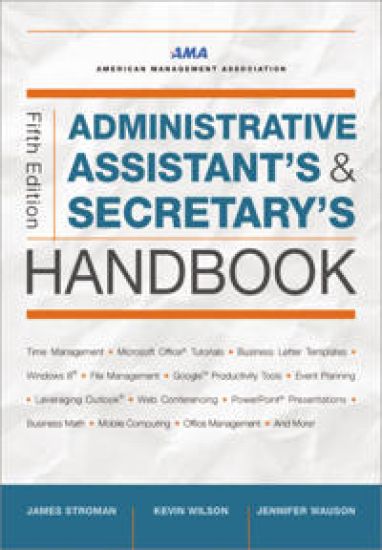
Administrative Assistant's and Secretary's Handbook

Administrative Assistant's and Secretary's Handbook

James Stroman; Kevin Wilson; Jennifer Wauson

HarperCollins Focus
2022
nidottu
No day is the same. No hour is the same. Not even the boss's moods are ever the same The expectations and duties of the modern-day administrative assistant are higher and more stressful than ever before. From managing the phones, coordinating meetings, and preparing presentations to planning events, crafting clear business communications, and deciphering legal documents, administrative assistants need to be everything to everyone, all the time--and all with a smile They spend all day helping others. Who is going to help them? Long the gold standard for office professionals seeking to improve their performance and enhance their value to employers, The Administrative Assistant's and Secretary's Handbook is the definitive source of help for these true jack-of-all-trades, including information on topics such as: - Creating graphics, charts, and presentations - Microsoft Word, Excel, Outlook, and Publisher - Web conferencing - Electronic and paper filing systems - Recordkeeping - Meeting planning and management - Business math - Computer and software troubleshooting - And much more Extensively updated with new information on Windows 8, Microsoft Office 2013, Apple OS, mobile computing, data security, Google Calendar, Google Drive, Google Docs, and Microsoft Web Applications, this bestselling guide will help these unsung heroes shine in the eyes of all their coworkers.
Take your Best Shot

Take your Best Shot

Kevin Wilson

Elluminet Press
2022
pokkari
Written for complete beginners, this photography book is easy to read and understand, even if you have never worked with a camera before, or a budding photographer who wants to improve. It has step-by-step tutorials covering the basics of digital cameras and photographic techniques. In this guide you'll exploreTypes of cameras availableHow digital cameras workCamera CardsLenses and FiltersTechniques used to take better photographsHow to align and compose your photosSuggested camera settingsUnderstanding f-stops, shutter speed and ISOUnderstanding depth of field and focusTaking photos and using shooting modesHow to transfer your Photos to your computerBasic Photo Editing and Touchup
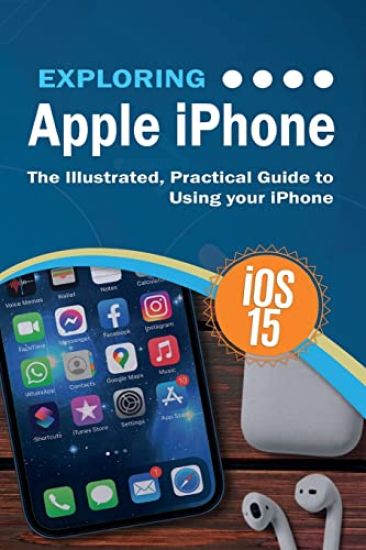
Exploring Apple iPhone

Exploring Apple iPhone

Kevin Wilson

Elluminet Press
2022
pokkari
Written in an easy-to-follow, step-by-step fashion, with full color illustrated screenshots and images, Exploring iPhone is here to help you learn the fundamentals of your iPhone. You'll learn how to navigate around iPhone, how to make phone calls, video calls, check email and use apps. Whether you want to learn the basics, or discover something a bit more advanced, Exploring iPhone is here to help you: Upgrade your iPhone to iOS 15 Set up your iPhone, secure it with Touch ID and Face IDDiscover new features of iOS 15 on iPhoneFind your way around your iPhone's home screen, dock, menus, widgets and iconsNavigate with touch gestures such as tap, drag, pinch, spread and swipeMulti-tasking on iPhoneUse control centre, lock screen, notifications, handoff and airplayTake notes on your iPhoneGet to know Siri, voice dictation, and recording voice memos with iPhoneCommunicate with email, FaceTime, and Messages on your iPhoneWatch a movie or listen to music together with SharePlaySet important appointments with Calendar on iPhoneKeep the people you correspond with in the Contacts appSet yourself reminders and 'to-do' listsUse digital touch, and peer-to-peer paymentsBrowse the web with Safari web browser safely and efficientlyTake, enhance, and share photos and video with your iPhoneOrganise your photos in the Photos app on iPhoneCatch up with your favourite podcasts and the latest newsStream music with Apple Music, buy tracks & albums from iTunes StoreStream TV programs & movies with the Apple TV AppUse Files App to access your files from anywhere using iPhoneFind your way around with the Maps App, get directions, explore places in 3DAccessorise your iPhone with covers, stands, AirPods and headphonesSetup and use Apple Pay, and more...In addition, you will learn how to make the most of the new features of iOS 15 with clear explanations and video demos to help you along the way. Finally, system updates, backups, and general housekeeping tips complete this invaluable guide. You'll want to keep this edition handy as you explore your iPhone.
Exploring Computer Hardware - 2022 Edition
Bits, bytes, logic, RAM, CPUs, hard drives and SSD drives. Master the geeky acronyms and simplify computer hardware & terminology with ease. This book is great for beginners or a basic computing class. Exploring Computer Hardware looks at: The microcomputer, mainframes and super computersHardware componentsCPU architecture, instructions sets, and the fetch execute cycleComputer ports and plugsNetwork topologies, LANs, WANs, MANs, fibre optics and ethernetWiFi and Cellular networksThe internet: email, the cloud, the world-wide webIP Addressing, web servers, DNS servers and DHCP serversTCP/IP model, OSI model, ports, socketsLogic gates, binary arithmetic, two's complement, floating point, hexadecimal, and base conversionsData Storage: bits, bytes, kilo bytes, kibi bytes, megabytes... Data compression, encryption, sort, and search algorithms, and moreTechniques are illustrated step-by-step using photography, illustrations, video demos, and screen prints throughout, together with concise, easy to follow text from an established expert in the field, provide a comprehensive guide to computer hardware. We want to create the best possible resource to help you, so if we've missed anything out then please get in touch using [email protected] and let us know. Thanks.
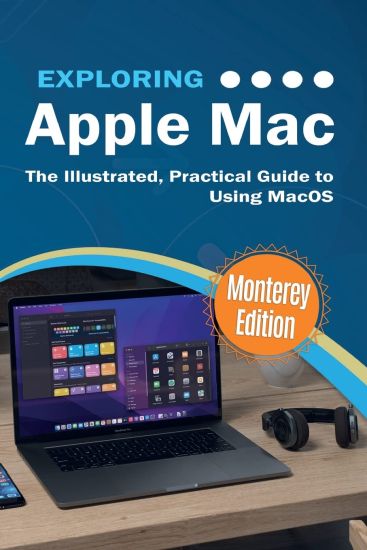
Exploring Apple Mac

Exploring Apple Mac

Kevin Wilson

Elluminet Press
2021
pokkari
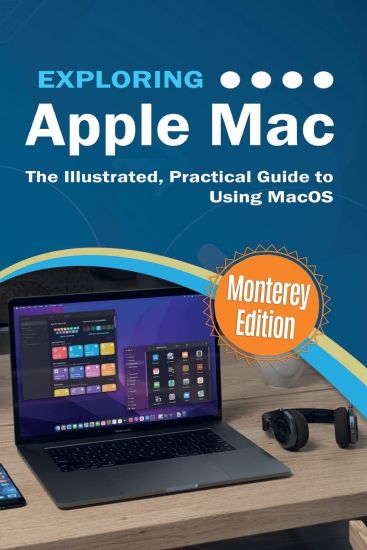
We've all been there before, glaring at a computer screen with no idea what to do - don't worry Exploring Apple Mac is here to help. Written by best-selling technology author, lecturer, and computer trainer Kevin Wilson, Exploring Apple Mac is packed with easy-to-follow instructions, photos, illustrations, helpful tips, and video demos. Updated to cover the Monterey release of MacOS, Exploring Apple Mac will help you understand the fundamentals of your Mac. You'll learn how to: Upgrade your Mac to Monterey and explore new featuresFind your way around the desktop, dock, finder, and launchpad in MacOSMaster touch gestures, trackpads and the magic mouse to get around your MacUse Notification Centre, Handoff, Spaces, Control Center, Universal Control, and Universal ClipboardOrganising files and folders in FinderBrowse the web with the Safari Web Browser safely and efficientlyKeep in touch with friends and family using email, iMessage, and FaceTime video chatSet important appointments with CalendarKeep the people you correspond with in the Contacts appSet yourself reminders and 'to-do' listsCheck the weatherRecord voice memosDownload countless apps from the App StoreCatch up with your favourite podcasts and the latest newsRead ebooksFind your way around with the Maps App, get directions, create guides, explore places in 3D, and use the new interactive globeStream music with Apple Music, buy tracks & albums from iTunes StoreStream TV programs & movies with the Apple TV AppGetting started with Pages, Keynote and Numbers on your MacUsing iCloud storage on your MacUse time machine to back up your dataGet to know Siri in MacOSUse the photos app to store and enhance your photos Create slideshows, photo albums and use iMovie to edit your home movies and more... Finally, system updates and maintenance tips to help you keep your Mac running smoothly complete this invaluable guide. You'll want to keep this edition handy as you make your way around the new OS.
Exploring Apple Mac

Exploring Apple Mac

Kevin Wilson

Elluminet Press
2021
pokkari
We've all been there before, glaring at a computer screen with no idea what to do - don't worry Exploring Apple Mac is here to help. Written by best-selling technology author, lecturer, and computer trainer Kevin Wilson, Exploring Apple Mac is packed with easy-to-follow instructions, photos, illustrations, helpful tips, and video demos. Updated to cover the Monterey release of MacOS, Exploring Apple Mac will help you understand the fundamentals of your Mac. You'll learn how to: Upgrade your Mac to Monterey and explore new featuresFind your way around the desktop, dock, finder, and launchpad in MacOS MontereyMaster touch gestures, trackpads and the magic mouse to get around your MacUse Notification Centre, Handoff, Spaces, Control Center, Universal Control, and Universal ClipboardOrganising files and folders in FinderBrowse the web with the Safari Web Browser safely and efficiently in MacOS MontereyKeep in touch with friends and family using email, iMessage, and FaceTime video chatSet important appointments with Calendar in MacOS MontereyKeep the people you correspond with in the Contacts appSet yourself reminders and 'to-do' listsCheck the weatherRecord voice memosDownload countless apps from the App Store in MacOS MontereyCatch up with your favourite podcasts and the latest newsRead ebooks on MacOS MontereyFind your way around with the Maps App, get directions, create guides, explore places in 3D, and use the new interactive globeStream music with Apple Music, buy tracks & albums from iTunes StoreStream TV programs & movies with the Apple TV AppGetting started with Pages, Keynote and Numbers on your MacUsing iCloud storage on your MacUse time machine to back up your dataGet to know Siri in MacOSUse the photos app to store and enhance your photos Create slideshows, photo albums and use iMovie to edit your home movies and more... Finally, system updates and maintenance tips to help you keep your Mac running smoothly complete this invaluable user guide. You'll want to keep this edition handy as you make your way around the new OS.
Exploring Apple iPad

Exploring Apple iPad

Kevin Wilson

Elluminet Press
2021
pokkari
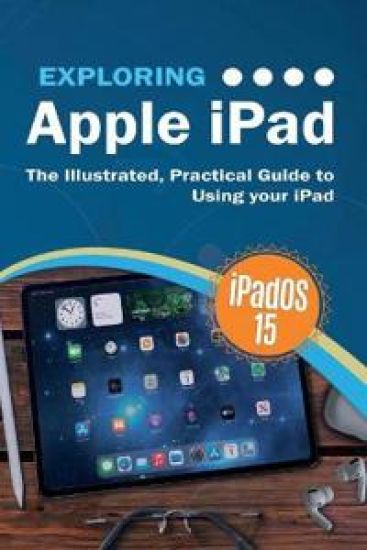
We've all been there before, glaring at a screen with no idea what to do - don't worry Exploring iPad is here to help. Written by best-selling technology author, lecturer, and computer trainer Kevin Wilson, Exploring iPad is packed with easy to follow instructions, photos, full color illustrations, helpful tips, and video demos. Updated to cover the iPadOS 15 update, Exploring Apple iPad will help you get to grips with the fundamentals of your iPad and will help you: Upgrade your iPad to iPadOS 15Set up your iPad, secure it with Touch ID and Face IDDiscover new features of iPadOS 15 on iPadFind your way around your iPad's home screen, dock, menus, widgets and iconsNavigate with touch gestures such as tap, drag, pinch, spread and swipeMulti-task with slide over, split view, and drag & dropUse control centre, lock screen, notifications, handoff and airplayUse Apple Pencil to draw, annotate, and take notes on your iPadGet to know Siri, voice dictation, and recording voice memosCommunicate with email, FaceTime, and MessagesWatch a movie or listen to music together with SharePlaySet important appointments with Calendar on iPadKeep the people you correspond with in the Contacts appSet yourself reminders and 'to-do' listsUse digital touch, and peer-to-peer paymentsBrowse the web with Safari web browser safely and efficientlyTake, enhance, and share photos and videoOrganise your photos in the Photos app, create little movies in iMovieCatch up with your favourite podcasts and the latest newsStream music with Apple Music, buy tracks & albums from iTunes StoreStream TV programs & movies with the Apple TV AppUse Files App to access your files from anywhereFind your way around with the Maps App, get directions, create guides, explore places in 3DAccessorise your iPad with covers, keyboards, AirPods and headphonesSetup and use Apple Pay, and more... In addition, you will learn how to make the most of the new features of iPadOS 15 with clear explanations and video demos to help you along the way. Finally, system updates, backups, and general housekeeping tips complete this invaluable guide. You'll want to keep this edition handy as you explore your iPad.
Exploring Computers

Exploring Computers

Kevin Wilson

Elluminet Press
2021
pokkari
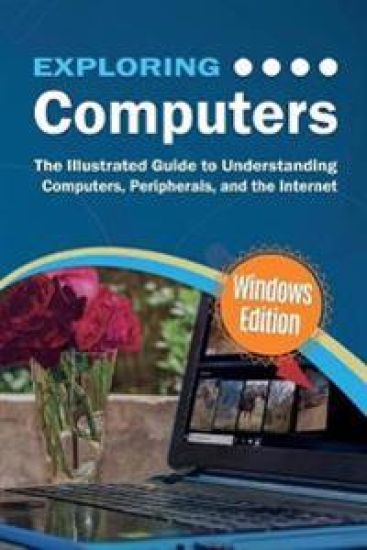
Exploring Computers is the perfect companion for your new PC, laptop, or surface tablet. Ideal for newbies, beginners, seniors, and moderately experienced users. Written by best-selling technology author, lecturer, and computer trainer Kevin Wilson, Exploring Computers is packed with step-by-step instructions, color photos, and illustrations to help you learn about Windows 10, as well as an introduction to computers, hardware, basic troubleshooting, and useful tips & tricks. Exploring Computers is here to help you get the most out of your computer and will help you: Learn about computer components such as the CPU, RAM, and disk drivesFind out about computer peripherals such as installing and using printers in Windows 10Master the trackpad with gestures and using your mouseDecode computer specificationsMaster the key features of Windows 10Find your way around the Desktop, Start Menu, and the Taskbar in Windows 10Organise your files with File Explorer in Windows 10Learn about the cloud and how to use OneDrive and Google DriveLearn about common software for word processing, image editing, and appsLearn how to stay safe on the internet and educate yourself about phishing, scams, worms, ransomware and virusesLearn how to use the internet, check email and browse the web. Learn how to back up your files and keep them safe. Learn how to troubleshoot and solve common computer problemsYou'll want to keep this edition handy as you make your way around your computer. Have Fun
Computer Jargon

Computer Jargon

Kevin Wilson

Elluminet Press
2021
pokkari
Master the geeky acronyms and simplify computer terminology with ease. All that technical jargon can be baffling at times, even for the moderately experienced user. This book cuts through the jargon to show that computer terminology isn't so complicated after all and can be easily understood by anyone. Step-by-step, visual approach to help you quickly decode the jargonPlenty of full color, illustrated screenshots and photographs to help youPresented in an easy and simple to read format. Key terms are illustrated using photography, diagrams and screen prints throughout, together with concise, easy to follow text from an established expert in the field. If you want to decode the jargon quickly and easily, this is the book you need. If we missed one out, email us and let us know: [email protected]
Nichego interesnogo.Kevin Uilson

Nichego interesnogo.Kevin Uilson

Kevin Wilson

Poljandrija
2020
sidottu
Zhizn Lilian sovsem ne pokhozha merikanskie gorki, no i pod otkos ona tozhe ne katitsja. Kogda-to devushka byla podajuschej nadezhdy uchenitsej prestizhnoj shkoly, no sluchilsja skandal, i ee iskljuchili. S tekh por ne proiskhodilo nichego interesnogo: prozjabanie v zakholustnom gorodke, rabota v supermarkete, bezrazlichnaja mamasha, sluchajnye parni i nikakoj nadezhdy na svetloe buduschee. No v odin prekrasnyj den davnjaja podruga prosit Lilian porabotat guvernantkoj detej ee muzha ot pervogo braka. I vse by nichego, no est odna problema: eti rebjatishki vosplamenjajutsja, kogda ispytyvajut silnoe volnenie.
Exploring Microsoft Office

Exploring Microsoft Office

Kevin Wilson

Elluminet Press
2020
sidottu
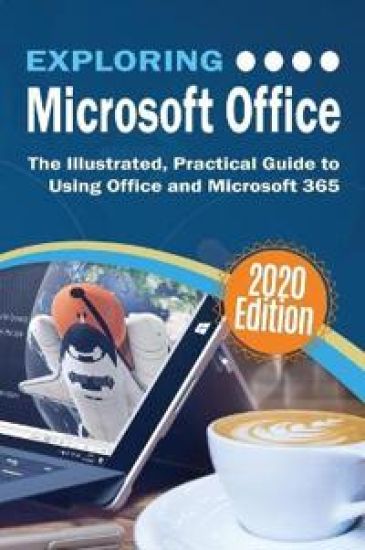
Microsoft 365, formerly known as Office 365 offers many improved productivity features and services. Updated and revised, Exploring Microsoft Office is here to help. Packed with easy to follow step-by-step instructions, illustrations, photographs and video demos, this guide offers specifics in... Downloading and Installing the Microsoft Office Suite Getting started with Office Online: using Sway, OneDrive, Mail & Calendar Using Office Apps on your iPad or Android device Constructing professional looking documents with Microsoft Word Adding and using graphics, photographs, and clipart Changing fonts, creating tables, graphs, clipboard, sorting and formatting text, and mail merge Creating presentations for your lessons, lectures, speeches, or business presentations using PowerPoint. Adding animations and effects to PowerPoint slides Using 3D and cinematic transitions to spice up your presentations Using Excel to create spreadsheets that analyse, present, and manipulate data Creating Excel charts, graphs, pivot tables, functions, and formulas The basics of Microsoft Access databases, tables, forms, queries, and SQL Keeping in touch with friends, family and colleagues using Outlook Maintaining calendars and keeping appointments with Outlook Taking notes with OneNote, and more... Unlike other books and manuals that assume a computing background not possessed by beginners, Exploring Microsoft Office tackles the fundamentals of Microsoft Office, so that everyone from students, to senior citizens, to home users pressed for time, can understand. So, if you're looking for an Office manual, a visual book, simplified tutorial, dummies guide, or reference, Exploring Microsoft Office will help you maximize the potential of Microsoft Office to increase your productivity, and help you take advantage of the digital revolution.
Exploring Microsoft Office

Exploring Microsoft Office

Kevin Wilson

Elluminet Press
2020
pokkari
Microsoft 365, formerly known as Office 365 offers many improved productivity features and services. Updated and revised, Exploring Microsoft Office is here to help. Packed with easy to follow step-by-step instructions, illustrations, photographs and video demos, this guide offers specifics in... Downloading and Installing the Microsoft Office Suite Getting started with Office Online: using Sway, OneDrive, Mail & Calendar Using Office Apps on your iPad or Android device Constructing professional looking documents with Microsoft Word Adding and using graphics, photographs, and clipart Changing fonts, creating tables, graphs, clipboard, sorting and formatting text, and mail merge Creating presentations for your lessons, lectures, speeches, or business presentations using PowerPoint. Adding animations and effects to PowerPoint slides Using 3D and cinematic transitions to spice up your presentations Using Excel to create spreadsheets that analyse, present, and manipulate data Creating Excel charts, graphs, pivot tables, functions, and formulas The basics of Microsoft Access databases, tables, forms, queries, and SQL Keeping in touch with friends, family and colleagues using Outlook Maintaining calendars and keeping appointments with Outlook Taking notes with OneNote, and more... Unlike other books and manuals that assume a computing background not possessed by beginners, Exploring Microsoft Office tackles the fundamentals of Microsoft Office, so that everyone from students, to senior citizens, to home users pressed for time, can understand. So, if you're looking for an Office manual, a visual book, simplified tutorial, dummies guide, or reference, Exploring Microsoft Office will help you maximize the potential of Microsoft Office to increase your productivity, and help you take advantage of the digital revolution.