Kirjailija
Kevin Wilson
Kirjat ja teokset yhdessä paikassa: 112 kirjaa, julkaisuja vuosilta 2006–2026, suosituimpiin kuuluu Web Development with HTML, CSS, and JavaScript. Vertaile teosten hintoja ja tarkista saatavuus suomalaisista kirjakaupoista.
112 kirjaa
Kirjojen julkaisuvuodet: 2006–2026.
We've all been there before, glaring at a computer screen with no idea what to do - don't worry Exploring Apple Mac is here to help. Written by best-selling technology author, lecturer, and computer trainer Kevin Wilson, Exploring Apple Mac is packed with easy to follow instructions, photos, illustrations, helpful tips, and video demos. Updated to cover the Big Sur release of MacOS, Exploring Apple Mac will help you understand the fundamentals of your Mac and help you: Upgrade your Mac to Big Sur and explore new featuresFind your way around the desktop, dock, finder, and launchpadMaster touch gestures, trackpads and the magic mouseUse Notification Centre, Handoff, Spaces, Control Center, and Universal ClipboardOrganising files and folders in FinderBrowse the web with the Safari Web Browser safely and efficientlyKeep in touch with friends and family using email, iMessage, and FaceTime video chatSet important appointments with CalendarKeep the people you correspond with in the Contacts appSet yourself reminders and 'to-do' listsCheck the weatherRecord voice memosDownload countless apps from the App StoreCatch up with your favourite podcasts and the latest newsFind your way around with the Maps App, get directions, create guides, explore places in 3DStream music with Apple Music, buy tracks & albums from iTunes StoreStream TV programs & movies with the Apple TV AppGetting started with Pages, Keynote and Numbers Using iCloud storage Get to know SiriUse the photos app to store and enhance your photos Create slideshows, photo albums and use iMovie to edit your home movies and more... Finally, system updates and maintenance tips to help you keep your Mac running smoothly complete this invaluable guide. You'll want to keep this edition handy as you make your way around the new OS.
iPads have become an essential tool for students, business users, and home users. Updated to cover the iPadOS 14 update, Exploring Apple iPad will help you get to grips with the fundamentals of your device. Written in a clear and accessible way using screenshots, video demos, and easy to follow instructions, Exploring Apple iPad will help you: Upgrade your iPad to iPadOS 14 Discover new features of iPadOS 14 Find your way around the dock, menus, and icons Navigate with touch gestures: tap, drag, pinch, spread and swipe Multi-task with slide over, split view, and drag & drop Use control centre, lock screen, notifications, and handoff Use Apple Pencil to draw, annotate, and take notes Get to know Siri, voice dictation, and recording voice memos Communicate with email, FaceTime, and iMessage Use digital touch, and peer-to-peer payments Browse the web with Safari web browser Take, enhance, and share photos and video Stream music with Apple Music, buy tracks & albums from iTunes Store Stream TV programs & movies with the new Apple TV App Use Files App, as well as Maps, News, Apple Books, and Notes Setup and use Apple Pay, Calendar, and Contacts, and more... In addition, you will learn how to make the most of the new features of iPadOS 14 with clear explanations and video demos to help you along the way. Finally, system updates, backups, and general housekeeping tips complete this invaluable guide. You'll want to keep this edition handy as you explore your iPad.
We've all been there before, glaring at a screen with no idea what to do - don't worry Exploring iPad is here to help. Written by best-selling technology author, lecturer, and computer trainer Kevin Wilson, Exploring iPad is packed with easy to follow instructions, photos, illustrations, helpful tips, and video demos. Updated to cover the iPadOS 14 update, Exploring Apple iPad will help you get to grips with the fundamentals of your iPad and will help you: Upgrade your iPad to iPadOS 14Set up your iPad, secure it with Touch ID and Face IDDiscover new features of iPadOS 14 on iPadFind your way around your iPad's home screen, dock, menus, and iconsNavigate with touch gestures such as tap, drag, pinch, spread and swipeMulti-task with slide over, split view, and drag & dropUse control centre, lock screen, notifications, and handoffUse Apple Pencil to draw, annotate, and take notesGet to know Siri, voice dictation, and recording voice memosCommunicate with email, FaceTime, and iMessageSet important appointments with CalendarKeep the people you correspond with in the Contacts appSet yourself reminders and 'to-do' listsUse digital touch, and peer-to-peer paymentsBrowse the web with Safari web browser safely and efficientlyTake, enhance, and share photos and videoCatch up with your favourite podcasts and the latest newsStream music with Apple Music, buy tracks & albums from iTunes StoreStream TV programs & movies with the Apple TV AppUse Files App to access your files from anywhereFind your way around with the Maps App, get directions, create guides, explore places in 3DIntroduce yourself to the world of App ClipsAccessorise your iPad with covers, keyboards, AirPods and headphonesSetup and use Apple Pay, and more... In addition, you will learn how to make the most of the new features of iPadOS 14 with clear explanations and video demos to help you along the way. Finally, system updates, backups, and general housekeeping tips complete this invaluable guide. You'll want to keep this edition handy as you explore your iPad.
Updated to cover the Big Sur release of MacOS, Exploring Apple Mac will help you to understand the fundamentals of your Mac and unlock its potential. Written in a clear and accessible way using illustrations, screenshots, video demos, and easy to follow instructions, Exploring Apple Mac will help you: Install or upgrade to Big Sur and explore new features Master the desktop, dock, finder, launchpad and navigation To use Notification Centre, Handoff, Spaces, and Universal Clipboard Organising files and folders Search the web with the Safari Web Browser Keep in touch using email, iMessage, and FaceTime video chat Learn about apps such as weather, news, stock, and voice memos How to download apps from the App Store Organise and listen to your music with Music App Use Apple Music and the iTunes Store Download movies, and TV Programs Getting started with Pages, Keynote and Numbers Using iCloud storage Get to know Siri Using the photos app, iMovie and a whole lot more... Finally, maintenance tips to help you keep your Mac running smoothly complete this invaluable guide. You'll want to keep this edition handy as you make your way around the new OS.
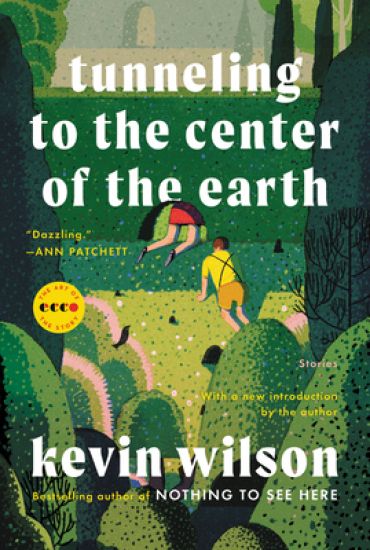
A debut short story collection in the tradition of writers like Kelly Link, Aimee Bender, and George Saunders--strange, imaginative, and refreshingly original--now back in print as part of Ecco's "Art of the Story" Series, and with a new introduction from the authorKevin Wilson's characters inhabit a world that moves seamlessly between the real and the imagined, the mundane and the fantastic. "Grand Stand-In" is narrated by an employee of the Nuclear Family Supplemental Provider--a company that supplies "stand-ins" for families with deceased, ill, or just plain mean grandparents. And in "Blowing Up On the Spot," a story singled out by Ann Patchett for Ploughshares, a young woman works sorting tiles at a Scrabble factory after her parents have spontaneously combusted. Southern gothic at its best, laced with humor and pathos, these wonderfully inventive stories explore the relationship between loss and death and the many ways we try to cope with both.
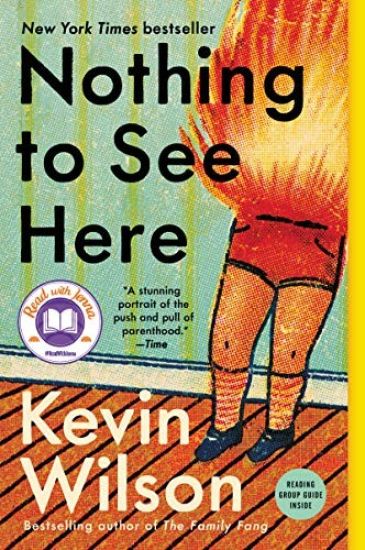
A New York Times Bestseller - A Read with Jenna Today Show Book Club Pick Named a Best Book of the Year by The New York Times Book Review, The Washington Post, People, Entertainment Weekly, USA Today, TIME, The A. V. Club, Buzzfeed, and PopSugar"I can't believe how good this book is.... It's wholly original. It's also perfect.... Wilson writes with such a light touch.... The brilliance of the novel is] that it distracts you with these weirdo characters and mesmerizing and funny sentences and then hits you in a way you didn't see coming. You're laughing so hard you don't even realize that you've suddenly caught fire." --Taffy Brodesser-Akner, author of Fleishman is in Trouble, New York Times Book ReviewFrom the New York Times bestselling author of The Family Fang, a moving and uproarious novel about a woman who finds meaning in her life when she begins caring for two children with a remarkable ability. Lillian and Madison were unlikely roommates and yet inseparable friends at their elite boarding school. But then Lillian had to leave the school unexpectedly in the wake of a scandal and they've barely spoken since. Until now, when Lillian gets a letter from Madison pleading for her help. Madison's twin stepkids are moving in with her family and she wants Lillian to be their caretaker. However, there's a catch: the twins spontaneously combust when they get agitated, flames igniting from their skin in a startling but beautiful way. Lillian is convinced Madison is pulling her leg, but it's the truth. Thinking of her dead-end life at home, the life that has consistently disappointed her, Lillian figures she has nothing to lose. Over the course of one humid, demanding summer, Lillian and the twins learn to trust each other--and stay cool--while also staying out of the way of Madison's buttoned-up politician husband. Surprised by her own ingenuity yet unused to the intense feelings of protectiveness she feels for them, Lillian ultimately begins to accept that she needs these strange children as much as they need her--urgently and fiercely. Couldn't this be the start of the amazing life she'd always hoped for? With white-hot wit and a big, tender heart, Kevin Wilson has written his best book yet--a most unusual story of parental love.
Exploring Windows 10 May 2020 Edition
Kevin Wilson
Elluminet Press
2020
pokkari
Halvin toimitettuna 38,50 €
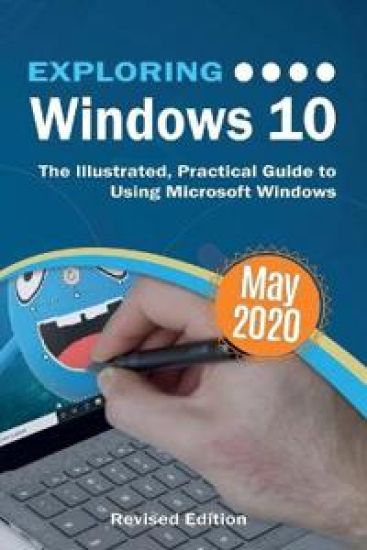
Updated to cover the May 2020 Update, also known as Version 2004 and 20H1. Exploring Windows 10 is the essential guide for those who want to get to grips with the fundamentals of Microsoft Windows 10. Written in a clear and practical way using illustrations, screenshots, video demos, and easy to follow instructions, Exploring Windows 10 will help you: Install or upgrade to Windows 10 May 2020 update Master the key features of Windows 10 Find your way around the Desktop, Start Menu, and the Taskbar Organise your files with File Explorer Learn about external drives, flash drives, and memory cards Learn to use Action Centre, Timeline, and Cloud Clipboard Search the web with the Microsoft Edge Browser Keep in touch using email and skype video chat Organise, enhance, and share your photos with the Photos App Create home movies with your video clips, photos 3D models, effects, and music to share with friends Have fun with 3D models and Paint 3D Listen to your favourite music with Spotify and Groove Music App Learn how to watch your favourite TV programs and films using the Films & TV App Play your DVD collection on your PC Learn about apps, find and download them Understand how Cloud storage with OneDrive works, and use it for free storage and sharing files Try out the new Cortana experience, the voice-activated Personal Digital Assistant who can perform searches on your computer or the web, and actions like opening apps or documents, or setting reminders. As well as a new chat style feature. Use the Cloud Restore feature And a whole lot more... In addition, you will learn how to make the most of the new features of Windows 10 with clear explanations and video demos to help you along the way. Finally, maintenance tips to help you keep your PC running smoothly complete this invaluable guide. You'll want to keep this edition handy as you make your way around the new OS.
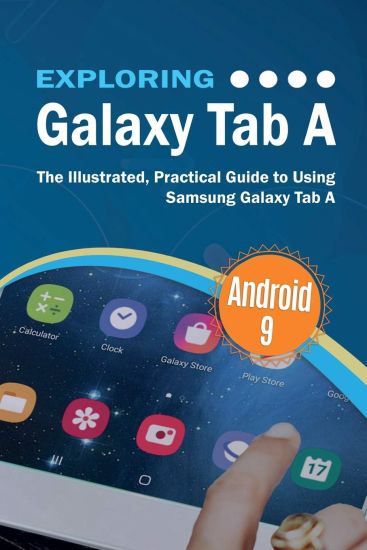
Exploring Galaxy Tab is the perfect companion for your new Samsung Galaxy A Tablet. Written by best-selling technology author, lecturer, and computer trainer Kevin Wilson, Exploring Galaxy Tab is packed with step-by-step instructions, full color photos, illustrations, helpful tips and video demos. Updated to cover Android 9, Exploring Galaxy Tab will help you: Install or upgrade to Android 9 Setting up your tablet Configuring your tablet Transferring data from your old tablet or phone Setting up email and social media accounts Bluetooth devices and printers Connecting to Wifi and the internet Tablet navigation with touch gestures Using Gmail, Chrome browser, calendar, contacts Video chat with Hangouts Taking pictures and videos Downloading music, films, and TV programs and more... In addition, you will learn how to make the most of the new features of Android 9 on the Galaxy Tab A with clear explanations and video demos to help you along the way. You'll want to keep this edition handy as you make your way around your new tablet.
Updated to cover the latest releases of the Amazon Fire Tablets, Exploring Fire Tablets will help you to understand the fundamentals of your Fire Tablet. Written in a clear and accessible way using illustrations, screenshots, video demos, and easy to follow instructions, Exploring Fire Tablets will help you: Setting up your tablet Configuring your tablet Setting up email and social media accounts Creating child profiles and parental controls Bluetooth devices and printers Connecting to Wifi and the internet Tablet navigation with touch gestures Using Alexa Using email, web browser, calendar, contacts Video chat with Skype Taking pictures and videos Expanding your storage with SD cards Downloading music, films, and TV programs Downloading eBooks from the kindle store Downloading Magazines and more... In addition, you will learn how to make the most of the new features your Fire Tablet with clear explanations and video demos to help you along the way. Finally, maintenance tips to help you keep your device running smoothly complete this invaluable guide. You'll want to keep this edition handy as you make your way around your new tablet.
The iPad revolutionised the way we work, catch up on entertainment, and access information. Now with their very own operating system iPadOS, iPads have become an essential tool for students, business users, and home users. Updated to cover the iPadOS update, Exploring Apple iPad will help you get to grips with the fundamentals of your device. Written in a clear and accessible way using illustrations, screenshots, video demos, and easy to follow instructions, Exploring Apple iPad will help you: Upgrade your iPad to iPadOS The new features introduced in iPadOS Find your way around the dock, menus, and icons Navigate with touch gestures: tap, drag, pinch, spread and swipe Multi-task with slide over, split view, and drag & drop Using iPad as a second screen on your Mac with SideCar. Use control centre, lock screen, notifications, and handoff Connect external keyboards as well as the on-screen keyboard Use Apple Pencil to draw, annotate, and take notes Get to know Siri, voice dictation, and recording voice memos Communicate with email, FaceTime, and iMessage Use digital touch, and peer-to-peer payments Browse the web with Safari web browser Take, enhance, and share photos and video Stream music with Apple Music, buy tracks & albums from iTunes Store Stream TV programs & movies with the new Apple TV App Use Files App, as well as Maps, News, Apple Books, and Notes Setup and use Apple Pay, Calendar, and Contacts, and more... In addition, you will learn how to make the most of the new features of iPadOS with clear explanations and video demos to help you along the way. Finally, maintenance, system updates, backups, and general housekeeping tips complete this invaluable guide. You'll want to keep this edition handy as you explore the new iPadOS.
Nothing to See Here
Kevin Wilson
Newbury House Publishers,U.S.
2019
pokkari
Halvin toimitettuna 30,50 €
A New York Times Bestseller - A Read with Jenna Today Show Book Club Pick! Named a Best Book of the Year by TheNew York Times Book Review, TheWashington Post, People, Entertainment Weekly, USA Today, TIME, The A. V. Club, Buzzfeed, and PopSugar"I can't believe how good this book is.... It's wholly original. It's also perfect.... Wilson writes with such a light touch.... The brilliance of the novel [is] that it distracts you with these weirdo characters and mesmerizing and funny sentences and then hits you in a way you didn't see coming. You're laughing so hard you don't even realize that you've suddenly caught fire." --Taffy Brodesser-Akner, author of Fleishman is in Trouble, New York Times Book ReviewFrom the New York Times bestselling author of The Family Fang, a moving and uproarious novel about a woman who finds meaning in her life when she begins caring for two children with a remarkable ability. Lillian and Madison were unlikely roommates and yet inseparable friends at their elite boarding school. But then Lillian had to leave the school unexpectedly in the wake of a scandal and they've barely spoken since. Until now, when Lillian gets a letter from Madison pleading for her help. Madison's twin stepkids are moving in with her family and she wants Lillian to be their caretaker. However, there's a catch: the twins spontaneously combust when they get agitated, flames igniting from their skin in a startling but beautiful way. Lillian is convinced Madison is pulling her leg, but it's the truth. Thinking of her dead-end life at home, the life that has consistently disappointed her, Lillian figures she has nothing to lose. Over the course of one humid, demanding summer, Lillian and the twins learn to trust each other--and stay cool--while also staying out of the way of Madison's buttoned-up politician husband. Surprised by her own ingenuity yet unused to the intense feelings of protectiveness she feels for them, Lillian ultimately begins to accept that she needs these strange children as much as they need her--urgently and fiercely. Couldn't this be the start of the amazing life she'd always hoped for? With white-hot wit and a big, tender heart, Kevin Wilson has written his best book yet--a most unusual story of parental love.
Kevin Wilson's best book yet--a moving and uproarious novel about a woman who finds meaning in her life when she begins caring for two children with remarkable and disturbing abilities. Lillian and Madison were unlikely roommates and yet inseparable friends at their elite boarding school. But then Lillian had to leave the school unexpectedly in the wake of a scandal and they've barely spoken since. Until now, when Lillian gets a letter from Madison pleading for her help. Madison's twin stepkids are moving in with her family and she wants Lillian to be their caretaker. However, there's a catch: the twins spontaneously combust when they get agitated, flames igniting from their skin in a startling but beautiful way. Lillian is convinced Madison is pulling her leg, but it's the truth. Thinking of her dead-end life at home, the life that has consistently disappointed her, Lillian figures she has nothing to lose. Over the course of one humid, demanding summer, Lillian and the twins learn to trust each other--and stay cool--while also staying out of the way of Madison's buttoned-up politician husband. Surprised by her own ingenuity yet unused to the intense feelings of protectiveness she feels for them, Lillian ultimately begins to accept that she needs these strange children as much as they need her--urgently and fiercely. Couldn't this be the start of the amazing life she'd always hoped for? With white-hot wit and a big, tender heart, Kevin Wilson has written his best book yet--a most unusual story of parental love.
Why do we struggle so much with our emotions? In Gospel-Shaped Emotions, Kevin Wilson explores how our emotions do not have to control us but that they can submit to the authority of Jesus. Anger, anxiety, joy, and grief can all find a peaceful home at the foot of the cross.
Updated to cover Android 9 on the Galaxy Tab s4, Exploring Galaxy Tablets will help you to understand the fundamentals of your Samsung Galaxy Tab. Written in a clear and accessible way using illustrations, screenshots, video demos, and easy to follow instructions, Exploring Galaxy Tablets will help you: Install or upgrade to Android 9 Setting up your tablet Configuring your tablet Transferring data from your old tablet or phone Setting up email and social media accounts Bluetooth devices and printers Connecting to Wifi and the internet Tablet navigation with touch gestures Using Gmail, Chrome browser, calendar, contacts Video chat with Hangouts Using DEX mode to get some work done Using S-Pen Taking pictures and videos Downloading music, films, and TV programs and more... In addition, you will learn how to make the most of the new features of Android 9 on the Galaxy Tab s4 with clear explanations and video demos to help you along the way. You'll want to keep this edition handy as you make your way around your new tablet.
Bits, bytes, RAM, CPUs, hard drives and DVD drives. Master the geeky acronyms and simplify computer hardware & terminology with ease. Computer hardware with all its technical jargon can be baffling, even for the moderately experienced user. This book cuts through the jargon to show that computer hardware isn't so complicated after all and can be easily understood by anyone. This book is great for beginners or a basic computing class. Step-by-step, visual approach to help you quickly decode the jargon Plenty of full color, illustrated screenshots and photographs to help you Presented in an easy and simple to read format. This book looks at Understanding computer specifications often displayed in computer stores and online General hardware concepts and what's inside the case Hardware components: CPUs, RAM, Hard Drives, Portable Drives, video cards and memory cards Inside the CPU and the fetch execute cycle Data Storage: bits, bytes, kilo bytes, mega bytes, giga bytes and tera bytes Binary arithmetic and character encoding Computer ports: VGA, HDMI, DVI, USB 2&3, FireWire, RJ45 ethernet, eSATA and more Different types of computer: desktops, laptops, netbooks, tablets, hybrids and supercomputers Computer peripherals: laser and inkjet printers Types of computer networks, The internet, email, the cloud and the world-wide web Network topologies, LANs, WANs, MANs, fibre optics and ethernet WiFi and Cellular internet connections IP Addressing, web servers, DNS servers and DHCP servers and more... Techniques are illustrated step-by-step using photography and screen prints throughout, together with concise, easy to follow text from an established expert in the field, provide a comprehensive guide to computer systems. If you want to decode the jargon quickly and easily, this is the guide you need.
"Hands down my favorite book of the year." -- Ann Patchett, New York Times bestselling author of The Dutch House and Commonwealth From the New York Times bestselling author of The Family Fang comes his first short story collection in nearly a decade, combining his signature quirkiness with his keen eye for emotional complexity to explore the fraught relationship between parents and children. "Wildfire Johnny" is the story of a man who discovers a magic razor that allows him to travel back in time. "Scroll Through the Weapons" is about a couple taking care of their underfed and almost feral nieces and nephews. "Signal to the Faithful" follows a boy as he takes a tense road trip with his priest. And "Baby, You're Gonna Be Mine," the title story, is about a narcissistic rock star who moves back home during a rough patch. These stories all build on each other in strange and remarkable ways, showcasing Wilson's crackling wit and big heart. Filled with imagination and humor, Baby, You're Gonna Be Mine is an exuberant collection of captivating and charmingly bizarre stories that promise to burrow their way into your heart and soul." Wildfire Johnny" will be the first project in development with "The Great" actor Nicholas Hoult and MRC Television.
The twenty-first century offers more technology than we have ever seen before, but with new updates, and apps coming out all the time, it's hard to keep up. Essential Office 365 is here to help. Along with easy to follow step-by-step instructions, illustrations, and photographs, this guide offers specifics in... Downloading and Installing Microsoft Office Suite Getting started with Office Online: using Sway, OneDrive, Mail & Calendar Using Office Apps on your iPad or Android device Constructing professional looking documents with Microsoft Word Adding and using graphics, photographs, and clipart Changing fonts, creating tables, graphs, clipboard, sorting and formatting text, and mail merge Creating presentations for your lessons, lectures, speeches or business presentations using PowerPoint. Adding animations and effects to PowerPoint slides Using 3D and cinematic transitions to spice up your presentations Using Excel to create spreadsheets that analyse, present and manipulate data Creating Excel charts, graphs, pivot tables, functions and formulas The basics of Microsoft Access databases Keeping in touch with friends, family and colleagues using Outlook Maintaining calendars and keeping appointments with Outlook Taking notes with OneNote and more... Unlike other books and manuals that assume a computing background not possessed by beginners, Essential Office 365 tackles the fundamentals of Microsoft Office, so that everyone from students, to senior citizens, to home users pressed for time, can understand. So, if you're looking for an Office manual, a visual book, simplified tutorial, dummies guide, or reference, Essential Office 365 will help you maximize the potential of Microsoft Office to increase your productivity, and help you take advantage of the digital revolution.
Harry Potter: A Pop-Up Guide to Hogwarts
Kevin Wilson
INSIGHT EDITIONS
2018
sidottu
Halvin toimitettuna 51,40 €
A 3-D masterpiece celebrating Harry Potter's Hogwarts School of Witchcraft and Wizardry from New York Times best-selling pop-up engineer Matthew Reinhart. Harry Potter: A Pop-Up Guide to Hogwarts is an exhilarating, interactive guide to the iconic school of witchcraft and wizardry. This book features spectacular pop-up re-creations of key locations inside and outside Hogwarts castle, and it opens flat to form a pop-up map of the castle and its grounds--including the Quidditch pitch, the Forbidden Forest, and beyond. In addition to large pops on each spread, numerous mini-pops bring to life beloved elements from the Harry Potter films, such as the Marauder's Map and the Flying Ford Anglia. Each pop includes insightful text about Hogwarts as seen in the films, making for a must-have collectible for fans of the wizarding world. NOTE: Before unfolding the Hogwarts map, unhook the two manila tabs on each spread by gently pushing them out from underneath. There are eight tabs in total to release.